Ai Overview
To fully appreciate rest apis meaning in the context of intelligent virtual assistants, we need to break down the architecture. 6% CAGR, driven largely by the demand for live, contextual responses that static chatbots simply cannot provide. Our team has audited dozens of chatbot deployments in India and the UAE and found that improperly configured authentication was the top vulnerability in over 70% of cases. Avoiding these will save significant time, budget, and user trust.
Key Takeaways
- ✓REST APIs are the foundational communication layer enabling AI chatbots to access real-time, dynamic data from any external platform or service.
- ✓Businesses in India and UAE leveraging REST API connectivity for chatbots report up to 60% improvement in first-contact resolution rates across customer support channels.
- ✓JSON data processing is the standard format for API data exchange, and chatbot logic must reliably parse structured JSON responses to generate accurate user-facing replies.
- ✓API authentication methods including OAuth 2.0, API keys, and JWT tokens are non-negotiable security requirements for any production chatbot integration.
- ✓Webhook implementation enables push-based data delivery so chatbots receive updates instantly without polling, critical for real-time order or appointment notifications.
- ✓Third party API integration with platforms like Salesforce, Stripe, and Google Calendar transforms chatbots from FAQ tools into fully capable enterprise chatbot applications.
- ✓Error handling and fallback strategies must be built into every chatbot API layer to maintain user trust even when backend systems become temporarily unavailable.
- ✓Cloud based chatbot solutions with REST API connectivity scale efficiently across geographies, making them ideal for enterprises operating across both Indian and UAE markets.
- ✓Data synchronization services between chatbots and backend systems must be tested rigorously with realistic load patterns before going live in any production environment.
- ✓Monitoring and maintaining live API integrations requires dedicated observability tooling, SLA tracking, and version management to prevent chatbot degradation over time.
Businesses across India and the UAE are rapidly discovering that a static, knowledge-limited chatbot simply cannot keep pace with today’s customer expectations. The real power of an AI chat assistant emerges when it is connected to live data through REST APIs. Understanding what is rest apis and rest apis meaning is the first step to unlocking chatbot potential that truly serves business goals.
With over 8 years of hands-on expertise in AI chatbot integration, our team has architected hundreds of solutions connecting conversational AI platforms to CRMs, ERPs, payment gateways, and real-time data streams. This comprehensive guide walks through every technical and strategic layer of chatbot API development, from authentication to monitoring, to help you build intelligent virtual assistants that respond with accuracy, speed, and context.
What is REST API and Why It Matters for AI Chatbots?
To fully appreciate rest apis meaning in the context of intelligent virtual assistants, we need to break down the architecture. REST, which stands for Representational State Transfer, is a software architectural style that uses standard HTTP methods to allow systems to communicate over the internet in a stateless, lightweight, and scalable manner. When businesses ask what is rest apis, the simplest answer is: it is the agreed-upon language through which your chatbot speaks to every external tool it needs to function intelligently.
For AI chatbots, REST APIs are the bridge between what a user asks and what the backend system knows. Without REST API connectivity, a chatbot can only reference information baked into its training data or a static knowledge base. With REST APIs, the chatbot can query live CRM records, pull product inventory, check appointment slots, process payments, and retrieve personalized user history, all within seconds of receiving a user message.
Stateless Communication
Every REST APIs request is self-contained, carrying all the context needed. No server-side session is maintained, which makes AI chatbot integration highly scalable and cloud-friendly.
Universal Compatibility
REST APIs work with any programming language and platform. Whether your chatbot runs on Node.js, Python, or Java, API data exchange via REST remains consistent and platform-agnostic.
Real Time Data Retrieval
REST APIs power real time data retrieval, enabling dynamic chatbot responses that reflect live stock levels, booking availability, user balances, and more with zero delay.
How AI Chatbots Communicate with External Data Sources?
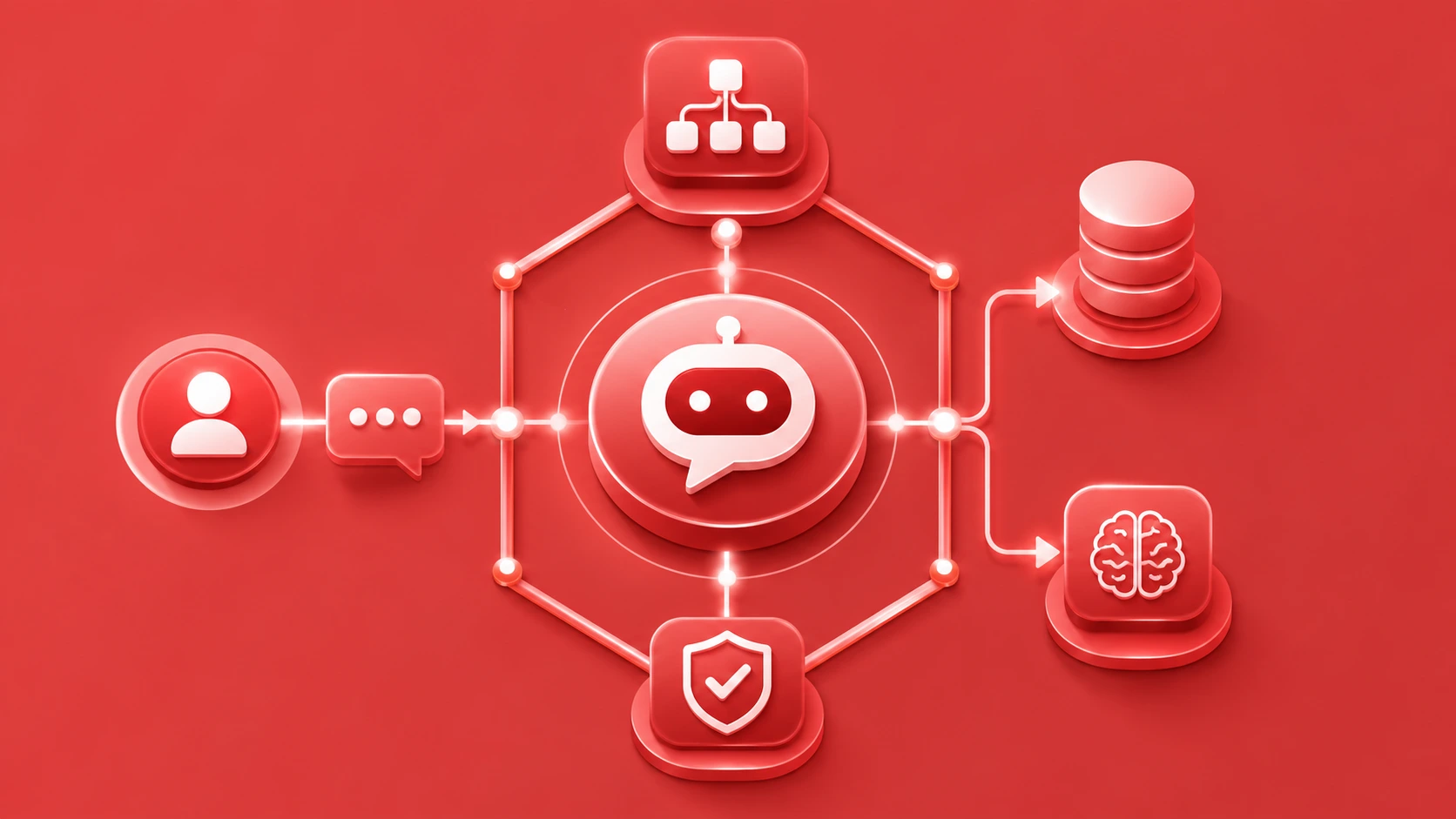
The communication flow between a chatbot and external data integration points follows a clear pattern. When a user sends a message, the chatbot’s NLP engine processes the intent and entities, identifies that external data is needed, and triggers a structured REST APIs call to the appropriate data source. The API returns a JSON payload, the chatbot parses the relevant fields, and the conversation engine formulates a dynamic, context-aware response.
This cycle can happen multiple times within a single conversation. For example, a customer support automation chatbot for an e-commerce business in Dubai might first call an order management API to retrieve order status, then call a shipping API to get live tracking info, and finally call a CRM API to log the interaction, all within a 3-second conversation window. This is the architecture that powers backend system integration at enterprise scale.
User Sends Message
NLP engine processes intent and extracts entities from user input.
REST APIs Request Triggered
Chatbot sends HTTP request with parameters to the correct API endpoint.
JSON Response Received
External system returns structured JSON data which the chatbot parses.
Dynamic Response Delivered
Chatbot generates a context-rich, accurate reply using the fetched data.
Key Components of a Chatbot REST APIs Integration
A robust chatbot API development project is not a single integration but a layered architecture of components that must work together flawlessly. Understanding each layer prevents gaps in production that lead to failed responses or data inconsistencies. From our 8+ years of delivering enterprise chatbot applications across India and the UAE, these are the non-negotiable components:
Intent Handler
Maps user intents to specific API calls, ensuring each query triggers the right data request to the correct backend system integration endpoint.
Auth Manager
Handles all API authentication methods including OAuth tokens, API keys, and JWT, managing token refresh cycles automatically without user intervention.
Request Builder
Constructs structured HTTP requests with correct headers, query parameters, and request bodies derived from conversation context and extracted entities.
Response Parser
Extracts relevant values from JSON data processing results, handling nested structures, arrays, and null-safe paths to prevent chatbot crashes.
Error Handler
Intercepts failed API calls and activates fallback flows, retry logic, or escalation paths to keep conversations flowing despite external system failures.
Cache Layer
Stores frequently requested, semi-static API responses temporarily to reduce redundant API calls, cut latency, and stay within third party API rate limits.
Types of External Data Sources You Can Connect to Your Chatbot
External data integration is not a one-size-fits-all exercise. Chatbots can be connected to a wide range of data sources depending on business function, industry, and user need. Below is a structured overview of the most common source categories leveraged in conversational AI platforms today.
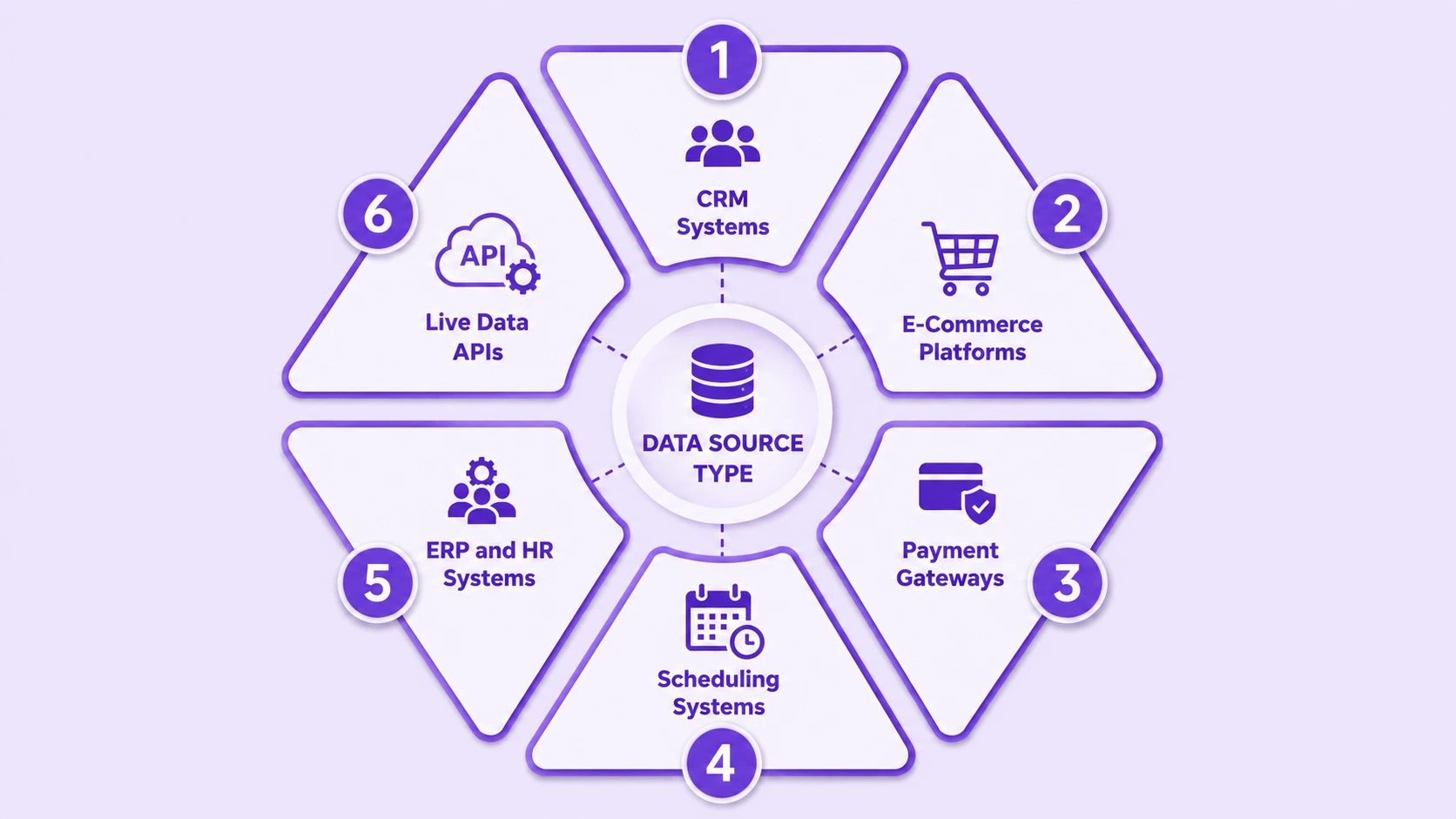
| Data Source Type | Examples | Chatbot Use Case |
|---|---|---|
| CRM Systems | Salesforce, HubSpot, Zoho | Personalized greetings, lead status, account history |
| E-Commerce Platforms | Shopify, WooCommerce, Magento | Order tracking, inventory lookup, product recommendations |
| Payment Gateways | Stripe, Razorpay, PayTabs (UAE) | Payment status, refund initiation, subscription management |
| Scheduling Systems | Google Calendar, Calendly, Acuity | Appointment booking, slot availability, reminders |
| ERP and HR Systems | SAP, Oracle, Workday | Leave balance, HR queries, procurement status |
| Live Data APIs | OpenWeather, News APIs, Currency APIs | Weather, exchange rates, news summaries |
How REST APIs Enable Real Time Data Fetching in Chatbots?
Real time data retrieval is one of the most transformative capabilities that REST APIs bring to conversational AI platforms. The conversational AI market is valued at over USD 17 billion in 2026 and growing at a 25.6% CAGR, driven largely by the demand for live, contextual responses that static chatbots simply cannot provide. [1]
There are two primary models for real-time data fetching: polling and webhook implementation. Polling involves the chatbot making periodic API requests to check for new data, which can be resource-intensive. Webhook implementation is far more efficient for event-driven use cases such as payment confirmations, order updates, and real-time customer notification workflows such as payment confirmations, order updates, and real-time customer notification workflows: the external system pushes data to the chatbot endpoint the moment something changes, such as a payment being confirmed or a support ticket status being updated.
Polling vs Webhook: Performance Comparison
Authentication and Security Best Practices for REST APIs Integration
Security is the most critical, often underestimated aspect of chatbot API development. Enterprise chatbot applications that connect to live business data are high-value targets. API authentication methods must be implemented correctly from day one, not retrofitted after a security incident. Our team has audited dozens of chatbot deployments in India and the UAE and found that improperly configured authentication was the top vulnerability in over 70% of cases.
OAuth 2.0
Industry-standard authorization protocol for third party API integration. Supports token scoping, expiry, and refresh, making it ideal for CRM and payment platform connections.
API Key Authentication
Simple and widely supported. Best for server-to-server communication. API keys should always be stored in environment variables and rotated on a scheduled basis for cloud based chatbot solutions.
JWT Tokens
JSON Web Tokens carry signed claims and are used for stateless, scalable authentication in microservices architectures. Ideal for enterprise chatbot applications requiring per-user API access control.
Beyond authentication, always enforce HTTPS for all REST API traffic, validate and sanitize all user-supplied data before including it in API requests, implement rate limiting to prevent abuse, and log all API calls with timestamps and response codes for audit trails required under UAE PDPL and India’s DPDPA regulations.
Structuring API Requests and Handling Responses in Your Chatbot
A well-structured API request is the foundation of reliable AI chatbot integration. Every request must include the correct HTTP method (GET for retrieval, POST for creation, PUT for updates, DELETE for removal), a properly formatted URL with path and query parameters, and the required headers including Content-Type and Authorization.
On the response side, JSON data processing requires robust null-checking, type validation, and nested path traversal. For instance, if your chatbot calls a shipping API and the tracking status is nested two levels deep, your parser must handle edge cases where a node might be missing without throwing an uncaught exception that breaks the conversation. Dynamic chatbot responses must be designed to gracefully handle partial data, presenting the user with the best available information and a clear explanation if certain data is unavailable.
Managing Errors and Fallbacks When REST APIs Fail
Even the most reliable third party API integration will encounter failures. REST APIs return HTTP status codes that your chatbot must handle intelligently. A 400 error means a bad request (check your parameters), 401 means unauthorized (token may have expired), 429 is a rate limit hit (slow down requests), and 500 means the external server has an internal error. Your chatbot should have a specific response strategy for each category.
Retry with Backoff
For 5xx errors, implement exponential backoff retries: wait 1s, then 2s, then 4s before giving up. Log each retry attempt for observability.
Graceful Fallbacks
Present user-friendly messages and offer alternative actions like human escalation or scheduling a callback, ensuring customer support automation never hits a dead end.
Alert and Escalate
Trigger real-time Slack or PagerDuty alerts for repeated API failures. Route affected users to live agents immediately to maintain CSAT scores during outages.
Optimizing Chatbot Performance During API Calls
Users expect instant responses from intelligent virtual assistants. API latency directly impacts conversation quality and user satisfaction. In cloud based chatbot solutions deployed at scale across India and the UAE, we have identified several optimization strategies that dramatically reduce perceived wait times and backend load.
Parallel API calls allow the chatbot to query multiple REST APIs simultaneously rather than sequentially. If a response requires data from both a CRM and a product catalog, fire both requests at the same time and combine the results. Response caching stores API results for a defined TTL (time to live) so repeated queries for the same data within a session do not trigger fresh requests. This is especially valuable for data synchronization services with semi-static data like product catalogs or FAQ bases.
- Use connection pooling to reuse HTTP connections and reduce TCP handshake overhead for high-frequency REST API requests.
- Implement streaming responses for long API payloads so the chatbot can begin processing and replying before the full response is received.
- Use CDN-cached API responses for static or infrequently updated datasets to remove round-trip latency entirely.
- Profile each API call under realistic load conditions before launch using tools like k6 or Apache JMeter.
Integrating Your Chatbot with Popular Third Party REST APIs
Third party API integration unlocks the use cases that make chatbots genuinely indispensable for businesses. Rather than building every data source from scratch, you leverage purpose-built REST APIs from established platforms. Here is a practical overview of the most impactful integrations our clients in India and the UAE use regularly:
| Platform | REST API Use | Business Benefit |
|---|---|---|
| Salesforce REST API | Read and write CRM records, lead status, deal stage | Personalized sales conversations, lead qualification |
| Twilio REST API | SMS, WhatsApp, and voice call triggering | Omnichannel customer support automation |
| Stripe REST API | Payment status, invoices, subscription management | In-chat payment tracking and billing support |
| Google Calendar API | Check availability, create and cancel events | Automated appointment booking via chatbot |
| Zendesk REST API | Create, update, and retrieve support tickets | Seamless escalation from chatbot to human agents |
| OpenAI / LLM REST APIs | Send prompts, retrieve generative responses | Power advanced NLG and reasoning within chatbot flows |
Testing and Debugging Your Chatbot REST API Connections
Testing REST API integrations in chatbots is a multi-layered discipline. You need to verify that individual API calls work correctly (unit testing), that the chatbot correctly maps user intents to API calls (integration testing), and that the entire conversational flow behaves correctly end-to-end under real user conditions (end-to-end testing). Skipping any layer leads to production issues that are difficult to diagnose and costly to fix.
REST API Testing Checklist for Chatbot Connections
Tools like Postman, Insomnia, and RestAssured are excellent for API-level testing. For chatbot-specific testing, platforms like Botium allow you to script full conversation flows and assert expected API-driven responses, making regression testing reliable as your integration evolves.
Monitoring and Maintaining Live API Integrations in Production
Launching a chatbot with REST API connectivity is not the finish line; it is the starting point of an ongoing operational discipline. APIs evolve: endpoints get deprecated, authentication methods change, response schemas are updated, and rate limits are adjusted. Data synchronization services that worked perfectly at launch can silently break months later if monitoring is absent.
Our recommended monitoring stack for enterprise chatbot applications includes API uptime monitoring (tools like Pingdom or Better Uptime), response time tracking with alerting on P95 latency thresholds, error rate dashboards per API endpoint, and version change alerts from each third party API provider’s changelog. For businesses in India and the UAE, this is not optional; SLA agreements with enterprise customers often include penalties for chatbot unavailability caused by API failures.
Common Mistakes to Avoid When Connecting Chatbots to External Data
After auditing and consulting on AI chatbot integration projects across India and the UAE, we have compiled the most costly and common mistakes teams make when building REST API-powered conversational AI platforms. Avoiding these will save significant time, budget, and user trust.
Hardcoding API Keys
Never embed API keys directly in chatbot code or client-side scripts. Store them in environment variables or secret management services. This is the most common security breach vector we see.
No Error Handling
Failing to handle API errors causes chatbot crashes that leave users with blank or broken responses. Every REST API call must have explicit error-handling logic and fallback paths built in.
Ignoring Rate Limits
Every third party API has rate limits. Exceeding them results in 429 errors and blocked service. Implement request queuing, caching, and back-pressure mechanisms to stay within allowed thresholds.
No Response Validation
Assuming API responses always match the expected schema is a recipe for runtime crashes. Always validate response structure and type before parsing values into chatbot reply templates.
Sequential API Calls
Making dependent API calls sequentially when they can run in parallel wastes response time. Parallelizing independent REST API requests can cut chatbot response latency by 40 to 60 percent in complex flows.
Skipping Version Tracking
Third party API providers update their APIs. If you do not track version changes and subscribe to deprecation notices, your chatbot will silently break. Always specify API version numbers in your endpoint URLs.
Final Thoughts
Integrating AI chatbots with REST APIs and external data sources is the single most impactful technical step a business can take to transform a basic FAQ bot into a truly intelligent virtual assistant. With the right architecture covering REST API connectivity, robust API authentication methods, careful JSON data processing, reliable webhook implementation, and comprehensive error handling, your chatbot becomes a live, data-driven interface to your entire business ecosystem.
Whether you are building customer support automation in India, deploying enterprise chatbot applications in Dubai, or scaling cloud based chatbot solutions across both markets, the principles in this guide provide the technical and strategic foundation you need. With over 8 years in this space, we have seen first-hand that businesses that invest properly in REST APIs as the backbone of their conversational AI platforms consistently outperform those relying on static, disconnected chatbot experiences.
Build Smarter Chatbots Backed by Live Data
Let our team architect a REST API-powered chatbot solution tailored to your business goals in India or UAE. Reliable, secure, and built to scale.
Frequently Asked Questions About AI Chatbots
Q1.1. What are REST APIs and why do chatbots use them?
REST APIs, or Representational State Transfer Application Programming Interfaces, are standardized communication protocols that allow different software systems to exchange data over the internet. AI chatbots use REST APIs to fetch real-time information, connect to CRMs, databases, and third-party platforms, enabling dynamic and accurate responses.
Q2.2. How do I connect my chatbot to an external database using REST APIs?
To connect a chatbot to an external database using REST APIs, you configure HTTP requests (GET, POST, PUT, DELETE) within your chatbot logic. Your chatbot sends a request to the API endpoint, receives a JSON response, and uses that data to generate a meaningful reply to the user.
Q3.3. Can I integrate a chatbot with WhatsApp or other messaging platforms via REST APIs?
Yes, platforms like WhatsApp Business, Telegram, and Slack all provide REST APIs that allow chatbots to send and receive messages programmatically. You simply authenticate using API keys or OAuth tokens, then map message events to your chatbot logic for seamless communication.
Q4.4. What is JSON and how is it used in chatbot REST API integration?
JSON (JavaScript Object Notation) is the most widely used data format in REST API responses. When a chatbot queries an API, the returned data is typically structured in JSON format, which the chatbot then parses to extract specific values like user data, product info, or order status.
Q5.5. What kind of security do I need for chatbot REST API connections?
You need HTTPS encryption for all API traffic, token-based authentication (OAuth 2.0 or API keys), rate limiting, and input validation. For enterprise chatbot applications in India and UAE, compliance with local data regulations adds an additional layer of security responsibility.
Q6.6. How do REST APIs help chatbots give real-time answers?
REST APIs enable chatbots to query live data sources instantly. Instead of relying on static training data, chatbots send an API request each time a user asks something dynamic, like checking a flight status or retrieving account balance, ensuring responses reflect the latest available information.
Q7.7. What are the most common third-party REST APIs used with chatbots?
Popular third-party REST APIs for chatbots include Salesforce (CRM), Twilio (messaging), Stripe (payments), OpenWeather (weather data), Google Calendar, and various ERP systems. These integrations expand chatbot capabilities far beyond simple FAQ automation.
Q8.8. How do I handle errors when a REST API fails during a chatbot conversation?
Best practice involves implementing fallback responses, retry logic with exponential backoff, and graceful error messages. A well-designed chatbot should never expose raw API error codes to users; instead, it should present a user-friendly message and offer alternative assistance paths.
Q9.9. Is it difficult to integrate REST APIs into chatbots built on platforms like Dialogflow or Rasa?
No, most modern conversational AI platforms support REST API webhook configurations natively. Dialogflow uses fulfillment webhooks, Rasa uses custom action servers, and both allow you to call any REST API and inject the response back into the chatbot conversation flow.
Q10.10. How much does chatbot REST API integration cost for businesses in India and UAE?
Costs vary based on complexity, the number of API integrations, and the platform used. For businesses in India and the UAE, a basic integration project with 3 to 5 APIs can range from INR 80,000 to INR 3,50,000 or AED 4,000 to AED 20,000, depending on scale, security requirements, and ongoing maintenance needs.
Explore Services
Related Services
Reviewed by

Aman Vaths
Founder of Nadcab Labs
Aman Vaths is the Founder & CTO of Nadcab Labs, a global digital engineering company delivering enterprise-grade solutions across AI, Web3, Blockchain, Big Data, Cloud, Cybersecurity, and Modern Application Development. With deep technical leadership and product innovation experience, Aman has positioned Nadcab Labs as one of the most advanced engineering companies driving the next era of intelligent, secure, and scalable software systems. Under his leadership, Nadcab Labs has built 2,000+ global projects across sectors including fintech, banking, healthcare, real estate, logistics, gaming, manufacturing, and next-generation DePIN networks. Aman’s strength lies in architecting high-performance systems, end-to-end platform engineering, and designing enterprise solutions that operate at global scale.