Ai Overview
Most businesses use separate software for accounting, invoicing, payroll, and reporting. The ERP financial module solves this by placing all financial functions inside the same integrated system used by operations, HR, sales, and procurement. According to APQC benchmark data, organizations using automated AP processes reduce their cost per invoice by 60% to 80% compared to manual processing.
Most businesses use separate software for accounting, invoicing, payroll, and reporting. When these tools do not share data automatically, finance teams spend time manually transferring figures, reconciling mismatches, and waiting for information that other departments already have. The ERP financial module solves this by placing all financial functions inside the same integrated system used by operations, HR, sales, and procurement. This blog explains exactly what the ERP financial module is, what it includes, how each component works, and what concrete benefits it delivers for businesses of all sizes.
Key Takeaways
- Definition: The ERP financial module is the component of an ERP system that manages all financial operations, accounting, accounts payable, accounts receivable, fixed assets, budgeting, and financial reporting, from one integrated platform.
- Shared Data: Because the financial module shares a database with other ERP modules (inventory, HR, sales), financial entries update automatically when transactions occur in any department, no manual transfer of data required.
- Real-Time Reporting: Financial statements, cash flow positions, budget vs. actual comparisons, and profitability reports are available on demand without waiting for manual compilation.
- Compliance Automation: Tax calculations, VAT/GST submissions, payroll statutory filings, and audit trail generation are handled automatically, reducing compliance risk and preparation time.
- Multi-Currency and Multi-Entity: Enterprise-grade ERP financial modules support transactions in multiple currencies and consolidate financials across multiple legal entities or business units.
- Cost Reduction: Automating accounts payable, receivable, and reconciliation processes reduces finance team labor costs and error-related expenses. Nucleus Research reports an average ERP ROI of $7.23 per $1 invested.
- Faster Financial Close: Companies using ERP financial management software close their books 25% to 50% faster than those using disconnected accounting tools.
- Audit Trail: Every financial transaction is logged with a complete, timestamped audit trail that satisfies internal audit requirements and external regulatory inspections.
- Integration Advantage: When a purchase order is raised in procurement, the financial module records the liability automatically, no double entry, no delay, no reconciliation step needed.
What Is an ERP Financial Module?
The ERP financial module is the finance and accounting component within an Enterprise Resource Planning system. It handles all financial transactions, records, and reporting for a business from a single integrated platform. Unlike standalone accounting software such as QuickBooks or Xero, which operate in isolation from other business functions, the ERP financial module shares its database with every other module in the system. This means that when a sale is recorded in the sales module, the corresponding revenue entry appears in the general ledger instantly. When inventory is purchased, the payable is created automatically. Every financial implication of every operational event is captured without manual intervention.
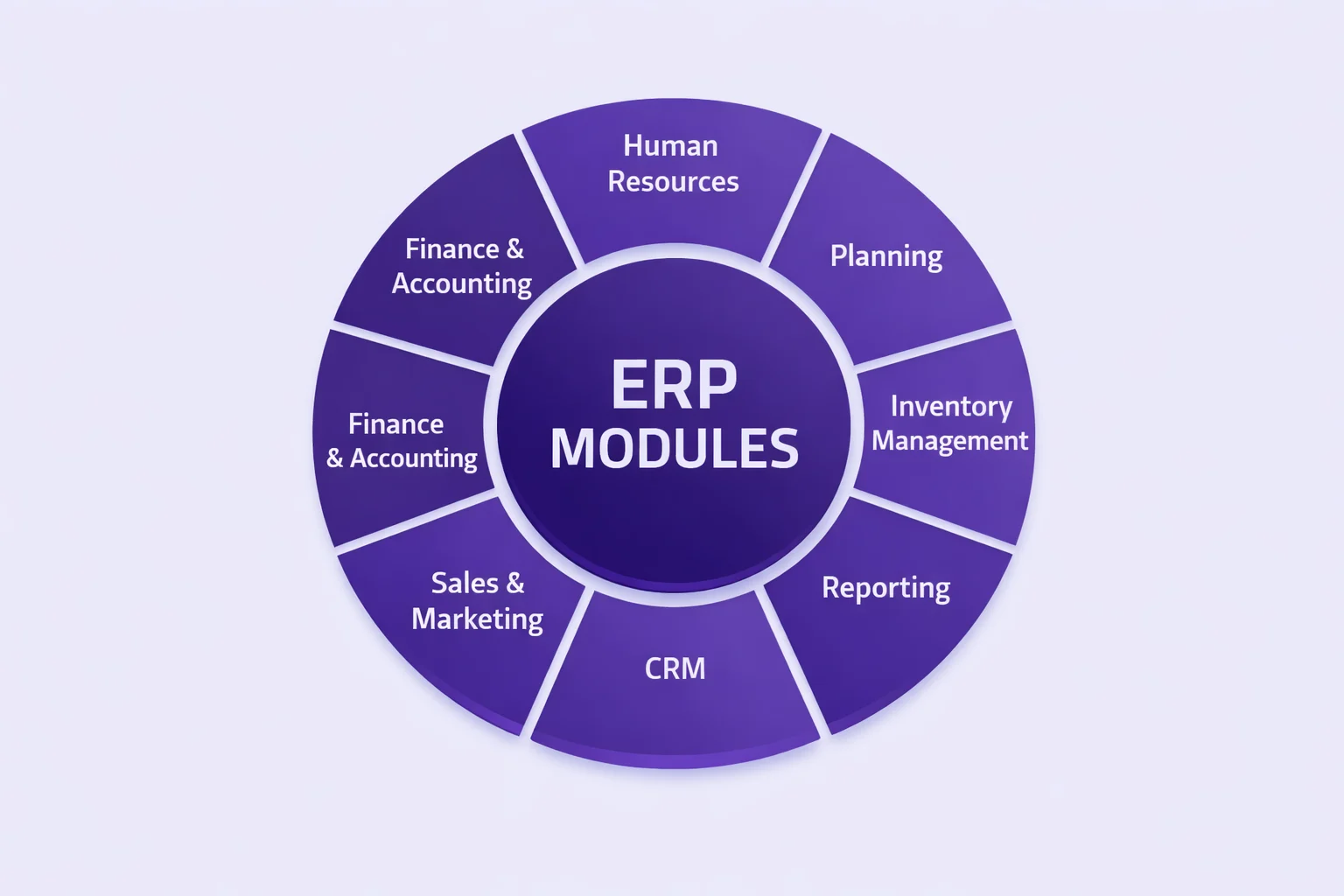
The module covers core accounting functions: general ledger, accounts payable, accounts receivable, fixed asset management, cash management, and financial reporting. More advanced implementations add budgeting and forecasting, multi-currency management, multi-entity consolidation, project accounting, and tax management. The specific components included depend on the ERP platform and the configuration chosen for the business.
Key Features of the ERP Financial Module
1. General Ledger
The general ledger is the foundation of the ERP financial module. It records every financial transaction that occurs across the business, revenues, expenses, assets, liabilities, and equity entries, in a central register organized by account. In an ERP system, the general ledger updates automatically as transactions occur in other modules. A goods receipt in the inventory module creates a stock asset entry and a payable liability in the general ledger simultaneously. A customer invoice in the sales module creates a receivable and a revenue entry. No manual journal entries are required for these standard transactions. The general ledger always reflects current financial reality, not a delayed summary of past entries.
2. Accounts Payable (AP)
The accounts payable component manages all money owed by the business to suppliers and vendors. It processes supplier invoices, matches them against purchase orders and goods receipts (three-way matching), schedules payments, and manages supplier account balances. Three-way matching, comparing the purchase order, delivery receipt, and supplier invoice before approving payment, prevents overpayment and duplicate payment errors that are common in manual AP processes.[1]
Automation in the AP process reduces the cost per invoice processed. According to APQC benchmark data, organizations using automated AP processes reduce their cost per invoice by 60% to 80% compared to manual processing. Payment runs can be scheduled automatically based on invoice due dates, early payment discount windows, and cash flow availability, decisions that previously required manual review of aging reports.
3. Accounts Receivable (AR)
The accounts receivable component tracks all money owed to the business by customers. It generates customer invoices from sales orders, records payments, manages customer credit limits, and sends automated payment reminders for overdue accounts. AR aging reports show outstanding invoices grouped by how many days they are overdue, giving finance teams a live view of collection risk without building manual reports. The ERP financial module can be configured to automatically apply late payment charges, generate dunning letters at defined intervals, and escalate accounts for collection based on days outstanding thresholds.
4. Fixed Asset Management
Fixed asset management handles the financial tracking of long-term physical assets, machinery, vehicles, computers, buildings, and other capital investments. The module records acquisition cost, useful life, and depreciation method for each asset and calculates depreciation automatically according to the chosen accounting standard (straight-line, declining balance, units of production). Depreciation entries post to the general ledger automatically at the end of each period. The module also tracks asset disposals, revaluations, and impairments, maintaining a complete asset register that satisfies both management and regulatory reporting requirements.[2]
5. Cash and Treasury Management
The cash management component provides a real-time view of cash positions across all bank accounts. Bank reconciliation, matching internal records against bank statements, is automated through bank feeds that import statement data directly into the ERP. The treasury function tracks cash flow forecasts by combining confirmed receivables, scheduled payables, and projected operational expenses. This live cash position view gives finance teams the information they need to make short-term liquidity decisions without waiting for a weekly treasury report. Understanding the full range of types of ERP software helps businesses determine whether a cloud-based or on-premise financial module is better suited to their treasury management requirements.
6. Budgeting and Financial Forecasting
The budgeting component allows finance teams to define budget plans by department, cost center, project, or business unit and compare actual results against those budgets in real time. Budget vs. actual variance reports are generated automatically as transactions post, no separate report-building step required. Forecasting tools use historical data and current pipeline information to project future financial performance, giving management earlier warning of shortfalls or opportunities than the month-end reporting cycle provides.
7. Financial Reporting and Analytics
ERP financial reporting generates standard financial statements, profit and loss, balance sheet, cash flow statement, automatically from the general ledger data. Reports can be produced for any time period, by entity, by cost center, or consolidated across multiple business units. Many ERP platforms include built-in analytics dashboards that display key financial KPIs, gross margin, days sales outstanding, days payable outstanding, current ratio, in real time. This eliminates the spreadsheet-based report-building process that finance teams in most businesses spend significant time on each month.
8. Tax Management
The tax management component handles tax calculation, recording, and reporting. In most ERP financial modules, tax rules are configured for each jurisdiction, VAT rates, GST categories, withholding tax requirements, and applied automatically to every applicable transaction. Tax returns can be generated from the system with all supporting transaction data already populated, reducing the time required for tax preparation and the risk of miscalculation on individual transactions.
ERP Financial Module: Core Components at a Glance
| Component | What It Does | Key Automation Benefit |
|---|---|---|
| General Ledger | Records all financial transactions centrally | Auto-posts from all other ERP modules instantly |
| Accounts Payable | Manages supplier invoices and payments | Three-way matching, auto-payment scheduling |
| Accounts Receivable | Tracks customer invoices and collections | Automated reminders, aging reports, credit control |
| Fixed Asset Management | Tracks capital assets and depreciation | Auto-depreciation posting, asset register maintenance |
| Cash Management | Monitors cash positions and bank reconciliation | Bank feed import, real-time cash forecast |
| Budgeting and Forecasting | Defines budgets and tracks variance in real time | Live budget vs. actual without manual reports |
| Financial Reporting | Generates P&L, balance sheet, cash flow statements | One-click statutory reports for any period |
| Tax Management | Calculates and records tax on transactions | Automatic VAT/GST application, return generation |
| Multi-Currency Management | Handles transactions in foreign currencies | Auto exchange rate application and revaluation |
| Multi-Entity Consolidation | Combines financials across subsidiaries | Group reporting without manual intercompany elimination |
How the ERP Financial Module Integrates with Other ERP Modules
The integration between the financial module and the rest of the ERP system is what distinguishes it from standalone accounting software. Every operational event with a financial implication creates automatic entries in the financial module.
Integration with Procurement
When a purchase order is approved in the procurement module, the financial module records a commitment against the relevant cost center budget. When goods are received, it records the inventory asset and creates the supplier liability. When the supplier invoice arrives, AP matches it against the purchase order and receipt automatically. No manual journal entries are required at any stage of this process.
Integration with Sales
When a sales order is confirmed, the financial module can record deferred revenue or project-based income depending on the business’s revenue recognition policy. When the goods ship and the invoice is issued, the receivable is created automatically. Payment receipts applied against the invoice update both the AR ledger and the bank balance without manual intervention.
Integration with Payroll and HR
When payroll is processed in the HR module, salary costs post automatically to the relevant cost centers in the general ledger. Employer tax contributions, pension obligations, and benefits costs are also posted simultaneously. The finance team sees complete labor cost data by department and cost center without manually importing payroll reports from a separate system.
Integration with Inventory
Every stock movement, receipts, transfers, adjustments, write-offs, creates corresponding financial entries in the inventory asset accounts. The cost of goods sold is calculated and posted automatically when inventory is consumed in production or sold to a customer. This keeps the financial statements accurate without requiring separate stock valuation calculations at period end.
Benefits of the ERP Financial Module for Businesses
Faster Financial Close
The month-end and year-end close process is one of the most time-consuming activities in any finance department. In a business using disconnected tools, close requires gathering data from multiple systems, reconciling inconsistencies, adjusting journal entries, and verifying figures before producing statutory reports. Research from Ventana Research found that companies using integrated ERP financial modules close their books 25% to 50% faster than those using standalone accounting software. Automated postings, real-time reconciliation, and pre-built report templates remove most of the manual steps that make traditional close processes slow.[4]
Reduced Financial Errors
Manual data entry between systems is where most financial errors originate. A figure entered incorrectly in one system that is then manually re-entered in another doubles the error opportunity. ERP eliminates most inter-system data transfer by design, data enters the system once and propagates automatically. This reduces transactional errors, reconciliation differences, and the audit findings that result from manual process gaps.
Improved Compliance and Audit Readiness
Every transaction in the ERP financial module is logged with a complete, timestamped audit trail showing who created it, who approved it, and what supporting documents were attached. This audit trail is generated automatically as normal business operations occur, it does not require any additional documentation effort from the finance team. When internal or external auditors request transaction evidence, it is retrievable directly from the system without searching through email threads, shared drives, or physical filing systems.
Better Cash Flow Management
Real-time visibility into accounts receivable aging, scheduled payables, and current bank positions allows finance teams and business owners to manage cash flow proactively rather than reactively. The system identifies which customer accounts are overdue, which supplier payments are due in the next 14 days, and what the net cash position will be after those obligations are met, without anyone building a spreadsheet to calculate it. For businesses evaluating which platform to deploy, the top 10 ERP software companies comparison covers how leading vendors implement these cash management capabilities.
Trend to Watch (2025–2026)
AI is being embedded directly into ERP financial modules. Microsoft Dynamics 365 Business Central’s Copilot can auto-populate journal entries from email content, suggest account coding for new transaction types, and flag anomalies in AP aging that may indicate duplicate invoices or payment fraud. SAP S/4HANA’s embedded AI analyzes cash flow patterns to generate 90-day liquidity forecasts. Oracle Fusion’s AI layer automatically reconciles intercompany transactions in multi-entity businesses. These AI features reduce the time finance teams spend on routine transaction processing and reporting, shifting the role of ERP from a record-keeping system to an active financial decision-support tool.
Which Businesses Need an ERP Financial Module?
The ERP financial module delivers value proportional to the volume and complexity of financial transactions a business processes. These are the clear indicators that a business is ready for ERP financial management software.
You Have Multiple Departments Generating Financial Transactions
When procurement, sales, HR, and operations all generate transactions that affect the financial position, manual reconciliation between systems consumes disproportionate finance team time. ERP automates this cross-departmental financial integration.
Your Month-End Close Takes More Than Five Days
A close process longer than five days typically indicates that manual data gathering, reconciliation, and correction cycles are consuming most of the available time. ERP financial modules routinely reduce close to two or three days for businesses of comparable size.
You Operate in Multiple Currencies or Jurisdictions
Businesses with international operations, multiple currencies, multiple VAT/GST regimes, transfer pricing requirements, need the multi-currency and multi-entity features that ERP financial systems provide natively. Managing these manually across separate spreadsheets creates errors that are difficult to detect and costly to correct. For businesses choosing between deployment options, the guide to top cloud ERP systems compares how cloud-based financial modules handle multi-currency requirements for growing businesses.
Audit Preparation Is Consistently Time-Consuming
If annual audit preparation requires weeks of document gathering and reconciliation, the audit trail and automated documentation features of an ERP financial module will reduce this to a fraction of the current time. Businesses that have experienced audit findings related to manual process gaps benefit most immediately from ERP implementation. Working with an ERP software development company to build a custom financial module ensures the system’s audit trail and compliance features match the specific regulatory requirements of the business’s industry and jurisdiction.
Build a Custom ERP Financial Module for Your Business
Nadcab Labs develops custom ERP financial modules, covering general ledger, accounts payable and receivable, fixed assets, cash management, multi-currency support, tax automation, and financial reporting, built to match your specific accounting workflows and compliance requirements.
Frequently Asked Questions
Q1.What is an ERP financial module exactly?
The ERP financial module is the component of an ERP system that manages all financial operations — general ledger, accounts payable, accounts receivable, fixed assets, cash management, budgeting, financial reporting, and tax compliance. It shares a live database with all other ERP modules, so every operational transaction with a financial implication automatically updates the financial records without manual data transfer or journal entries.
Q2.How does ERP financial module differ from QuickBooks?
QuickBooks is standalone accounting software — it manages financial records but does not share data automatically with inventory, HR, procurement, or sales systems. The ERP financial module is integrated with all other business functions in one platform, so financial entries are created automatically when inventory moves, sales orders are placed, or payroll is processed. ERP eliminates the manual data transfer that creates errors and delays in standalone accounting setups.
Q3.What are the main components of ERP finance?
The core components are general ledger, accounts payable, accounts receivable, fixed asset management, cash and treasury management, budgeting and forecasting, financial reporting and analytics, tax management, multi-currency management, and multi-entity consolidation. Not all ERP platforms include every component by default — the specific modules available depend on the platform and the configuration chosen for the business’s requirements.
Q4.Does the ERP financial module handle payroll?
Most ERP financial modules integrate with the HR and payroll module rather than handling payroll processing themselves. When payroll runs in the HR module, salary costs, employer tax contributions, and benefit obligations post automatically to the relevant cost centers in the financial module’s general ledger. Some ERP platforms include a unified payroll and financial module, while others require integration between separate HR and finance components.
Q5.How does ERP financial reporting work?
ERP financial reporting generates standard financial statements — profit and loss, balance sheet, and cash flow statement — directly from the general ledger data. Reports are available on demand for any time period, by entity, by cost center, or consolidated across multiple business units. Because the general ledger updates in real time as transactions post, financial reports always reflect current data without waiting for a manual compilation process at month end.
Q6.Can small businesses use ERP financial modules?
Yes. Cloud ERP platforms with financial modules are accessible to small businesses at subscription prices starting at $30 to $100 per user per month. Platforms like Odoo, Zoho Books (within Zoho One), and Sage Intacct offer financial modules scaled for small and mid-sized businesses. Small businesses benefit most from ERP financial modules when they process high transaction volumes, operate in multiple currencies, or need to integrate financial data with inventory and sales in one system.
Explore Services
Related Services
Reviewed by

Aman Vaths
Founder of Nadcab Labs
Aman Vaths is the Founder & CTO of Nadcab Labs, a global digital engineering company delivering enterprise-grade solutions across AI, Web3, Blockchain, Big Data, Cloud, Cybersecurity, and Modern Application Development. With deep technical leadership and product innovation experience, Aman has positioned Nadcab Labs as one of the most advanced engineering companies driving the next era of intelligent, secure, and scalable software systems. Under his leadership, Nadcab Labs has built 2,000+ global projects across sectors including fintech, banking, healthcare, real estate, logistics, gaming, manufacturing, and next-generation DePIN networks. Aman’s strength lies in architecting high-performance systems, end-to-end platform engineering, and designing enterprise solutions that operate at global scale.