Ai Overview
Most small businesses start with separate tools: one for accounting, another for inventory, a spreadsheet for sales tracking, and email for customer management. A survey by Aberdeen Group found that companies using disconnected systems spend 35% more time on financial close processes than those using integrated ERP systems. Businesses using ERP for inventory management report average stock level reductions of 20% to 30% while maintaining or improving product availability.
Most small businesses start with separate tools: one for accounting, another for inventory, a spreadsheet for sales tracking, and email for customer management. This setup works at the beginning. As the business grows, these disconnected tools create errors, slow decisions, and waste time that a small team cannot afford to lose. ERP software brings all of these functions into one integrated system. This blog explains exactly what problems ERP solves for small businesses, what measurable benefits it delivers, and how to evaluate whether it is the right step for your business right now.
Key Takeaways
- One System, All Data: ERP replaces disconnected tools with a single integrated business system where finance, inventory, sales, HR, and purchasing share one live database.
- Eliminates Manual Errors: Data entered once in ERP is automatically reflected across all connected modules, removing the duplication and reconciliation errors that occur when teams use separate tools.
- Real-Time Visibility: Business owners and managers see live financial data, stock levels, sales performance, and cash flow on demand, without waiting for manual reports.
- Cost Reduction: Studies consistently show ERP adoption reduces operational costs by 15% to 25% through automation, better inventory control, and elimination of redundant processes.
- Cloud ERP Is Affordable: Cloud-based ERP systems for small businesses use subscription pricing starting at $30 to $100 per user per month, no hardware, no large upfront cost.
- Faster Compliance: ERP automates tax calculations, payroll compliance, and regulatory reporting, reducing the time finance teams spend on statutory obligations.
- Scalability: ERP systems grow with the business, add new modules (HR, manufacturing, CRM) as operations expand without switching platforms.
- ERP Adoption Is Growing: The global ERP software market reached $65.6 billion in 2023 and is projected to grow at 9.5% annually through 2030, driven largely by SME adoption of cloud ERP solutions.
- Integration with CRM: ERP systems that include or integrate CRM give businesses a complete view of the customer journey alongside financial and operational data.
What Is ERP Software and What Does It Do?
ERP stands for Enterprise Resource Planning. Despite the name, ERP software is not only for large enterprises. It is a business management software system that connects the core functions of an organization, finance, accounting, inventory, purchasing, sales, HR, and customer management, into one platform with a shared database. Every department works from the same live data, which eliminates duplication and improves accuracy across the business.
The most common business problems that trigger ERP adoption are data scattered across multiple tools, time lost reconciling reports from different systems, and growing errors as transaction volume increases. These are not problems unique to large companies, they affect any business that has grown beyond its original simple setup.
ERP systems are modular. A small business can start with accounting and inventory, then add HR, purchasing, or CRM modules as the business grows. The core benefit is integration: data entered in one module is immediately available to all others. A sale recorded in the sales module automatically reduces inventory, creates a receivable in accounting, and triggers a reorder alert if stock falls below the set threshold, with no manual steps in between.[1]
The Real Problems ERP Solves for Small Businesses
Problem 1: Disconnected Tools Create Errors and Waste Time
When accounting data sits in QuickBooks, inventory in a spreadsheet, customer records in a CRM, and purchase orders in email, the same information gets entered multiple times across different systems. Each entry is an opportunity for error. Each discrepancy requires manual reconciliation. A survey by Aberdeen Group found that companies using disconnected systems spend 35% more time on financial close processes than those using integrated ERP systems.
For a small team, this manual overhead is disproportionately damaging. Hours spent reconciling reports are hours not spent on sales, customer service, or product development. ERP removes the reconciliation problem entirely by ensuring all data comes from one source.[2]
Problem 2: No Real-Time View of Business Performance
Without an integrated business system, getting an accurate picture of business performance requires pulling data from multiple sources, compiling it manually, and hoping the figures are current. By the time a report is ready, the data it contains is already hours or days old. Decisions made on stale data carry higher risk.
ERP provides real-time business data on demand. Cash flow, inventory levels, outstanding invoices, sales by product or region, and payroll costs are all visible through live dashboards. Business owners can make faster, better-informed decisions without waiting for a weekly finance meeting or a manually compiled report. The range of options available for cloud ERP systems for small businesses shows how accessible this real-time visibility has become even for very small operations.
Problem 3: Inventory Errors Cost Money
For businesses that hold physical stock, inventory inaccuracy directly affects profitability. Overstocking ties up cash and increases storage costs. Stockouts result in missed sales and damaged customer relationships. Without integrated inventory and warehousing management, stock records are updated manually and are frequently out of sync with actual physical stock.
ERP inventory modules update stock levels automatically with every sale, purchase, and return. They track multiple warehouses, set reorder points, and generate purchase suggestions based on current levels and historical demand patterns. Businesses using ERP for inventory management report average stock level reductions of 20% to 30% while maintaining or improving product availability.
Problem 4: Compliance and Tax Reporting Takes Too Long
Tax calculations, payroll compliance, GST/VAT reporting, and statutory filing requirements consume significant time for small business owners and their accountants. When financial data is spread across multiple tools, preparing compliant reports requires manually gathering and verifying data from each source before any calculation can begin.
ERP financial management software automates these processes. Tax rules are applied automatically to transactions. Payroll calculations update based on current employee data. Reports required for statutory filings are generated in minutes rather than hours. This reduces both the time spent on compliance and the risk of errors that trigger penalties.
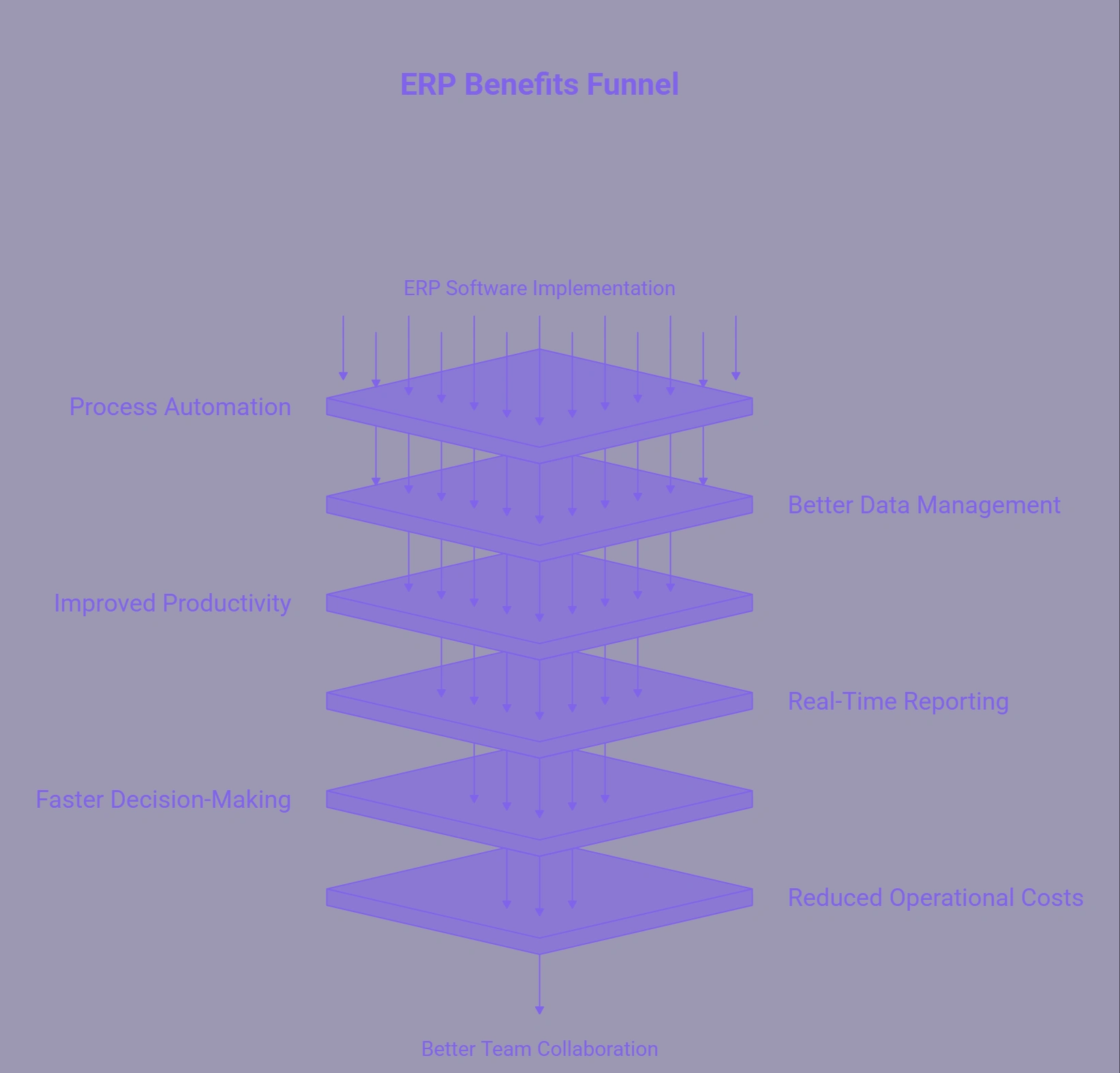
Key Benefits of ERP Software for Small Businesses
Automation Reduces Operational Costs
ERP automation handles routine tasks that currently require manual effort: generating invoices from sales orders, creating purchase orders when stock hits reorder levels, sending payment reminders to customers, and updating financial records after each transaction. Research from Nucleus Research found that ERP systems deliver an average return of $7.23 for every $1 invested, primarily through labor savings and error reduction.[3]
For a small business with a team of 10 to 50 people, automating even five to ten hours of manual data management per week per employee creates significant cumulative savings — without adding headcount as the business grows.
Better Cash Flow Management
Cash flow problems are the leading cause of small business failure. ERP gives finance teams and business owners a real-time view of outstanding receivables, upcoming payables, and current cash position. Automated payment reminders reduce the average time to collect outstanding invoices. Accurate cash flow forecasting based on current orders and payables allows better planning for short-term expenses and investment decisions.
Scalability Without System Changes
One of the most practical benefits of a scalable ERP solution is that it grows with the business. When a business adds a new product line, opens a second location, or expands internationally, the ERP system accommodates this through module additions and configuration changes, not a full platform replacement. Companies that outgrow their initial tools and switch to ERP mid-growth often report that the transition would have been significantly cheaper and less disruptive if implemented earlier.
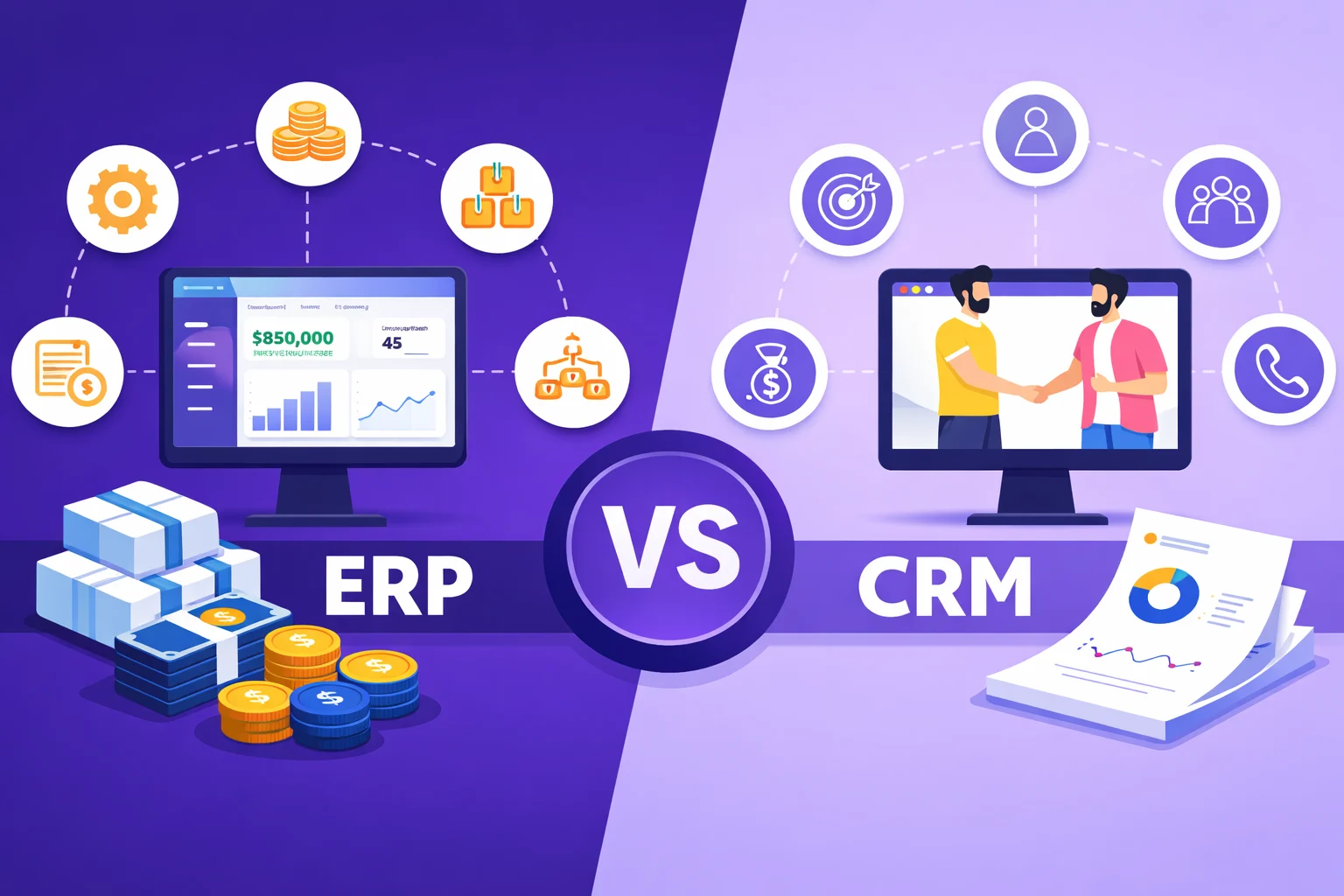
CRM and ERP Integration Improves Customer Management
When CRM and ERP data are connected, sales teams can see a customer’s full financial history, outstanding invoices, order history, credit limits, and service records, alongside the sales pipeline. This gives them accurate information when quoting prices, checking availability, or following up on overdue accounts. It eliminates situations where a salesperson promises a delivery date that operations cannot meet because the two departments are working from different systems.[4]
ERP Software Benefits for Small Businesses: Summary
| Business Area | Without ERP | With ERP |
|---|---|---|
| Financial Reporting | Manual, time-consuming, often outdated | Automated, real-time, always current |
| Inventory Management | Spreadsheets, frequent errors, stockouts | Live tracking, auto-reorder, accurate counts |
| Sales and Orders | Disconnected from stock and finance | Linked to inventory, invoicing, and fulfillment |
| Payroll and HR | Separate system, manual updates | Integrated, auto-calculated, compliance-ready |
| Customer Data | Isolated in CRM, no financial context | Full view: orders, invoices, history in one place |
| Tax and Compliance | Manual gathering, high error risk | Automated calculations, one-click reports |
| Business Decisions | Based on reports that are hours or days old | Based on live dashboards, updated in real time |
| Scaling Operations | Requires new tools and migrations | Add modules within the same platform |
Cloud ERP vs On-Premise ERP for Small Businesses
Small businesses evaluating ERP software in 2026 will primarily choose between cloud-based and on-premise deployment. Cloud ERP is now the default choice for most small businesses for several practical reasons.
No Hardware Required
Cloud ERP runs on the vendor’s servers and is accessed through a web browser. There is no need to purchase servers, manage IT infrastructure, or pay for ongoing hardware maintenance. This eliminates a significant upfront cost that made on-premise ERP impractical for small businesses in earlier years.
Subscription Pricing
Cloud ERP software uses monthly or annual subscription pricing based on the number of users or modules. Entry-level plans from platforms like Odoo, Zoho One, and Sage Intacct start at $30 to $100 per user per month. This makes the cost predictable and manageable for businesses with limited capital budgets.
Automatic Updates and Maintenance
The vendor handles all software updates, security patches, and infrastructure maintenance. Small businesses do not need an in-house IT team to keep the system current. This ongoing support is included in the subscription cost, reducing total cost of ownership compared to on-premise systems that require internal IT resources for maintenance.
Remote Access
Cloud ERP is accessible from any device with an internet connection. This supports remote teams, field staff, and multi-location operations without VPN configurations or on-site access requirements. For small businesses with remote employees or multiple sites, this accessibility is a practical operational requirement.
When Is the Right Time for a Small Business to Adopt ERP?
ERP is not needed on day one of a business. It becomes relevant when the cost of managing without it starts to exceed the cost of implementing it. These are the specific signals that indicate the time is right.
You Are Spending More Than 10 Hours Per Week on Data Entry
If your team spends significant time re-entering data between systems, updating spreadsheets manually, or reconciling figures from different tools, the operational cost of that time is already exceeding what ERP would cost per month. Calculate the weekly hours spent on manual data tasks and multiply by your average hourly labor cost. If this exceeds your ERP subscription cost, the business case for implementation is straightforward.
You Cannot Answer Basic Business Questions Quickly
If answering “what is our current cash position?” or “how many units do we have in stock right now?” requires pulling data from multiple places, your systems are not giving you the control you need to run the business efficiently. ERP makes these answers available instantly, from any device.
Errors Are Reaching Customers or Tax Authorities
When manual processes produce errors that affect customer invoices, delivery schedules, or statutory filings, the cost of those errors, in customer relationships, refunds, or regulatory penalties, escalates quickly. This is a clear signal that the current system has exceeded its capacity.
You Are Planning to Scale or Add Locations
Implementing ERP before scaling is significantly less disruptive than implementing it after. Migrating data, retraining staff, and adjusting workflows is harder when the business is processing higher volumes. ERP implementation takes 3 to 6 months for most small businesses, a manageable investment when planned proactively, and a major disruption if forced by operational breakdown. For guidance on selecting the right platform and vendor, the list of top 10 ERP software companies provides a comparison of the leading options available for small and mid-sized businesses.
Trend to Watch (2025–2026)
AI is now being embedded directly into ERP platforms. Microsoft Dynamics 365 Business Central introduced Copilot in 2025, which auto-populates journal entries, suggests vendor matches from email content, and flags anomalies in financial data. NetSuite, SAP, and Odoo are following with similar AI layers that reduce manual configuration and surface insights automatically. For small businesses evaluating ERP in 2026, AI-enhanced platforms reduce the learning curve and deliver value faster than earlier generation systems required.
How to Choose the Right ERP for Your Small Business
The right ERP system depends on your industry, the specific modules you need, your existing tools, and your budget. These are the steps to narrow down the choice without over-investing in features you will not use.
Step 1: List the Specific Problems You Need to Solve
Start with your actual operational pain points, not a vendor’s feature list. Inventory errors, slow invoicing, compliance delays, and cash flow visibility gaps are all specific problems ERP solves. Matching your problem list to platform strengths is more effective than evaluating feature counts.
Step 2: Confirm Integration with Existing Tools
If you already use Shopify, QuickBooks, Salesforce, or other tools, check whether the ERP connects to them via API. Replacing all tools at once creates unnecessary disruption. The best deployment path for most small businesses is to connect ERP to existing tools first, then consolidate over time as the team becomes familiar with the new system.
Step 3: Evaluate Total Cost of Ownership
Include subscription fees, implementation costs, user training, data migration, and any customization work in your budget calculation. Odoo and Zoho One have the lowest entry costs. NetSuite ERP and Microsoft Dynamics 365 cost more but include deeper functionality for businesses planning rapid growth. Businesses that need a fully custom system built around unique workflows work with an ERP software development team rather than an off-the-shelf platform.
Step 4: Request a Demo and Test with Real Data
Every major ERP vendor offers free demos or trial access. Import a sample of your actual data and run through the workflows your team uses daily. This reveals usability issues, missing features, and integration gaps that are not visible in marketing materials.
Build a Custom ERP System for Your Business
Nadcab Labs develops custom ERP platforms for small and growing businesses, covering finance, inventory, HR, CRM, purchasing, and reporting with modular architecture built to match your specific workflows and scale with your operations.
Frequently Asked Questions
Q1.Why do small businesses need ERP software?
Small businesses need ERP software when disconnected tools start creating errors, wasting time, and slowing decisions. ERP integrates finance, inventory, sales, HR, and purchasing into one system with shared live data. It eliminates manual reconciliation, gives real-time visibility into business performance, automates routine tasks, and scales with the business without requiring a system replacement as operations grow.
Q2.Is ERP software affordable for small businesses?
Yes. Cloud ERP software for small businesses uses subscription pricing starting at $30 to $100 per user per month, with no hardware costs. Platforms like Odoo, Zoho One, and Sage Intacct have free or low-cost entry tiers. The total cost of ownership for cloud ERP over two years is typically $150,000 to $300,000 for SMEs — significantly less than the operational cost of the manual processes it replaces.
Q3.What modules does small business ERP include?
Core small business ERP modules include financial management (accounting, invoicing, tax), inventory and warehousing, purchasing and supplier management, sales order management, and HR and payroll. Most platforms also offer CRM, project management, manufacturing, and e-commerce modules as optional add-ons. Small businesses typically start with finance and inventory, then add modules as operations expand.
Q4.How long does small business ERP implementation take?
Cloud ERP implementation for a small business typically takes 3 to 6 months, depending on the number of modules, data migration complexity, and required integrations. Simpler deployments covering only finance and inventory can be live in 4 to 8 weeks. Custom-built ERP systems take longer but deliver workflows matched precisely to the business rather than requiring the business to adapt to a generic platform.
Q5.What is the best ERP for small businesses?
There is no single best option — it depends on your industry and budget. Odoo is the most affordable and flexible for startups. Zoho One suits service-based businesses already in the Zoho ecosystem. NetSuite is best for fast-growing businesses needing multi-entity support. Microsoft Dynamics 365 Business Central works well for teams using Microsoft tools. Custom ERP is best for businesses with unique workflows no standard platform covers.
Q6.Can ERP software replace QuickBooks for small businesses?
Yes, for businesses that have outgrown basic accounting needs. ERP includes accounting as one module alongside inventory, purchasing, sales, and HR — giving a complete operational view that QuickBooks alone cannot provide. However, for very small businesses that only need accounting and payroll, QuickBooks remains simpler and cheaper. ERP makes sense when operations involve multiple departments that need connected data.
Explore Services
Related Services
Reviewed by

Aman Vaths
Founder of Nadcab Labs
Aman Vaths is the Founder & CTO of Nadcab Labs, a global digital engineering company delivering enterprise-grade solutions across AI, Web3, Blockchain, Big Data, Cloud, Cybersecurity, and Modern Application Development. With deep technical leadership and product innovation experience, Aman has positioned Nadcab Labs as one of the most advanced engineering companies driving the next era of intelligent, secure, and scalable software systems. Under his leadership, Nadcab Labs has built 2,000+ global projects across sectors including fintech, banking, healthcare, real estate, logistics, gaming, manufacturing, and next-generation DePIN networks. Aman’s strength lies in architecting high-performance systems, end-to-end platform engineering, and designing enterprise solutions that operate at global scale.