Ai Overview
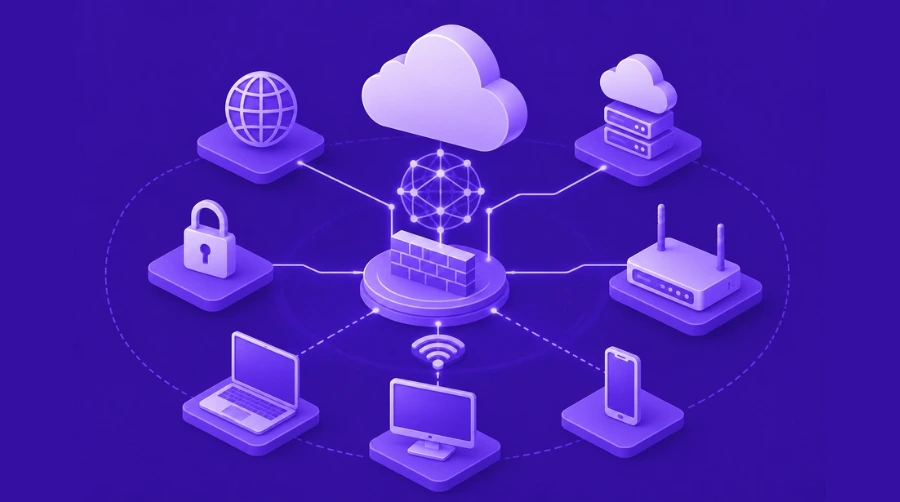
APIs are now a core part of modern digital products. Websites, mobile apps, SaaS platforms, fintech systems, eCommerce stores, and enterprise applications all use APIs to connect users, data, and backend services. AWS API Gateway is a fully managed service that helps developers create, publish, secure, monitor, and manage APIs at scale. It works as a controlled entry point between frontend applications and backend services.
APIs are now a core part of modern digital products. Websites, mobile apps, SaaS platforms, fintech systems, eCommerce stores, and enterprise applications all use APIs to connect users, data, and backend services. When an application grows, managing APIs manually becomes difficult because teams need to handle security, traffic, monitoring, scaling, authentication, versioning, and performance together.
AWS API Gateway is a fully managed service that helps developers create, publish, secure, monitor, and manage APIs at scale. It works as a controlled entry point between frontend applications and backend services. Instead of exposing backend systems directly to users, businesses can use API Gateway to manage how requests enter the application, how they are routed, and how responses are delivered.
For startups, enterprises, SaaS platforms, and cloud-native applications, AWS API Gateway is useful because it supports secure API communication without requiring teams to manage separate API servers. It works well with serverless applications, microservices, mobile backends, real-time systems, and third-party integrations.
What is AWS API Gateway?
AWS API Gateway is an Amazon Web Services service used to build and manage APIs for applications. An API, or Application Programming Interface, allows two systems to communicate with each other. For example, when a user logs into a mobile app, checks order details, makes a payment, or requests account information, the app usually sends an API request to a backend system.
AWS API Gateway receives these requests, processes them based on defined rules, and sends them to the right backend service. That backend service may be a serverless function, a microservice, an HTTP endpoint, or another AWS service.
In simple words, AWS API Gateway works like a secure front door for your application’s backend. It controls who can access the system, how much traffic is allowed, which service should receive the request, and how the response should be returned.
AWS API Gateway supports different API types, including REST APIs, HTTP APIs, and WebSocket APIs. This makes it useful for normal request-response applications, lightweight APIs, and real-time communication systems.
Why AWS API Gateway Matters in Modern Applications
Modern applications are no longer simple websites connected to one database. Most digital products now depend on multiple services, cloud systems, third-party tools, authentication layers, analytics systems, and payment gateways. Without a proper API management layer, backend systems can become hard to secure and difficult to scale.
AWS API Gateway helps solve this problem by giving businesses a managed way to control API traffic. It allows development teams to create APIs faster, secure them properly, monitor usage, and connect different backend services without building everything from scratch.
For example, a food delivery app may have separate services for users, restaurants, orders, payments, notifications, and delivery tracking. API Gateway can act as the main entry point for these services. When a user places an order, API Gateway can send the request to the correct order service. When payment is processed, it can route the request to the payment service. This makes the system more organized and easier to manage.
For businesses already using AWS Cloud, API Gateway becomes even more useful because it connects naturally with services like Lambda, CloudWatch, IAM, Cognito, DynamoDB, and other AWS tools.
How Does AWS API Gateway Work?
AWS API Gateway works by receiving API requests from clients and forwarding those requests to backend services based on rules created by developers.
The process usually works like this:
- A user sends a request from a website, mobile app, or external platform.
- AWS API Gateway receives the request.
- It checks authentication, authorization, headers, parameters, and request rules.
- It routes the request to the correct backend service.
- The backend service processes the request.
- API Gateway receives the response.
- The response is sent back to the user or client application.
This process happens quickly and automatically. Developers can also add throttling, API keys, request validation, caching, monitoring, and access control based on project needs.
For example, if an application uses AWS Lambda as a backend, API Gateway can receive an HTTP request and trigger a Lambda function. The Lambda function processes the request and sends the result back through API Gateway. This approach is commonly used in serverless applications because developers do not need to manage servers directly.
Types of APIs in AWS API Gateway
AWS API Gateway mainly supports three types of APIs. Each type has a different purpose, so choosing the right one is important for performance, cost, and features.
REST APIs
REST APIs are useful for applications that need advanced API management features. They are commonly used in enterprise systems, complex backend applications, and projects that require strong control over requests, responses, API keys, usage plans, request validation, and integrations.
REST APIs are suitable when the application needs more detailed API management. They can support advanced security, monitoring, throttling, and backend integration requirements. However, they may cost more than HTTP APIs in many use cases.
A business may choose REST APIs when it needs strong API governance, custom authorization, request transformation, API versioning, or more control over client usage.
HTTP APIs
HTTP APIs are a lighter and cost-effective option for building APIs. They are designed for simple and fast API communication. If your application does not need all advanced REST API features, HTTP APIs can be a better choice.
HTTP APIs are commonly used for serverless applications, simple microservices, backend APIs, and lightweight web or mobile applications. They usually provide lower latency and lower cost compared to REST APIs.
For example, if a startup is building a simple backend for a mobile app and only needs secure request routing to Lambda functions or HTTP services, HTTP API may be enough.
WebSocket APIs
WebSocket APIs are used for real-time two-way communication between clients and backend services. Unlike REST or HTTP APIs, where the client sends a request and waits for a response, WebSocket APIs allow both the client and server to send messages to each other over an active connection.
This is useful for chat apps, live dashboards, multiplayer games, trading platforms, collaboration tools, and real-time notifications.
For example, in a live chat application, users should receive messages instantly without refreshing the page. WebSocket API can keep the connection open and allow real-time message delivery.
Key Features of AWS API Gateway
AWS API Gateway includes many features that help businesses manage APIs securely and efficiently.
API Routing
API Gateway allows developers to define routes that send requests to the correct backend service. For example, requests for user details can go to the user service, while payment requests can go to the payment service.
Authentication and Authorization
Security is one of the most important parts of API management. API Gateway can work with AWS Identity and Access Management, Amazon Cognito, Lambda authorizers, and other access control methods to verify users and protect backend services.
Throttling and Rate Limiting
API Gateway helps control traffic by limiting how many requests users or systems can send within a specific time. This protects backend services from sudden traffic spikes, misuse, or accidental overload.
API Keys and Usage Plans
For REST APIs, businesses can use API keys and usage plans to manage external developers, partners, or customers. This is useful when APIs are offered as part of a product or partner ecosystem.
Monitoring and Logging
API Gateway can connect with Amazon CloudWatch to track API traffic, errors, latency, and performance. This helps teams identify issues faster and improve application reliability.
Caching
Caching can reduce backend load by storing common responses temporarily. This is useful when the same data is requested many times, such as product lists, public content, or common configuration data.
Request and Response Transformation
API Gateway can modify request and response data before it reaches the backend or client. This helps when different systems use different formats.
Custom Domain Support
Businesses can use custom domain names for APIs instead of default AWS-generated URLs. This makes APIs look more professional and easier to manage.
Benefits of AWS API Gateway
AWS API Gateway offers technical and business benefits. It helps teams build secure, scalable, and well-managed APIs without creating a complete API management system manually.
Better API Security
Exposing backend services directly to users can create security risks. API Gateway adds a control layer between users and backend systems. It helps validate requests, manage access, apply throttling, and connect with authentication services.
This is especially important for applications that handle user accounts, payments, financial data, business data, or sensitive workflows.
API Gateway also supports secure integration with AWS Cloud Security practices, such as IAM-based access control, monitoring, logging, and controlled backend permissions.
Easier Serverless Development
AWS API Gateway is widely used with AWS Lambda for serverless applications. In this setup, API Gateway receives user requests and triggers backend functions only when needed. This helps businesses reduce server management work and scale applications based on demand.
Serverless architecture is useful for startups, MVPs, event-based applications, automation tools, and products with changing traffic patterns.
Improved Scalability
API traffic can grow suddenly due to marketing campaigns, product launches, seasonal demand, or viral user activity. AWS API Gateway is designed to handle large-scale API traffic without requiring teams to manage API servers manually.
This helps businesses focus on building features instead of worrying about API infrastructure management.
Centralized API Management
When an application has many services, managing API access separately for each service becomes difficult. API Gateway gives teams a central place to manage routes, security, monitoring, usage limits, and integrations.
This is especially useful in microservices-based systems where multiple backend services need to communicate with different clients.
Faster Development
API Gateway reduces the amount of custom code developers need to write for routing, security, throttling, monitoring, and deployment. This helps teams build and launch APIs faster.
For businesses using AWS Development services, API Gateway can become an important part of building secure and scalable cloud-native applications.
Better Monitoring and Troubleshooting
With CloudWatch integration, teams can track API usage, error rates, latency, and request patterns. This makes it easier to find performance issues, failed requests, and unusual traffic behavior.
Monitoring also helps businesses improve user experience by detecting problems before they become bigger issues.
Cost Control
API Gateway follows a usage-based pricing model. This means businesses pay based on actual API usage rather than maintaining fixed API infrastructure all the time.
However, cost control depends on correct planning. High request volume, caching, data transfer, private APIs, and API type selection can affect the final cost.
AWS API Gateway Pricing Explained
AWS API Gateway pricing depends on the type of API, number of requests, data transfer, caching, region, and additional AWS services used with it. There are no fixed costs for simply creating an API. In most cases, you pay when your APIs are used.
For HTTP APIs and REST APIs, pricing is generally based on API calls and data transfer out. HTTP APIs are usually more cost-effective for simple use cases, while REST APIs may cost more because they offer more advanced features.
WebSocket API pricing is different because it depends on messages and connection minutes. Since WebSocket APIs keep connections open for real-time communication, pricing is calculated differently from standard request-response APIs.
If REST API caching is enabled, additional hourly charges may apply based on cache size. If private APIs are used with AWS PrivateLink, related PrivateLink charges may also apply.
Businesses should not select API type only based on cost. The better approach is to compare features, traffic volume, security needs, and long-term usage. This is where understanding AWS pricing models becomes important because each AWS service may follow a different billing structure.
For example, a low-traffic internal admin panel may have a very small API Gateway cost. But a high-traffic public API with millions of monthly requests needs careful cost planning, monitoring, and optimization.
AWS API Gateway and AWS Lambda
One of the most common uses of API Gateway is with Lambda. In this architecture, API Gateway handles the API request and Lambda runs the backend logic.
For example, a user submits a contact form on a website. API Gateway receives the request, triggers a Lambda function, and the Lambda function validates the data, stores it in a database, or sends an email notification.
This setup is useful because businesses do not need to manage backend servers. Lambda runs only when needed, and API Gateway manages the request entry point. Many serverless applications use this combination because it is flexible, scalable, and easier to operate for event-based workloads.
AWS API Gateway in Cloud Architecture
API Gateway plays an important role in AWS Cloud Architecture because it controls how external and internal clients communicate with backend services. It can sit in front of Lambda functions, microservices, containers, databases, and other AWS services.
In a well-planned cloud architecture, API Gateway is not used alone. It often works with authentication, monitoring, networking, security, deployment automation, and infrastructure management tools.
For example, a SaaS product may use API Gateway for public APIs, Cognito for user authentication, Lambda for business logic, DynamoDB for data storage, CloudWatch for monitoring, and CloudFormation for infrastructure setup.
This kind of architecture helps businesses build applications that are secure, scalable, and easier to maintain.
AWS API Gateway and Cloud Infrastructure
API Gateway is also connected to AWS Cloud Infrastructure planning. While API Gateway itself is managed by AWS, the backend systems, network setup, permissions, databases, monitoring, and deployment pipeline still need proper design.
If the backend infrastructure is poorly planned, API Gateway alone cannot solve performance or security issues. For example, if an API sends requests to a slow database or overloaded backend service, users may still experience delays.
That is why businesses should plan API Gateway as part of the complete infrastructure, not as a separate tool. Good infrastructure planning includes backend capacity, security policies, network design, logging, failover, and cost monitoring.
AWS API Gateway and Cloud Networking
API Gateway also has a role in AWS Cloud Networking, especially when APIs need to connect with private services, VPC resources, or internal systems.
Some applications need public APIs that users can access from the internet. Others need private APIs that are only available inside a secure AWS environment. API Gateway supports different endpoint types and integration patterns depending on the application’s networking requirements.
For enterprise applications, networking decisions are important because they affect security, latency, availability, and compliance. A wrong networking setup can expose sensitive services or create performance bottlenecks.
AWS API Gateway and CloudFormation
For teams that want repeatable and automated infrastructure setup, AWS API Gateway can be managed using AWS CloudFormation. CloudFormation allows teams to define infrastructure as code and deploy API Gateway configurations consistently across environments.
For example, a development team can create API routes, Lambda integrations, permissions, stages, and deployment settings using templates. This reduces manual configuration errors and makes it easier to manage development, staging, and production environments.
Infrastructure as code is especially useful for teams working on large applications, enterprise systems, or multi-environment cloud projects.
AWS API Gateway and Cloud Migration
During AWS Cloud Migration, businesses often move applications, APIs, databases, and backend systems from on-premise infrastructure or another cloud platform to AWS. API Gateway can help during this process by creating a managed API layer between users and migrated backend services.
For example, a company may move its old backend services to AWS gradually. Instead of changing the entire frontend system immediately, API Gateway can route requests to new AWS services or existing backend endpoints based on migration planning. This helps reduce migration risk and supports phased modernization.
Azure Functions vs AWS Lambda in API Gateway Context
Many businesses compare Azure Functions vs AWS Lambda when choosing a serverless platform. Both services support event-driven backend execution, but AWS Lambda is commonly used with AWS API Gateway for building serverless APIs inside the AWS ecosystem.
If a business already uses AWS services, API Gateway and Lambda can provide strong integration with AWS monitoring, security, databases, and deployment tools. If a business already depends heavily on Microsoft Azure, Azure Functions may fit better in that environment. The right choice depends on cloud strategy, team skills, existing infrastructure, compliance needs, and long-term application goals.
Common Use Cases of AWS API Gateway
AWS API Gateway can be used across many industries and application types.
Serverless Web Applications
API Gateway is commonly used in serverless web applications where frontend apps need to communicate with backend functions. It can handle API requests and trigger Lambda functions for business logic. This is useful for dashboards, admin panels, SaaS tools, booking platforms, and automation systems.
Mobile App Backend
Mobile apps need APIs for login, user profiles, payments, notifications, order tracking, and content delivery. API Gateway provides a secure way to manage these requests and connect them with backend services. For example, a fitness app can use API Gateway to send workout data, retrieve user progress, and manage subscription details.
Microservices Architecture
In microservices architecture, applications are divided into smaller services. API Gateway can act as a single entry point for these services. This makes it easier to manage traffic, security, and routing. For example, an eCommerce system may have separate services for products, carts, orders, payments, and users. API Gateway can route requests to the right service.
SaaS Platforms
SaaS platforms often need public and private APIs for users, admins, partners, and integrations. API Gateway helps manage access, usage limits, security, and monitoring. This is useful for CRM platforms, HR tools, analytics dashboards, fintech platforms, and project management applications.
Real-Time Applications
WebSocket APIs are useful for applications that need real-time updates. Examples include chat applications, live support tools, multiplayer games, stock trading dashboards, and delivery tracking systems.
Third-Party Integrations
Businesses can use API Gateway to expose selected APIs to partners, vendors, or external developers. With usage plans and API keys, teams can control how these external users access services.
Best Practices for AWS API Gateway
To get the best results from AWS API Gateway, businesses should follow some important practices.
Choose the right API type based on features, traffic, and cost. HTTP APIs are better for simple and cost-effective APIs, REST APIs are better for advanced control, and WebSocket APIs are better for real-time communication.
- Use strong authentication and authorization. Public APIs should not be left open without proper access control.
- Apply throttling and quotas to protect backend systems from traffic spikes or misuse.
- Monitor API performance using CloudWatch logs and metrics. This helps detect errors, latency, and unusual traffic.
- Use caching carefully when the same data is requested often, but avoid caching sensitive or frequently changing data without proper planning.
- Keep APIs versioned so updates do not break existing applications.
- Review costs regularly, especially when API traffic grows.
- Plan API Gateway as part of the complete cloud system, not as a standalone feature.
When Should Businesses Use AWS API Gateway?
Businesses should use AWS API Gateway when they need a secure and scalable way to expose backend services through APIs. It is a good choice for serverless apps, mobile backends, SaaS platforms, microservices, real-time systems, and third-party integrations. It is also useful when teams want managed API infrastructure instead of building and maintaining custom API gateways manually.
For businesses that need professional planning, an experienced AWS Development Company can help design API flows, backend integrations, access control, monitoring, and cost optimization. However, API Gateway should always be planned based on actual application needs, not just because it is a popular AWS service.
When AWS API Gateway May Not Be the Best Fit
AWS API Gateway is powerful, but it is not always required. Very small internal applications with limited users may not need a full API management layer. Applications with extremely high request volume should also review pricing carefully before choosing the final architecture.
Some advanced custom routing or networking needs may require deeper architecture planning. In such cases, API Gateway may still be useful, but it should be compared with other AWS options. The best approach is to evaluate traffic, security, latency, backend design, and future scaling needs before making a final decision.
Role of AWS Development Support in API Gateway Setup
API Gateway setup may look simple at the beginning, but production-level APIs need proper planning. Businesses must think about security, routing, authentication, monitoring, caching, deployment stages, cost, and backend performance.
A professional AWS Development Solution can help businesses design APIs that are secure, scalable, and easier to maintain. This includes choosing the right API type, connecting backend services, setting up monitoring, managing access control, and planning infrastructure as code.
For growing businesses, API Gateway works best when it is part of a complete AWS Solutions strategy that includes cloud infrastructure, networking, security, automation, and long-term cost planning.
Final Thoughts
AWS API Gateway is a powerful service for building, securing, managing, and scaling APIs in the AWS ecosystem. It helps businesses connect frontend applications, mobile apps, microservices, serverless functions, and third-party systems through a managed API layer.
It supports REST APIs, HTTP APIs, and WebSocket APIs, making it suitable for different application needs. REST APIs are useful for advanced API management, HTTP APIs are better for simple and cost-effective APIs, and WebSocket APIs are ideal for real-time communication.
The main benefits of AWS API Gateway include better security, easy serverless integration, scalability, centralized API management, monitoring, and usage-based pricing. However, businesses should plan API type, traffic, backend design, security, and cost carefully.
For startups, enterprises, SaaS platforms, and cloud-native products, AWS API Gateway can be a strong part of modern application development when it is used with the right architecture and clear business goals.
Frequently Asked Questions
Q1.What is AWS API Gateway used for?
AWS API Gateway is used to create, secure, manage, and monitor APIs for web apps, mobile apps, serverless applications, microservices, SaaS platforms, and third-party integrations.
Q2.How does AWS API Gateway work?
AWS API Gateway receives API requests from users or applications, checks rules like authentication and throttling, routes the request to the backend service, and returns the response to the user.
Q3.Is AWS API Gateway serverless?
Yes, AWS API Gateway is commonly used in serverless applications. It can connect with AWS Lambda and trigger backend functions without requiring developers to manage servers.
Q4.What is the difference between REST API and HTTP API in AWS API Gateway?
REST APIs are better for advanced API management features, while HTTP APIs are better for simple, fast, and cost-effective API communication.
Q5.Does AWS API Gateway work with AWS Lambda?
Yes, AWS API Gateway works with AWS Lambda. API Gateway receives the request, triggers the Lambda function, and sends the response back to the client application.
Q6.How much does AWS API Gateway cost?
AWS API Gateway pricing depends on API type, request volume, data transfer, caching, connection minutes, and region. HTTP APIs are usually more cost-effective for simple use cases.
Q7.Is AWS API Gateway good for microservices?
Yes, AWS API Gateway is useful for microservices because it works as a single entry point for multiple backend services and helps manage routing, security, throttling, and monitoring.
Q8.Can AWS API Gateway handle real-time applications?
Yes, AWS API Gateway supports WebSocket APIs, which are useful for real-time applications like chat apps, live dashboards, live notifications, trading platforms, and multiplayer systems.
Explore Services
Related Services
Reviewed by

Aman Vaths
Founder of Nadcab Labs
Aman Vaths is the Founder & CTO of Nadcab Labs, a global digital engineering company delivering enterprise-grade solutions across AI, Web3, Blockchain, Big Data, Cloud, Cybersecurity, and Modern Application Development. With deep technical leadership and product innovation experience, Aman has positioned Nadcab Labs as one of the most advanced engineering companies driving the next era of intelligent, secure, and scalable software systems. Under his leadership, Nadcab Labs has built 2,000+ global projects across sectors including fintech, banking, healthcare, real estate, logistics, gaming, manufacturing, and next-generation DePIN networks. Aman’s strength lies in architecting high-performance systems, end-to-end platform engineering, and designing enterprise solutions that operate at global scale.