Ai Overview
Many businesses recognize the strategic value of moving from on-premise servers, legacy systems, or competing cloud platforms to AWS. However, the migration journey raises legitimate concerns about cost implications, potential downtime, data security, and the risk of migration failure. AWS cloud migration has become essential for organizations seeking better scalability, improved security, and cost efficiency. Many organizations discover that 20-30% of their applications are no longer actively used.
Many businesses recognize the strategic value of moving from on-premise servers, legacy systems, or competing cloud platforms to AWS. However, the migration journey raises legitimate concerns about cost implications, potential downtime, data security, and the risk of migration failure. These worries are not unfounded, but they’re also not insurmountable with the right planning and approach.
AWS cloud migration has become essential for organizations seeking better scalability, improved security, and cost efficiency. The key to success lies in understanding your current infrastructure, defining clear migration goals, and implementing a structured approach. Businesses planning migration often need reliable AWS cloud solutions to move workloads safely, reduce downtime, and improve long-term scalability.
This comprehensive guide walks you through the entire migration process, explores the associated costs, identifies critical risks, and shares best practices that leading companies use to achieve successful cloud transitions.
Key Takeaways
- AWS cloud migration helps businesses move applications, databases, servers, and workloads from on-premise or other cloud platforms to Amazon Web Services.
- A successful migration starts with infrastructure assessment, clear business goals, workload planning, security mapping, and a structured migration roadmap.
- AWS migration strategies include rehost, replatform, refactor, repurchase, retain, retire, and relocate, depending on workload complexity and business needs.
- Migration cost depends on application complexity, data volume, AWS services used, security setup, DevOps requirements, testing, and post-migration support.
- Common AWS migration risks include downtime, data loss, security misconfiguration, unexpected cloud bills, and application compatibility issues.
- Businesses can reduce migration risks by using phased migration, strong backup plans, IAM controls, encryption, cost monitoring, and proper testing before going live.
- AWS tools like Migration Hub, Application Migration Service, Database Migration Service, DataSync, CloudWatch, and Lambda support different parts of the migration process.
- Post-migration optimization is important for reducing cloud costs, improving performance, right-sizing resources, and getting long-term value from AWS infrastructure.
What is AWS Cloud Migration?
Before planning migration, businesses should first understand what AWS is and how its cloud infrastructure supports storage, computing, networking, databases, and application deployment.
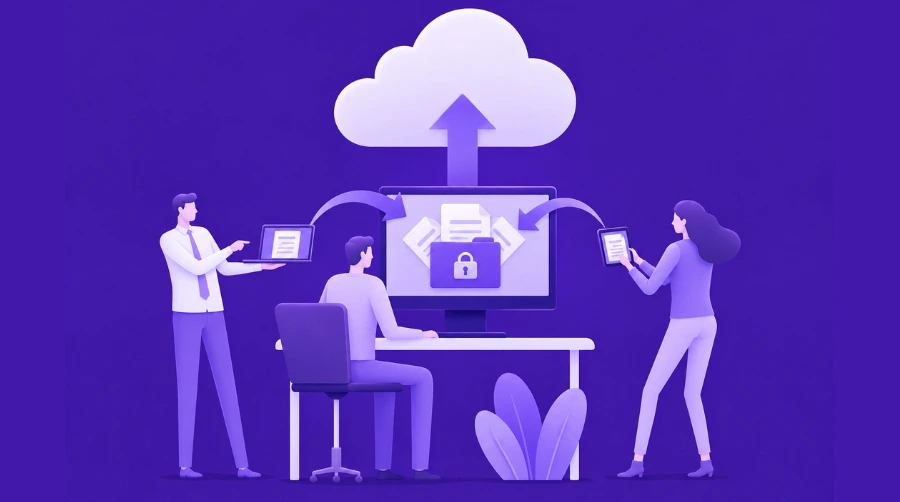
AWS cloud migration is the process of moving applications, databases, servers, storage, and business workloads from on-premise data centers or other cloud platforms to Amazon Web Services. A well-planned cloud migration strategy helps organizations reduce risks, control costs, and ensure a smooth transition. This transformation involves transferring virtual machines, data, applications, and supporting infrastructure while maintaining business continuity and data integrity throughout the transition.
Migration is not simply a one-time data transfer. It represents a fundamental shift in how your organization manages, scales, and operates technology infrastructure. When done properly, cloud migration enables faster deployment cycles, improved resource utilization, better security capabilities, and more predictable operating costs.
Why Do Businesses Migrate to AWS?
Organizations migrate to AWS for several compelling business reasons. The decision to move to the cloud is often driven by the need for greater scalability, better performance, cost flexibility, enhanced security, global availability, and faster deployment cycles. Let’s examine each of these key drivers in detail.
Better Scalability
AWS allows businesses to increase or reduce resources based on demand without making capital investments in physical infrastructure. During peak seasons, your application can automatically scale up to handle increased traffic. During slower periods, resources scale down, ensuring you only pay for what you use. This elasticity is impossible with traditional on-premise servers, which typically involve expensive hardware purchases that often sit underutilized.
Cost Flexibility
The AWS pay-as-you-go pricing model eliminates the need for large upfront capital expenditures on hardware. Businesses reduce dependency on expensive on-premise servers, data center maintenance, cooling systems, and dedicated IT staff for infrastructure management. Over time, organizations often discover that cloud operating costs are significantly lower than maintaining legacy on-premise infrastructure.
Improved Security and Compliance
AWS provides robust security tools, identity and access control mechanisms, encryption options, and continuous monitoring capabilities. The platform complies with major industry standards including HIPAA, PCI-DSS, and SOC 2. AWS manages infrastructure security patches and updates, allowing your team to focus on application-level security rather than maintaining physical servers and networks.
Faster Application Deployment
Cloud-native systems support rapid development, testing, and deployment cycles. Development teams can provision environments instantly rather than waiting weeks for hardware procurement and setup. AWS services like RDS, Lambda, and container platforms enable faster development and deployment of modern applications.
Types of AWS Cloud Migration Strategies
Not every workload should be migrated in the same way. Businesses should choose a migration strategy based on application condition, technical debt, budget constraints, and future cloud goals. AWS defines seven key migration strategies, each suited to different scenarios.
Rehost
Rehost, commonly known as lift-and-shift migration, involves moving applications to AWS with minimal or no code modifications. Your existing virtual machines are converted to Amazon EC2 instances, and databases are moved to AWS with the same configuration. This approach is fastest and least expensive but may not fully leverage AWS capabilities.
Replatform
Replatform involves making small optimizations during migration without fully rebuilding the application. You might move a database to Amazon RDS for managed services or containerize applications without restructuring the codebase. This approach provides some cloud benefits while maintaining reasonable complexity levels.
Refactor
Refactor means rebuilding or significantly changing application architecture to be cloud-native. Applications are redesigned to use microservices, containers, serverless functions, and other modern patterns. This approach maximizes AWS benefits but requires the most effort, time, and technical expertise.
Repurchase
Repurchase involves moving to a different product entirely, usually migrating to a SaaS-based solution that runs on AWS or another cloud platform. For example, replacing an on-premise email server with Office 365 or moving from a legacy CRM to Salesforce.
Retain
Retain means keeping some workloads exactly as they are, often for legacy applications that are critical to operations but too expensive or risky to migrate. These applications continue running on on-premise infrastructure while other workloads move to AWS.
Retire
Retire involves removing unused applications and services before migration begins. Many organizations discover that 20-30% of their applications are no longer actively used. Retiring these systems before migration reduces overall complexity and cost.
Relocate
Relocate involves moving workloads to AWS without major architecture changes, similar to rehost but sometimes involving infrastructure changes like moving VMware workloads to AWS using specialized migration services.
Migration Strategy Comparison Table
The following table compares different cloud migration strategies based on complexity, cost, and ideal use cases to help businesses choose the right migration approach.
| Migration Strategy | Best For | Complexity | Cost Level |
|---|---|---|---|
| Rehost | Quick migration, time-sensitive projects | Low | Low to Medium |
| Replatform | Basic optimization, managed services | Medium | Medium |
| Refactor | Cloud-native applications, modernization | High | High |
| Repurchase | Legacy replacement with SaaS | Medium | Medium |
| Retain | Critical legacy systems, very high risk | Low | Low |
| Retire | Unused or obsolete applications | Low | Low |
| Relocate | Infrastructure shift without redesign | Medium | Medium |
Step-by-Step AWS Cloud Migration Process
A successful AWS cloud migration needs proper planning, workload assessment, security mapping, testing, and post-migration optimization. This section outlines the proven methodology that successful enterprises follow.
Step 1: Assess Your Existing Infrastructure
Begin by conducting a comprehensive inventory of your current environment. Document all servers, databases, applications, storage systems, users, dependencies, and current performance metrics. This assessment should include network topology, security policies, disaster recovery procedures, and compliance requirements.
Use discovery tools to automatically scan your infrastructure and identify all assets, dependencies, and configurations. This step requires honesty about technical debt and system complexity. Many organizations discover during this phase that their infrastructure is more complex than previously believed.
Step 2: Define Migration Goals
Establish clear, measurable goals for your migration. Are you primarily focused on cost reduction? Do you need better performance or reliability? Is faster application deployment a priority? Are you seeking improved security and compliance? Do you want to modernize your technology stack?
Different goals lead to different migration strategies and success metrics. Cost reduction might favor rehost strategies, while modernization might require refactoring. Align migration goals with broader business objectives.
Step 3: Choose the Right AWS Migration Strategy
Based on your infrastructure assessment and defined goals, select the appropriate migration strategy for each workload. Not all applications require the same approach. You might rehost some applications, refactor others, and retire still others.
Categorize your applications into groups based on complexity, criticality, dependencies, and migration requirements. This classification helps prioritize migration efforts and allocate resources effectively.
Step 4: Estimate AWS Migration Cost
Develop a detailed cost estimate that includes storage costs, compute resources, data transfer bandwidth, migration tools and services, team effort and training, and post-migration optimization. Don’t underestimate hidden costs like extended testing periods, temporary parallel systems, or additional monitoring during transition.
Consider both one-time migration costs and ongoing operational costs. The cheapest migration might result in expensive ongoing operations if cloud resources are not properly configured and optimized.
Step 5: Build a Migration Roadmap
Create a detailed timeline with phases and milestones. Define responsibilities for each team member. Establish a backup plan if migration encounters unexpected issues. Plan testing processes at each phase and define success criteria.
A well-structured roadmap prevents teams from becoming overwhelmed and helps maintain momentum. It also provides visibility to stakeholders about progress and milestones.
Step 6: Migrate Data and Applications
Execute the actual data transfer, database migration, and application migration according to your planned roadmap. Set up a testing environment in AWS that mirrors your production environment. Implement a phased rollout approach, migrating non-critical systems first before moving critical applications.
Use AWS Database Migration Service for database transfers, AWS Application Migration Service for server migration, and AWS DataSync for large-scale data transfers. Monitor migration progress continuously and be prepared to adjust timelines if issues arise.
Step 7: Test Performance, Security, and Availability
Before declaring migration complete, conduct comprehensive testing. Perform load testing to ensure applications handle expected traffic. Test access controls to verify security configurations. Validate security settings and confirm backup and recovery procedures work correctly. Develop and test rollback procedures in case you need to revert to the original systems.
Testing this thoroughly prevents discovering critical issues after production cutover. This is not an area to rush or skip.
Step 8: Optimize After Migration
After successful migration, the work is not finished. Implement cost optimization by right-sizing instances, reserved instances, and removing unused resources. Set up comprehensive monitoring and alerting. Configure auto-scaling policies. Fine-tune application performance. Apply security updates and patches.
Post-migration optimization often reduces cloud costs by 20-40% compared to initial post-migration costs. Dedicate resources to this phase to maximize value from your cloud investment.
AWS Cloud Migration Cost Breakdown
AWS migration cost is not fixed. It depends on workload size, data volume, migration method, architecture complexity, and the level of support required. Understanding these costs helps with budgeting and prevents unexpected expenses.
Main AWS Migration Cost Factors
AWS migration costs vary based on infrastructure complexity, data transfer requirements, security implementation, and the level of automation and support needed after migration.
| Cost Factor | What It Means | Impact on Budget |
|---|---|---|
| Application Complexity | Simple apps vs. complex systems with many dependencies | Medium to High |
| Data Volume | Amount of data requiring transfer to AWS | Medium |
| AWS Services Used | EC2, S3, RDS, Lambda, and other services selected | Medium to High |
| Migration Method | Rehost, replatform, or refactor approach chosen | Low to High |
| Security Setup | IAM configuration, encryption, monitoring tools | Medium |
| DevOps Setup | CI/CD pipelines, containerization, automation | Medium to High |
| Post-Migration Support | Monitoring, optimization, and ongoing adjustments | Medium |
Hidden Costs to Consider
Beyond the obvious infrastructure costs, several hidden expenses often catch organizations by surprise:
Data transfer cost can be substantial when moving terabytes of data across networks. AWS offers dedicated data transfer services at favorable pricing, but these still represent significant expenses.
Downtime cost affects business operations. Even brief outages can result in lost sales, missed transactions, and user frustration. Minimize this through careful planning and phased migration.
Re-architecture cost occurs if applications require significant changes to run optimally in AWS. This includes development time, testing, and potential performance issues during transition.
Testing cost includes the expense of thorough QA, performance testing, and security validation across all migrated systems.
Training cost addresses the need to teach your team new tools, services, and cloud-native practices.
Monitoring tools and observability platforms often require investment beyond base AWS costs.
Security and compliance setup may involve hiring external consultants to ensure your configuration meets industry standards.
Common AWS Cloud Migration Risks
AWS migration can improve business performance, but poor planning may create downtime, data loss, security gaps, and unexpected cloud bills. Understanding these risks helps you plan mitigation strategies.
Downtime During Migration
Downtime occurs when applications become unavailable during the migration process. This happens because systems must be taken offline to ensure data consistency during transfer. The impact ranges from minor inconvenience to significant business disruption depending on how long systems are unavailable.
Reduce downtime through phased migration, moving less critical systems first and gradually progressing to mission-critical applications. Use AWS tools designed to minimize cutover time. Plan migrations during maintenance windows when fewer users depend on systems.
Data Loss or Corruption
Data loss or corruption can occur during transfer if backup strategies are weak or validation procedures are inadequate. A failed migration could leave you unable to access critical information.
Prevent this by creating comprehensive backups before migration begins. Implement data validation procedures that verify integrity after transfer. Develop and test rollback plans that allow you to revert to original systems if problems arise. Maintain parallel systems during cutover to catch issues immediately.
Security Misconfiguration
Many organizations struggle with AWS security configuration. IAM permissions may be too open, encryption might not be enabled, or monitoring might not catch unauthorized access. These misconfigurations expose sensitive data to unauthorized access.
Use AWS best practices for IAM configuration, implementing least privilege access. Enable encryption for data in transit and at rest. Implement comprehensive monitoring and alerting. Conduct security assessments after migration. Use AWS Config to continuously monitor configuration compliance.
Unexpected AWS Bills
If resources are not properly monitored and managed, cloud costs can spiral unexpectedly. Overprovisioned instances, unused resources, and inefficient configurations result in higher bills than anticipated.
Monitor costs from day one using AWS Cost Explorer and Trusted Advisor. Use resource tagging to track spending by department or project. Set up budget alerts to notify you of cost overruns. Implement right-sizing practices to ensure resources match actual usage patterns.
Application Compatibility Issues
Applications might fail or behave unexpectedly after migration due to unidentified dependencies, configuration mismatches, or environmental differences.
Identify all application dependencies during the assessment phase. Test extensively in staging environments before production migration. Validate all integrations with external systems. Develop detailed runbooks for troubleshooting common issues.
Risk Mitigation Overview
Proper planning, security measures, and continuous monitoring help businesses reduce migration risks, improve application stability, and ensure smooth cloud infrastructure performance.
| Risk | Why It Happens | How to Reduce It |
|---|---|---|
| Downtime | Poor migration planning | Use phased migration approach |
| Data Loss | Weak backup strategy | Create comprehensive backup and rollback plans |
| Security Gaps | Incorrect access configuration | Use IAM, encryption, and monitoring |
| High Cost | Overprovisioned resources | Use cost monitoring and right-sizing |
| App Failure | Unidentified dependencies | Comprehensive testing before production |
Best Practices for AWS Cloud Migration
Best practices help reduce risk, control cost, and improve long-term cloud performance. These are proven approaches that leading organizations use consistently.
Start With a Migration Readiness Assessment
Before beginning any migration, assess whether your infrastructure, applications, data, security practices, and team are ready for cloud migration. Do your applications support cloud architectures? Does your team have cloud expertise? Are your security practices cloud-compatible?
Organizations that skip this assessment often encounter unexpected challenges that delay migration and increase costs. A formal readiness assessment prevents surprises and identifies training needs early.
Use a Phased Migration Approach
Moving everything to AWS simultaneously is extremely risky. Instead, migrate in phases, starting with less critical applications. This approach allows your team to learn, adjust processes, and refine your approach before moving mission-critical systems.
A phased approach also provides opportunities to build confidence and demonstrate success to stakeholders through quick wins before tackling complex migrations.
Create a Backup and Rollback Plan
Always maintain detailed backup procedures and tested rollback plans. If migration encounters serious issues, you need the ability to revert to previous systems quickly. Test these procedures before you need them.
Rollback capability provides insurance against catastrophic failures and gives your team confidence to proceed with migration knowing they have an exit strategy.
Secure Access With IAM and Encryption
Implement proper identity and access management from day one. Use AWS IAM to control who can access what resources. Apply the principle of least privilege, giving users and applications only the permissions they actually need. Enable encryption for sensitive data both in transit and at rest.
Security should not be an afterthought added after migration completes. It must be baked into your migration planning and execution.
Monitor Cost From Day One
Implement AWS cost tracking and budget alerts immediately after beginning migration. Use AWS Cost Explorer to understand spending patterns. Tag resources so you can track costs by department, project, or application.
Cost awareness throughout the migration process prevents surprises at billing time and identifies optimization opportunities early.
Test Before Going Live
Establish staging environments that mirror production as closely as possible. Conduct performance testing, security testing, and compatibility testing. Test disaster recovery procedures. Verify that backups and restoration procedures work correctly.
Thorough testing before production migration is the most effective insurance against costly problems after cutover.
Optimize After Migration
After successful migration, dedicate time to optimization. Right-size EC2 instances based on actual usage. Purchase reserved instances for predictable workloads. Remove unused resources. Fine-tune application performance. Update security configurations based on real usage patterns.
Post-migration optimization typically reduces cloud costs by 20-40% and improves application performance simultaneously.
Important AWS Tools Used in Cloud Migration
AWS provides multiple tools to support data transfer, server migration, database migration, monitoring, and automation. Understanding these tools helps you select the right solutions for your specific migration needs.
AWS Migration Hub
AWS Migration Hub provides a single location to track migration progress for all your applications and resources. It aggregates data from various migration tools, provides dashboards showing migration status, tracks timelines and milestones, and offers resource grouping for organized migration management.
AWS Application Migration Service
This service automates the migration of servers and applications from on-premise data centers or other cloud platforms to AWS. It reduces downtime, minimizes data loss risk, and simplifies the rehosting process for large-scale server migrations.
AWS Database Migration Service
AWS Database Migration Service enables migration of databases with minimal downtime. It supports migrations between different database engines, handles schema conversion, and can perform ongoing replication for near-zero downtime migrations.
AWS DataSync
AWS DataSync provides secure, high-speed data transfer between on-premise storage systems and AWS storage services. It simplifies large-scale data migrations and can be scheduled for off-peak hours to minimize impact on production systems.
Amazon CloudWatch
CloudWatch provides comprehensive monitoring and performance tracking for applications and infrastructure running on AWS. It collects metrics, logs, and events from all your AWS resources, enabling real-time visibility into system performance and health.
AWS Lambda
Serverless workloads can also use AWS Lambda to run backend functions without managing servers. During migration, some businesses transition from traditional server-based systems to serverless architecture, using Lambda for event-driven processing and background tasks.
AWS Lambda in Cloud Migration
Some businesses use AWS Lambda during migration when they want to move from traditional server-based systems to serverless architecture. Rather than simply rehosting existing applications, these organizations reimagine their infrastructure using Lambda and other serverless services.
When Should You Use AWS Lambda?
Lambda works exceptionally well for several use cases:
Event-based workloads respond to triggers like file uploads, database changes, or API requests without requiring continuously running servers.
Backend automation handles scheduled tasks, data processing, and system maintenance without dedicated infrastructure.
API processing creates lightweight, scalable APIs that serve web and mobile applications.
Scheduled tasks run on defined schedules, like daily reports, database maintenance, or data synchronization.
Lightweight microservices build applications as collections of small, independent functions rather than monolithic systems.
When AWS Lambda May Not Be the Right Fit
Some workloads are not well-suited for Lambda:
Long-running workloads that take more than 15 minutes to complete are problematic because Lambda has execution time limits.
Heavy compute tasks requiring significant processing power might be more cost-effective on EC2 instances.
Complex legacy applications that are tightly coupled or dependent on system resources may be difficult to decompose into Lambda functions.
Workloads needing full server control, low-level system access, or specific operating system configurations may require traditional servers instead.
AWS Lambda vs Azure Functions: Which One Fits Migration Better?
Choosing the right serverless platform depends on your existing infrastructure, application requirements, scalability goals, and preferred cloud ecosystem for migration.
| Factor | AWS Lambda | Azure Functions |
|---|---|---|
| Best For | AWS-based serverless applications | Microsoft Azure-based applications |
| Cloud Ecosystem | Integrates seamlessly with AWS services | Integrates with Azure services |
| Common Use | Automation, APIs, event-driven applications | Automation, APIs, Microsoft stack applications |
| Migration Fit | Best if business is moving to AWS | Best if business uses Azure ecosystem |
Choose AWS Lambda when your migration roadmap is built around AWS services and you want to modernize with serverless architecture. Choose Azure Functions when your business already depends heavily on Microsoft Azure tools and services. The best choice aligns with your broader cloud strategy rather than selecting based solely on feature comparison.
AWS Cloud Migration Checklist
Use this checklist to ensure your migration covers all critical areas:
- Audit existing infrastructure and document all systems, applications, and dependencies
- Identify application dependencies and create dependency maps
- Choose the right migration strategy for each application based on complexity and criticality
- Estimate migration cost including infrastructure, services, and team effort
- Create comprehensive backup procedures and test restoration
- Define downtime windows and communicate to all stakeholders
- Set up security and IAM rules before migration begins
- Test migration thoroughly in staging environments
- Monitor performance after migration and identify bottlenecks
- Optimize costs and configurations after deployment
When Should You Hire AWS Migration Experts?
Businesses should consider expert help when migration includes complex workloads, sensitive data, legacy systems, compliance needs, or zero-downtime requirements. Not all migrations require external expertise, but certain scenarios benefit significantly from professional guidance.
Small migrations affecting a handful of applications might be handled by your internal team with some AWS training. However, complex migrations deserve professional attention. For complex applications, businesses often choose professional AWS Development services to plan migration, modernize architecture, and reduce technical risks. A custom AWS Development Solution can also help when existing systems need cloud-native changes before moving to AWS.
Consider hiring AWS migration experts when your organization lacks cloud expertise, your migration includes compliance-sensitive data, you’re migrating from legacy systems that few team members understand, you need zero-downtime migration for mission-critical systems, or your migration budget is substantial enough to justify the expense.
How to Choose the Right AWS Cloud Migration Partner
Selecting the right migration partner significantly impacts your migration success. Look for these qualities when evaluating potential partners.
Check AWS Experience
Evaluate the partner’s experience with AWS migrations. Have they migrated systems similar to yours? Do they have expertise with DevOps, cloud-native applications, databases, and security? Can they provide references from previous clients?
Review Migration Process
Ask about their migration methodology. Do they follow the AWS framework? Do they include assessment, planning, execution, testing, and optimization phases? How do they handle issues that arise during migration?
Ask About Security and Compliance
Understanding their security practices is essential. How do they handle access control and encryption? What monitoring and backup procedures do they implement? How do they ensure compliance with your industry standards?
Check Post-Migration Support
Migration doesn’t end at cutover. Good partners provide ongoing support including monitoring, cost optimization, bug fixes, and performance tuning after migration completes. Ensure they offer this support.
AWS cloud migration is the process of moving applications, databases, servers, and infrastructure from on-premise data centers or other cloud platforms to Amazon Web Services. It involves planning, assessment, execution, testing, and optimization to minimize downtime and maximize cloud benefits.
Final Thoughts
AWS cloud migration can significantly improve scalability, performance, security, and cost control, but only when planned and executed properly. The migration journey requires careful assessment of your current infrastructure, selection of appropriate migration strategies, thorough testing, and dedicated post-migration optimization.
Success depends not on choosing the fastest or cheapest migration approach, but on selecting strategies and practices that align with your business goals and risk tolerance. A phased approach with comprehensive planning reduces disruption and allows for course corrections. Post-migration optimization ensures that your cloud investment delivers expected benefits over the long term.
If your business is planning to migrate legacy systems, applications, or databases to AWS, choosing the right migration strategy and expert support can reduce risks and improve long-term cloud performance. Start with a migration readiness assessment, build a detailed roadmap, test thoroughly, and commit to ongoing optimization after migration completes.
Frequently Asked Questions\
Q1.What is AWS cloud migration?
AWS cloud migration is the process of moving applications, databases, servers, and infrastructure from on-premise data centers or other cloud platforms to Amazon Web Services. It involves planning, assessment, execution, testing, and optimization to minimize downtime and maximize cloud benefits.
Q2.How long does AWS cloud migration take?
Migration timeline depends significantly on workload size and complexity. Simple migrations of a few applications might take weeks, while enterprise migrations affecting hundreds of applications can take many months. A phased approach typically extends the timeline but reduces risk.
Q3.How much does AWS cloud migration cost?
Migration cost depends on data volume, number of applications, migration strategy, infrastructure complexity, and level of professional support needed. Small migrations might cost tens of thousands of dollars, while large enterprise migrations can cost millions. Budget for ongoing operational costs that continue after migration completes.
Q4.What are the main risks of AWS migration?
The primary risks include downtime that disrupts business operations, data loss or corruption during transfer, security gaps in cloud configuration, application compatibility issues, and unexpected high cloud costs. Proper planning and testing mitigate these risks significantly.
Q5.Which AWS migration strategy is best?
The best migration strategy depends on your specific situation including business goals, application complexity, budget constraints, and timeline requirements. Rehost offers speed and low cost but limited cloud benefits. Refactor provides maximum cloud value but requires more time and resources. Most organizations use a mixed approach with different strategies for different applications.
Q6.Is AWS Lambda useful in cloud migration?
AWS Lambda is useful for specific workloads including event-driven processing, backend automation, API processing, and scheduled tasks. However, it is not appropriate for long-running workloads or complex legacy applications. Consider Lambda during migration when you want to modernize infrastructure for specific use cases.
Q7.Do businesses need AWS experts for migration?
Small internal migrations with straightforward applications might be handled without outside expertise. However, complex systems, compliance-sensitive data, legacy systems, and zero-downtime requirements benefit significantly from expert guidance. Professional AWS Development services reduce risk and often improve long-term outcomes despite the additional investment.
Explore Services
Related Services
Reviewed by

Aman Vaths
Founder of Nadcab Labs
Aman Vaths is the Founder & CTO of Nadcab Labs, a global digital engineering company delivering enterprise-grade solutions across AI, Web3, Blockchain, Big Data, Cloud, Cybersecurity, and Modern Application Development. With deep technical leadership and product innovation experience, Aman has positioned Nadcab Labs as one of the most advanced engineering companies driving the next era of intelligent, secure, and scalable software systems. Under his leadership, Nadcab Labs has built 2,000+ global projects across sectors including fintech, banking, healthcare, real estate, logistics, gaming, manufacturing, and next-generation DePIN networks. Aman’s strength lies in architecting high-performance systems, end-to-end platform engineering, and designing enterprise solutions that operate at global scale.