Ai Overview
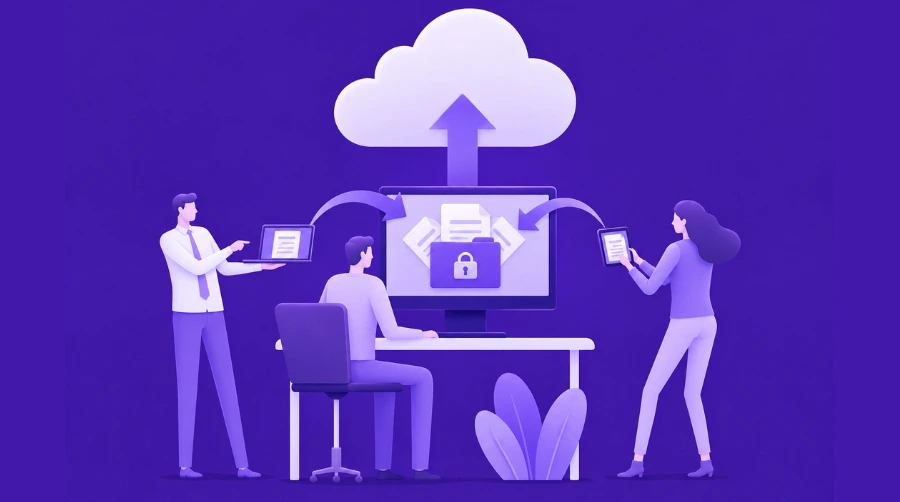
AWS gives businesses a strong cloud platform to build, deploy, and scale applications. But using AWS does not automatically make your system secure. Security depends on how you configure accounts, manage users, protect data, monitor activity, and respond to risks. Many startups and enterprises make the mistake of thinking AWS handles everything.
AWS gives businesses a strong cloud platform to build, deploy, and scale applications. But using AWS does not automatically make your system secure. Security depends on how you configure accounts, manage users, protect data, monitor activity, and respond to risks.
Many startups and enterprises make the mistake of thinking AWS handles everything. In reality, AWS secures the cloud infrastructure, while businesses must secure what they build inside it. This guide explains the most important AWS security best practices for startups and enterprises, with practical steps for building a safer cloud environment.
Key Takeaways
- AWS security means protecting accounts, identities, data, and networks from unauthorized access and data loss
- Startups should focus on securing the root account, using IAM roles, enabling MFA, encrypting data, and monitoring activity
- Enterprises need additional layers including centralized access management, compliance controls, advanced monitoring, and incident response procedures
- Most common security breaches happen because of simple mistakes like over-permissive access, weak passwords, and ignored alerts
- Security is not a one-time setup. It requires ongoing review, monitoring, and adjustment
- Professional AWS security support helps when handling sensitive data, scaling fast, managing compliance, or facing repeated security issues
What Does AWS Security Mean?
AWS security means protecting your cloud workloads, applications, data, users, networks, and configurations inside the AWS environment. It includes access control, encryption, monitoring, backups, compliance, and incident response.
Security is not a one-time setup. It should be part of your cloud planning, application development, deployment process, and regular review cycle.
AWS Shared Responsibility Model
AWS follows a shared responsibility model. AWS is responsible for protecting the cloud infrastructure, such as data centers, hardware, networking, and physical security. Customers are responsible for securing what they run on AWS.
This means your business must manage user access, data protection, application security, operating system updates, network rules, backup policies, and compliance settings. If an S3 bucket is public by mistake or an IAM user has too many permissions, that risk belongs to the customer side.
Understanding this model is important because it helps startups and enterprises know where their security responsibility begins.
Why AWS Security Is Different for Startups and Enterprises
Startups and enterprises both need strong AWS security, but their needs are different. Startups usually need simple, low-cost security practices that small teams can manage. Enterprises need deeper governance, automation, compliance tracking, and security controls across many accounts, teams, and applications.
Startups should focus first on account protection, IAM access, encryption, logging, and backups. Enterprises should add multi-account governance, centralized monitoring, audit trails, compliance automation, and formal incident response planning.
Why AWS Security Matters for Modern Businesses
AWS security protects more than cloud resources. It protects customer trust, business continuity, legal compliance, and long-term growth.
If customer data is exposed, the damage can be serious. A breach can affect brand reputation, customer confidence, revenue, and legal standing. For startups, one major security failure can slow growth. For enterprises, it can create compliance risks, downtime, and financial loss.
Security also helps control costs. Poorly protected accounts can be abused for unauthorized resource usage. Weak monitoring can allow threats to grow unnoticed. Strong security practices help prevent incidents before they become expensive problems.
AWS Security Best Practices for Startups
Startups should build a simple but strong security foundation early. The goal is to prevent common mistakes without slowing product development.
Enable MFA and Protect the Root Account
The AWS root account has full access to your AWS environment. If this account is compromised, attackers can control billing, users, services, and infrastructure.
Enable Multi-Factor Authentication on the root account immediately. Do not use the root account for daily work. Create separate IAM users or roles for team members and give them only the access they need.
Store root account recovery details safely. Only trusted decision-makers should have access to them.
Use IAM Roles and Least Privilege Access
IAM controls who can access AWS resources and what actions they can perform. A common mistake is giving admin access to too many users.
Use the principle of least privilege. Developers, marketers, DevOps teams, and third-party vendors should not have the same level of access. Give each user only the permissions required for their role.
For applications, use IAM roles instead of long-term access keys. Roles provide temporary credentials and reduce the risk of stolen keys. If long-term keys are required, rotate them regularly and never store them inside code repositories.
Enable Logging and Monitoring
Logging helps you understand what is happening inside your AWS account. Monitoring helps you detect unusual activity quickly.
Enable AWS CloudTrail to track API activity. CloudTrail records who performed an action, when it happened, and from where. Use Amazon CloudWatch to monitor logs, metrics, and alarms.
Startups should also consider Amazon GuardDuty for threat detection and AWS Security Hub for central security visibility. Even basic monitoring can help catch problems before they become serious.
Encrypt Sensitive Data
Encryption protects data by making it unreadable without proper keys. Startups should encrypt sensitive data stored in databases, storage buckets, backups, and application systems.
Use AWS KMS for key management. Enable encryption for Amazon S3, Amazon RDS, Amazon EBS, and backups. Also use HTTPS to protect data in transit.
Sensitive information like API keys, passwords, and database credentials should not be stored in code. Use AWS Secrets Manager to store and rotate secrets safely.
Keep Backups and Recovery Plans Ready
Backups are important for handling accidental deletion, ransomware, system failure, or data corruption. But backups are useful only if they can be restored properly.
Automate backups for important databases and storage systems. Test recovery regularly in a safe environment. Define how fast your system must recover and how much data loss your business can tolerate.
Startups often ignore recovery planning until something breaks. Building this habit early can prevent major business disruption.
AWS Security Best Practices for Enterprises
Enterprises need deeper security because they manage larger systems, multiple teams, sensitive data, and compliance requirements. Security must be consistent, auditable, and scalable.
Use Multi-Account Architecture
Enterprises should separate workloads into different AWS accounts. For example, production, development, testing, security, and logging should not all run inside one account.
Multi-account architecture improves isolation. If one account has a problem, the impact does not automatically spread everywhere. AWS Organizations can help manage accounts centrally and apply policies across the organization.
This approach is especially useful for companies working with complex AWS Cloud Architecture, where multiple teams, environments, and workloads need clear separation.
Apply Strong Identity and Access Governance
Enterprise teams need centralized identity control. AWS IAM Identity Center can help manage user access across multiple AWS accounts.
Use permission boundaries, role-based access, and Service Control Policies to limit risky actions. Review access regularly and remove unused permissions.
Permission sprawl is a common enterprise problem. Over time, users collect more permissions than they need. Regular access reviews help reduce this risk.
Automate Security Controls
Manual security checks are difficult to manage at enterprise scale. Automation helps enforce consistent rules across accounts and teams.
Use AWS Config to track configuration changes and detect non-compliant resources. Use infrastructure as code to define secure settings from the beginning. This reduces human error and makes security repeatable.
For example, AWS CloudFormation can help teams deploy infrastructure using predefined templates, making it easier to apply consistent security rules across environments.
Monitor Compliance Continuously
Enterprises often need to follow industry standards such as SOC 2, HIPAA, PCI-DSS, GDPR, or internal audit policies.
Continuous monitoring helps prove that security controls are working. AWS Security Hub, AWS Config, CloudTrail, and GuardDuty can support compliance visibility.
For regulated companies, documentation is also important. Auditors need evidence, not just verbal confirmation. Logs, reports, access reviews, and configuration history help support compliance checks.
Build an Incident Response Plan
Security incidents can happen even with strong controls. Enterprises should prepare before incidents occur.
An incident response plan should define who handles detection, investigation, communication, containment, recovery, and review. Teams should know what to do when suspicious activity is detected.
Run tabletop exercises or simulations regularly. After every incident, review what happened, what failed, and what needs improvement.
Important AWS Security Tools Businesses Should Know
AWS provides many security tools, but businesses should focus on the tools that protect access, data, monitoring, and compliance.
| AWS Tool | Main Use |
|---|---|
| AWS IAM | Manages users, roles, and permissions |
| AWS CloudTrail | Tracks API activity and account actions |
| Amazon CloudWatch | Monitors logs, metrics, and alarms |
| Amazon GuardDuty | Detects suspicious and malicious activity |
| AWS Security Hub | Centralizes security findings |
| AWS KMS | Manages encryption keys |
| AWS WAF | Protects web applications from common attacks |
| AWS Shield | Helps protect against DDoS attacks |
| AWS Secrets Manager | Stores and rotates credentials |
| AWS Config | Tracks configuration and compliance changes |
| Amazon VPC | Controls network isolation and traffic rules |
Startups may not need every tool on day one, but they should start with IAM, CloudTrail, CloudWatch, encryption, and backups. Enterprises should build a wider security system using monitoring, governance, and compliance tools.
AWS Security Checklist for Enterprises
Startups should keep security simple, practical, and consistent. The checklist below covers the most important first steps.
| Security Area | Startup Action |
|---|---|
| Account Security | Enable MFA on the root account |
| IAM | Use least privilege permissions |
| Access Keys | Avoid long-term keys where possible |
| Logging | Enable CloudTrail |
| Monitoring | Set CloudWatch alarms |
| Data Protection | Encrypt sensitive data with KMS |
| Secrets | Store credentials in Secrets Manager |
| Storage | Block public S3 access by default |
| Backup | Automate daily backups |
| Recovery | Test restoration every quarter |
| Network | Use private subnets for sensitive systems |
| Review | Check IAM permissions regularly |
This checklist is enough for many early-stage teams to reduce common cloud risks without adding unnecessary complexity.
AWS Security Checklist for Enterprises
Enterprises need stronger controls because they operate at larger scale and usually handle more sensitive workloads.
| Security Area | Enterprise Action |
|---|---|
| Account Structure | Use multi-account architecture |
| Governance | Manage accounts with AWS Organizations |
| Identity | Use IAM Identity Center |
| Policies | Apply Service Control Policies |
| Compliance | Use AWS Config for tracking |
| Threat Detection | Enable GuardDuty across accounts |
| Visibility | Use AWS Security Hub |
| Logging | Centralize CloudTrail logs |
| Network Monitoring | Enable VPC Flow Logs |
| Incident Response | Create a formal response plan |
| Access Review | Review permissions quarterly |
| Disaster Recovery | Test recovery plans annually |
| Audit | Maintain evidence for compliance |
| Automation | Use infrastructure as code |
Enterprises should not depend only on manual reviews. Automation, centralized visibility, and regular audits are needed to keep security consistent.
AWS Security for Migration Projects
Security should be planned before moving workloads to AWS. A weak migration can carry old risks into the new cloud environment.
During AWS cloud migration, businesses should review application access, data sensitivity, network design, backup requirements, compliance needs, and monitoring setup. Migration is also a good time to remove outdated permissions, improve encryption, and redesign insecure legacy architecture.
A secure migration plan should include discovery, risk assessment, access mapping, data protection, testing, and post-migration monitoring.
AWS Security for Serverless Applications
Serverless applications reduce infrastructure management, but they still require strong security planning. You must secure permissions, triggers, secrets, APIs, and event sources.
When using AWS Lambda, follow least privilege permissions, avoid hardcoded secrets, validate input, monitor function logs, and set proper timeout limits. Lambda functions should only access the services they truly need.
For teams comparing serverless platforms, Azure vs AWS Lambda can help explain differences in ecosystem, pricing, integrations, monitoring, and cloud fit. But from a security view, both require proper identity, logging, secret management, and access control.
Some teams also refer to Lambda when discussing event-driven application design. In security planning, each function should have a clear purpose, limited permissions, and monitored execution behavior.
AWS Security and Cost Control
Security also affects cloud cost. Misconfigured accounts can lead to unauthorized resource usage, unused services, or expensive incidents.
Understanding AWS pricing models helps teams control costs while planning security tools, backups, logging storage, and monitoring services. Security should not be ignored to save money, but it should be planned in a cost-aware way.
For startups, this means choosing essential controls first. For enterprises, this means balancing risk, compliance, automation, and operational cost.
Role of AWS Development Services in Cloud Security
Secure AWS environments require good planning across architecture, identity, networking, application deployment, monitoring, and compliance. This is where professional AWS Development services can support businesses.
An experienced team can help design secure accounts, configure IAM properly, set up encryption, automate deployments, monitor workloads, and reduce misconfiguration risks. This is especially useful when internal teams are small, fast-moving, or handling sensitive data.
A strong AWS Development Solution should not only focus on deployment. It should also include security planning, access control, backup strategy, monitoring, and long-term cloud governance.
Final Thoughts
AWS security is a continuous process. AWS gives businesses powerful cloud infrastructure and security tools, but the final security outcome depends on correct configuration, monitoring, access control, and regular improvement.
Startups should begin with a simple foundation: protect the root account, use IAM carefully, enable logging, encrypt data, store secrets safely, and test backups. Enterprises should go further with multi-account governance, centralized identity, compliance automation, security monitoring, and formal incident response.
The best security approach is not the most complex one. It is the one that matches your business size, risk level, data sensitivity, and growth stage.
Frequently Asked Questions
Q1.What is AWS security?
AWS security means protecting cloud workloads, data, users, applications, networks, and configurations inside AWS. It includes IAM access, encryption, monitoring, backups, compliance, and incident response.
Q2.What is the AWS shared responsibility model?
The AWS shared responsibility model means AWS secures the cloud infrastructure, while customers secure what they build and run on AWS. Customers must manage access, data protection, applications, configurations, and compliance.
Q3.What are the most important AWS security tools?
The most important AWS security tools include IAM, CloudTrail, CloudWatch, GuardDuty, Security Hub, KMS, AWS WAF, Secrets Manager, AWS Config, and VPC security controls.
Q4.How can startups secure AWS accounts?
Startups should enable MFA, avoid root account usage, apply least privilege IAM access, enable CloudTrail, encrypt sensitive data, store secrets safely, block public S3 access, and test backups regularly.
Q5.How do enterprises manage AWS compliance?
Enterprises manage AWS compliance through multi-account architecture, centralized identity, AWS Config, CloudTrail, Security Hub, GuardDuty, access reviews, documentation, and regular audit evidence collection.
Q6.Is AWS security fully managed by Amazon?
No. AWS protects the cloud infrastructure, but businesses must secure their applications, data, users, configurations, networks, and compliance controls. Security is shared between AWS and the customer.
Q7.When should a business hire AWS security experts?
A business should hire AWS security experts when handling sensitive data, meeting compliance needs, scaling quickly, facing repeated security issues, or lacking internal AWS security experience.
Explore Services
Related Services
Reviewed by

Aman Vaths
Founder of Nadcab Labs
Aman Vaths is the Founder & CTO of Nadcab Labs, a global digital engineering company delivering enterprise-grade solutions across AI, Web3, Blockchain, Big Data, Cloud, Cybersecurity, and Modern Application Development. With deep technical leadership and product innovation experience, Aman has positioned Nadcab Labs as one of the most advanced engineering companies driving the next era of intelligent, secure, and scalable software systems. Under his leadership, Nadcab Labs has built 2,000+ global projects across sectors including fintech, banking, healthcare, real estate, logistics, gaming, manufacturing, and next-generation DePIN networks. Aman’s strength lies in architecting high-performance systems, end-to-end platform engineering, and designing enterprise solutions that operate at global scale.