Ai Overview
Managing a fleet of vehicles has become increasingly complex in today’s business landscape. Companies operating everything from delivery trucks to taxis need systems that can track, monitor, and control their vehicles in real time. Each approach has advantages and disadvantages, and the right choice depends on business requirements, budget, and growth expectations. A system built to handle 100 vehicles may struggle when managing 1,000 vehicles.
Key Takeaways
- GPS tracking shows vehicle locations in real time, helping increase safety, improve customer service, and reduce downtime.
- Fleet management systems consist of mobile applications, web dashboards, backend servers, and databases that work together to collect and display operational information.
- Cloud platforms like AWS provide automatic expansion, allowing systems to handle more vehicles without manual intervention by administrators. [1]
- Data analytics and reporting help businesses reduce fuel costs, improve driver safety, and optimize routes through historical analysis and insights. [2]
- Integration with vehicle telematics systems, ERP software, and third-party applications makes fleet platforms more useful by connecting them to other business operations. [3]
- API-driven architectures enable fleet systems to communicate with multiple data sources and external services, creating flexible solutions that grow with business needs. [4]
- Security in fleet management includes data encryption, user authentication, role-based access controls, and audit trails to protect sensitive business and vehicle information. [5]
- Mobile-first design ensures drivers can access critical information directly from vehicles using smartphones, reducing dependency on office-based support. [6]
- Microservices architecture allows fleet systems to expand individual components independently, making it easier to add features and handle increased traffic.
- Real-time communication protocols enable instant notifications for vehicle breakdowns, traffic alerts, and maintenance reminders, keeping operations informed and responsive. [7]
Introduction to Fleet Management Systems
Managing a fleet of vehicles has become increasingly complex in today’s business landscape. Companies operating everything from delivery trucks to taxis need systems that can track, monitor, and control their vehicles in real time. Fleet management software has become important for businesses that want to operate efficiently and keep costs under control. This is why many organizations are now investing in advanced logistics software solutions and real-time forklift fleet management technologies that help coordinate vehicle operations, improve route planning, increase equipment visibility, and manage transportation and warehouse activities more effectively.
At the heart of any successful fleet management operation lies a well-designed software architecture. This architecture determines how the system collects data, processes information, and delivers insights to decision makers. Understanding how these systems are built helps businesses choose the right solutions and ensures their operations run smoothly.
This guide explores the fundamental concepts behind fleet management software architecture, from basic components to advanced features that modern businesses depend on every day. Whether you manage 10 vehicles or 10,000, the architectural principles remain consistent, though the scale and complexity may differ.
Core Components of Fleet Management Architecture
Every fleet management system consists of multiple interconnected components that work together to deliver complete functionality. Understanding these components helps you grasp how the entire system functions and why each piece matters for overall performance.
1. Vehicle Tracking and GPS Integration
GPS tracking software forms the backbone of any fleet management system. Every vehicle in your fleet includes a GPS device that continuously communicates its location to central servers. This tracking happens in real time, sometimes updating multiple times per second depending on system configuration.
The GPS device collects latitude, longitude, altitude, and speed information. It also measures heading, which tells you which direction the vehicle is traveling. Modern systems store this information in time-stamped records, creating a complete history of vehicle movements throughout the day.
Beyond simple location data, these tracking systems detect when vehicles deviate from assigned routes, travel at unsafe speeds, or enter restricted zones. Some modern systems even monitor harsh braking, rapid acceleration, and cornering to assess driver behavior and safety practices.
2. Backend Server Infrastructure
The backend servers process all incoming data from vehicles and make that information available to users. These servers run continuously, receiving data packets from thousands of vehicles simultaneously and storing them in organized databases.
Backend systems handle several critical functions. They validate incoming data to ensure accuracy and consistency. They process location updates and check them against business rules, such as geofence violations or speed alerts. They aggregate information from individual vehicles into fleet-level summaries and reports.
Most modern fleet management platforms run on cloud infrastructure rather than on-premise servers. Cloud platforms like AWS, Google Cloud, or Azure provide automatic expansion, meaning the system can handle more simultaneous vehicles without manual intervention by administrators.
3. Database Management and Data Storage
Fleet management systems generate enormous amounts of data. A single vehicle produces hundreds of data points per day, and with hundreds or thousands of vehicles, the data volume becomes very large. Storing and organizing this data efficiently is essential for system performance.
Databases in fleet management architecture serve different purposes. Some databases store real-time vehicle location data that needs to be accessed instantly when users view their dashboard. Other databases store historical data that is used for reporting and analysis but does not need to be accessed as frequently.
This separation is important because real-time data requires fast access, while historical data requires large storage capacity. By using different systems for different purposes, fleet managers can optimize both speed and cost.
Logistics & Transportation Digital Solutions: Automation & Cost Reduction
4. Web-Based Dashboard and User Interface
The user interface is what fleet managers and supervisors interact with every day. A well-designed dashboard shows vehicle locations on a map, displays status information, and allows users to view detailed reports about their fleet.
Modern dashboards are web-based, meaning users access them through a browser without installing special software. This makes it easy for users to access their fleet information from any computer with an internet connection. Some systems also provide mobile apps for smartphones and tablets, allowing managers to monitor their fleet while away from their desk.
Good dashboards display information clearly without overwhelming users. They show the most important metrics first, then allow users to drill down for more detailed information. For example, a dashboard might show the total number of vehicles on the road and their overall status, then allow a user to click on a specific vehicle to see detailed information about that vehicle’s current trip.
5. Mobile Applications for Drivers and Field Teams
Drivers and field personnel need access to fleet information directly from their vehicles. Mobile applications running on smartphones and tablets provide this access, delivering important information to drivers in real time.
Driver applications typically show navigation to the next destination, updated delivery instructions, and communication with the dispatch center. Some systems even allow drivers to submit photos, signatures, or other documentation directly from their devices, eliminating the need for paperwork.
Mobile apps are designed to work reliably even when the internet connection is intermittent or slow. They cache important information locally on the device and sync with servers when a connection is available. This ensures drivers can always access critical information even in areas with poor cell coverage.
System Architecture Models and Design Patterns
Fleet management systems can be built using different architectural approaches. Each approach has advantages and disadvantages, and the right choice depends on business requirements, budget, and growth expectations.
1. Monolithic Architecture
In a monolithic approach, all system components are built as a single, unified application. All features, functions, and services are part of one codebase. When you update one feature, you need to rebuild and redeploy the entire system.
Monolithic architecture works well for smaller fleet management systems with limited complexity. It is straightforward to develop and deploy, and developers working on the system understand how all the pieces fit together. However, as systems grow, monolithic architecture becomes harder to maintain and scale.
2. Microservices Architecture
Modern fleet management systems often use a microservices architecture, where the system is divided into many small, independent services. Each service handles one specific function, such as GPS tracking, reporting, or user authentication. Services communicate through clearly defined interfaces.
Microservices architecture offers several advantages. Teams can develop different services independently without waiting for other teams to finish. If one service fails, the entire system does not fail. Services can be expanded independently, meaning you can add more servers to handle increased tracking requests without affecting the reporting service.
The main disadvantage is complexity. With many independent services communicating with each other, the overall system becomes more complex to understand, deploy, and troubleshoot. Teams need better tools and processes to manage microservices effectively.
3. Serverless Architecture
Some fleet management platforms use serverless architecture, where code runs on cloud platforms without teams needing to manage servers. Developers write functions that respond to specific events, such as a vehicle transmitting location data or a user requesting a report.
Serverless architecture automatically expands up or down based on demand. When many vehicles are transmitting data, the cloud platform allocates more resources. When traffic is light, fewer resources are used, and costs decrease. This pay-as-you-go model works well for systems with variable traffic patterns.
AI Route Optimization for Logistics Companies
Key Features and Functionality in Fleet Management Systems
Modern fleet management platforms offer a wide range of features designed to help businesses operate more efficiently. While specific features vary between vendors, most comprehensive systems include the following capabilities.
1. Real-Time Vehicle Tracking and Monitoring
This is the foundational feature of all fleet management systems. Real-time tracking shows where every vehicle is at any moment, what speed it is traveling, and which direction it is heading. Users can see this information on a map or in a list view, depending on what they need to accomplish.
Beyond basic location, real-time monitoring includes status information such as whether the vehicle’s engine is running, if doors are open, and whether the vehicle is parked or in motion. This information helps dispatchers understand vehicle availability and helps managers ensure assets are being used appropriately.
2. Route Planning and Optimization
Effective route planning reduces fuel consumption and improves delivery times. Fleet management systems calculate the most efficient routes based on delivery addresses, traffic conditions, vehicle capacity, and driver availability.
Some modern systems use artificial intelligence to improve routes continuously. As drivers complete deliveries and situations change, the system recalculates routes to take advantage of new opportunities. This changing approach to routing can significantly reduce empty driving time and fuel costs.
3. Driver Behavior and Safety Monitoring
Safety is a top concern for fleet managers. Systems monitor driver behavior by tracking speed, acceleration, braking, and cornering. Harsh braking or aggressive cornering generates alerts that supervisors can use for coaching and training.
Some systems use camera-based technology to detect driver fatigue, distraction, or unsafe practices. When the system detects safety issues, it can alert the driver immediately or generate reports for manager review later.
4. Maintenance Tracking and Scheduling
Vehicles require regular maintenance to stay in good working condition. Fleet management systems track maintenance history and schedule upcoming maintenance based on vehicle usage or time intervals.
The system can alert maintenance teams when vehicles are due for service, helping prevent breakdowns and extending vehicle lifespan. Some systems track maintenance costs per vehicle, helping managers identify vehicles that consume excessive maintenance resources.
5. Fuel Management and Consumption Analysis
Fuel is one of the largest operating expenses for fleet businesses. Systems track fuel consumption across the fleet and identify vehicles with unusually high consumption, which may indicate mechanical problems or inefficient driving.
Fuel monitoring helps managers set consumption targets and track progress toward fuel efficiency goals. Some systems alert drivers in real time when they exceed fuel consumption expectations, encouraging more efficient driving habits.
Blockchain in Cross-Border Logistics
6. Analytics and Reporting
Data becomes useful when it is organized into reports that answer specific business questions. Fleet management systems provide various reports about vehicle utilization, driver performance, fuel costs, and maintenance expenses.
Modern systems include dashboards where managers can create their own reports based on data that matters most to their business. Some systems export data to business intelligence tools for deeper analysis and pattern identification.
Technology Components and Tools Used in Fleet Management Systems
| Technology Layer | Common Technologies | Purpose and Function |
|---|---|---|
| Frontend Interface | React, Angular, Vue.js | User-facing dashboard and web interface for fleet managers and administrators |
| Mobile Applications | React Native, Flutter, Swift, Kotlin | Driver and field team applications for real-time information and task management |
| Backend Services | Node.js, Java, Python, Go | Server-side logic, data processing, business rules, and API endpoints |
| Real-Time Data | Redis, Memcached, In-Memory DBs | Fast access to current vehicle locations and status information |
| Time-Series Data | InfluxDB, TimescaleDB, Prometheus | Storage of timestamped vehicle data for tracking history and analysis |
| Primary Database | PostgreSQL, MySQL, MongoDB | Storage of vehicle information, driver data, and operational records |
| Message Queuing | RabbitMQ, Apache Kafka, AWS SQS | Reliable message handling between services for asynchronous processing |
| Cloud Infrastructure | AWS, Google Cloud, Azure, Kubernetes | Hosting platform for all system components with automatic expansion |
Integration Points and API Architecture
Modern fleet management systems do not operate in isolation. They need to connect with other business systems and third-party services to provide comprehensive functionality. This is accomplished through APIs and integration points.
1. Vehicle Telematics Integration
Most vehicles today come equipped with built-in telematics systems that collect diagnostic information. Fleet management platforms connect with these systems to access data about engine performance, fuel consumption, and vehicle health.
This connection allows fleet managers to identify mechanical issues before they cause breakdowns. The system can warn a driver to pull over and have a vehicle serviced, preventing expensive emergency repairs and minimizing downtime.
2. ERP and Business System Connections
Many businesses use Enterprise Resource Planning (ERP) systems to manage inventory, orders, and financial information. Fleet management systems connect with these systems to access job information, delivery addresses, and customer details.
This connection means that when a new order is created in the ERP system, the information automatically becomes available to the fleet management system for route planning and dispatch. Status updates from the fleet system can be sent back to the ERP system to keep all departments informed about delivery progress.
3. Mapping and Navigation Services
Fleet management systems rely on mapping and navigation data to show vehicle locations, plan routes, and provide turn-by-turn directions to drivers. They connect with mapping services like Google Maps or OpenStreetMap to access current map data and traffic conditions.
Real-time traffic information helps the system recalculate routes when congestion occurs, allowing drivers to find faster alternatives. This keeps deliveries on schedule and reduces fuel consumption.
4. Weather and Environmental Services
Weather can significantly impact fleet operations. Systems connect with weather services to alert drivers about dangerous conditions, severe weather, or road closures. This helps managers make informed decisions about route changes or scheduling adjustments.
5. Communication and Notification Systems
Fleet management systems need to send alerts and notifications to drivers, dispatchers, and managers. Connection with SMS services, email providers, and push notification systems ensures that important messages reach the right people at the right time.
Data Flow and Information Processing Patterns
Understanding how data flows through a fleet management system helps explain how information from thousands of vehicles is collected, processed, and transformed into useful insights.
Typical Data Processing Stages in Fleet Management
| Processing Stage | Input Data | Output and Business Value |
|---|---|---|
| Data Collection | GPS coordinates, speed, vehicle sensors, accelerometer data | Raw data received from vehicles every 5 to 30 seconds |
| Data Validation | Raw vehicle data points with potential errors | Clean, verified data ready for storage and analysis |
| Real-Time Processing | Clean vehicle position and status data | Immediate alerts for speed violations, geofence breaches, or driver behavior issues |
| Aggregation | Individual vehicle data points over time periods | Fleet-level summaries showing total distance, fuel consumption, and vehicle count |
| Analytics and Insights | Processed vehicle data, fuel records, maintenance logs | Reports showing trends, identifying cost-saving opportunities, and performance patterns |
| Reporting and Visualization | Analysis results and historical data | Dashboards, graphs, and reports that answer business questions |
Security and Data Protection in Fleet Systems
Fleet management systems handle sensitive information about vehicle locations, driver behavior, and business operations. Protecting this data is essential for preventing unauthorized access and maintaining business confidentiality.
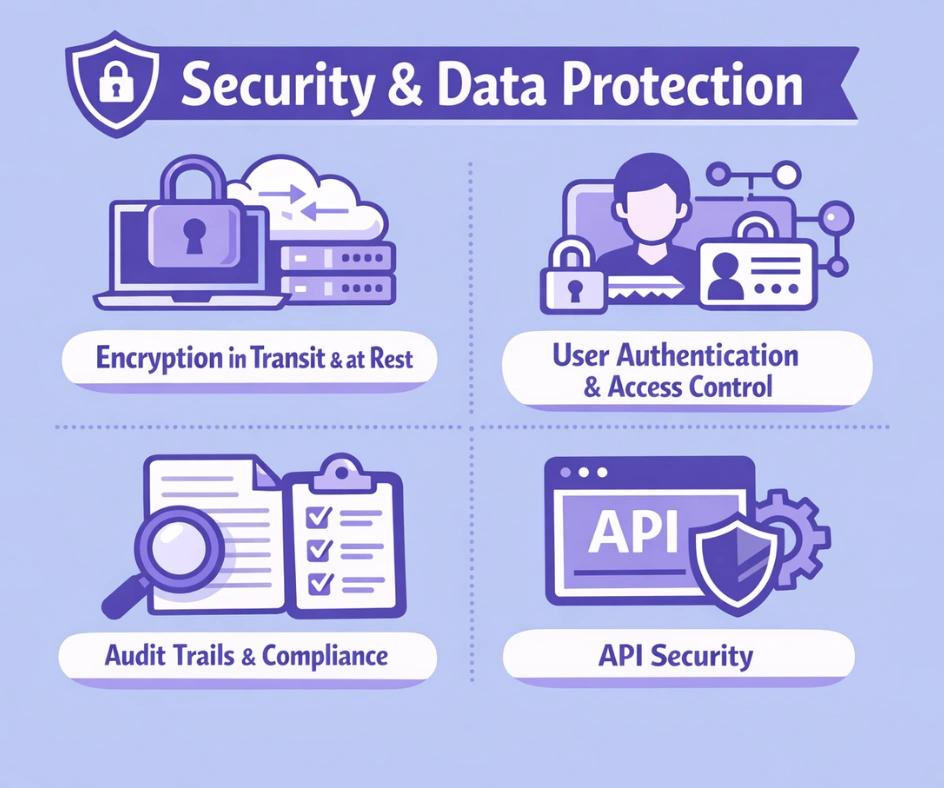
1. Encryption in Transit and at Rest
Data travels between vehicles, servers, and user devices. During transit, this data is encrypted using standard protocols like HTTPS and TLS to prevent interception by unauthorized parties. When data is stored in databases, it is also encrypted to protect it if storage systems are compromised.
2. User Authentication and Access Control
Different users need different levels of access to system information. A driver needs to see their assigned routes and delivery information, but should not be able to view information about other drivers or company financial data. Systems implement role-based access control to ensure users can only access information appropriate to their role.
Authentication ensures that users are who they claim to be. Modern systems use multi-factor authentication, where users provide something they know (a password) and something they have (a code from their phone or security key).
3. Audit Trails and Compliance
Systems maintain detailed logs of who accessed what information and when. These audit trails help businesses demonstrate compliance with regulations and investigate security incidents if they occur.
4. API Security
When fleet management systems connect with other systems through APIs, those connections must be protected. API security uses techniques like API keys, OAuth tokens, and rate limiting to ensure that only authorized applications can access the system and prevent abuse.
Growing Your System and Handling More Vehicles
As businesses grow, their fleet management systems must grow with them. A system built to handle 100 vehicles may struggle when managing 1,000 vehicles. Understanding how to expand systems ensures they can grow without requiring complete rebuilds.
1. Adding More Servers to Share the Work
Adding more servers means distributing work across multiple machines to handle increased load. Rather than buying one very powerful server, you can add multiple regular servers and distribute traffic among them. This approach works well for most fleet management components and is less expensive than buying powerful hardware.
2. Improving How Databases Store and Retrieve Information
As the amount of data grows, database performance becomes important. Improvement techniques include adding indexes to frequently queried data, splitting data across multiple servers, and moving old data to separate storage. Good database design ensures that queries return results quickly, even with millions of records.
3. Using Fast Storage for Frequently Accessed Data
Some data is accessed frequently, while other data is accessed rarely. Using fast storage stores frequently accessed data in fast systems so it can be retrieved quickly. For example, current vehicle locations are accessed constantly and should be stored in fast systems, while historical data from months ago is accessed rarely and can come from slower storage.
4. Spreading Work Evenly Across Servers
When multiple servers handle requests, systems that spread work evenly distribute incoming requests across servers. This ensures no single server becomes overwhelmed and improves overall system responsiveness.
Ready to Implement Fleet Management Solutions
Our team brings specialized expertise to fleet management software development. We design systems from the ground up that handle tracking, optimization, and analysis for operations of any size. Whether you need a platform for managing a small local fleet or a large distributed network, we deliver solutions built for growth, reliability, and user experience.
How to Successfully Implement Fleet Management Systems
1. Start with Clear Business Requirements
Before building or buying a fleet management system, understand exactly what your business needs. What problems do you want to solve? What decisions will the system help you make? Clear requirements prevent building features that nobody uses and ensure you address actual business pain points.
2. Plan for Integration
Your fleet management system will need to work with other business systems. Plan connection points early in the design process rather than trying to bolt them on later. Well-planned connections save time and money during implementation.
3. Design for Mobile First
Drivers spend most of their time in vehicles with smartphones, not at desks with computers. Designing the mobile experience first ensures drivers get a good experience, and desktop features can be added as secondary interfaces.
4. Implement Security From the Start
Adding security after a system is built is difficult and expensive. Instead, design security into the system from the beginning. This includes authentication, encryption, access controls, and audit trails.
5. Plan for Data Storage
Fleet systems generate enormous amounts of data. Plan your data storage strategy carefully, considering how much data you will generate, how long you need to keep it, and how quickly you need to access it. Separating real-time data from historical data helps manage costs and performance.
6. Watching for Problems and Getting Alerts
Systems fail without warning. Build detailed monitoring into your fleet management system so that operations teams can detect problems early. Alerts notify teams immediately when performance drops or errors occur, allowing quick fixes before users notice problems.
What’s Next for Fleet Management Systems
Fleet management technology continues to change. Understanding newer trends helps businesses make decisions that position them well for the future.
1. Artificial Intelligence and Predictive Methods
Machine learning models are becoming more common in fleet management. These models can predict vehicle breakdowns before they happen, improve routes based on historical patterns, and identify driver behavior patterns that lead to accidents. As these technologies mature, they will provide increasingly useful insights.
2. Electric and Autonomous Vehicles
As fleets transition to electric vehicles, fleet management systems need to track battery charge levels and plan routes around charging infrastructure. When autonomous vehicles become common, systems will need to coordinate vehicle movements without human drivers.
3. IoT and Edge Computing
Internet of Things (IoT) devices in vehicles collect increasingly detailed information. Edge computing processes some of this data directly on the vehicle or at the network edge rather than sending everything to central servers. This reduces bandwidth requirements and improves response times.
4. Stronger Cybersecurity
As fleets become more connected, cybersecurity becomes more important. Future systems will add more security measures to protect against growing threats. This includes zero-trust methods where every access is verified, not just at the perimeter.
Final Thoughts
Fleet management software architecture represents a complex undertaking that requires careful planning across multiple technical areas. From real-time GPS tracking to data analytics, each component plays a specific role in creating systems that help businesses manage their vehicles more effectively.
The foundation of modern fleet management rests on cloud infrastructure that can handle thousands of vehicles transmitting data at the same time. This infrastructure must balance the need for fast access to current vehicle information with affordable long-term storage of historical data. Companies that implement these systems correctly gain important competitive advantages through improved route efficiency, better driver safety, and lower operating costs.
Success in fleet management architecture depends on several key factors. First, a clear understanding of business requirements ensures the system addresses actual problems that matter to operations. Second, thoughtful connections with existing business systems prevent data silos and enable better decision-making. Third, mobile-first design ensures drivers have the information they need in the field rather than forcing them to report back to offices. Finally, building security into the system from the beginning protects sensitive business and operational information.
As technology evolves, fleet management systems will continue to incorporate new capabilities like artificial intelligence, autonomous vehicles, and advanced analytics. Businesses that understand these architectural principles will be better positioned to evaluate solutions and make investments that deliver long-term value. The key is choosing systems and partners who understand both the technical requirements and the business problems that drive fleet management decisions.
Frequently Asked Questions
Q1.What is the difference between fleet management software and vehicle tracking software?
Vehicle tracking software focuses primarily on showing where vehicles are located at any moment. Fleet management software is much broader and includes tracking, but also adds route optimization, driver behavior monitoring, maintenance scheduling, fuel management, and comprehensive reporting. Fleet management software helps with operational decision-making, not just location visibility.
Q2.How often should fleet management systems update vehicle locations?
Update frequency depends on business needs. Delivery services might update locations every 10 to 30 seconds for detailed tracking. Long-haul trucking might use 1 to 5-minute intervals to reduce data consumption. Systems should allow flexible configuration so businesses can choose the update frequency that balances detail with cost.
Q3.Can fleet management systems work with older vehicles that do not have built-in GPS?
Yes. Aftermarket GPS devices can be installed in vehicles that do not come with built-in systems. These devices connect to the fleet management platform just like integrated systems. The main difference is the installation and maintenance of separate hardware rather than using integrated systems.
Q4.What security measures protect driver data in fleet management systems?
Modern systems use encryption to protect data in transit and at rest. User authentication ensures only authorized personnel have access to the system. Role-based access control limits what each user can see. Audit trails record all system access for compliance and investigation purposes. Regular security testing and updates help protect against emerging threats.
Q5.How much data storage does a fleet management system require?
Storage depends on fleet size and how often information is sent. A fleet of 100 vehicles transmitting location data every 30 seconds generates roughly 10 gigabytes per month. A larger fleet of 1,000 vehicles might generate 100 gigabytes or more per month. Cloud platforms allow storage to grow as needed, and old data can be moved to less expensive storage.
Q6.What skills do developers need to build fleet management systems?
Building fleet management systems requires different skills working together. Backend developers need experience with real-time data handling and database work. Frontend developers need to create responsive interfaces for both web and mobile. DevOps engineers manage cloud infrastructure and deployment. Specialists in mapping and location data add mapping abilities. Most projects benefit from teams with varied skill sets rather than individuals trying to do everything.
Explore Services
Related Services
Reviewed by

Aman Vaths
Founder of Nadcab Labs
Aman Vaths is the Founder & CTO of Nadcab Labs, a global digital engineering company delivering enterprise-grade solutions across AI, Web3, Blockchain, Big Data, Cloud, Cybersecurity, and Modern Application Development. With deep technical leadership and product innovation experience, Aman has positioned Nadcab Labs as one of the most advanced engineering companies driving the next era of intelligent, secure, and scalable software systems. Under his leadership, Nadcab Labs has built 2,000+ global projects across sectors including fintech, banking, healthcare, real estate, logistics, gaming, manufacturing, and next-generation DePIN networks. Aman’s strength lies in architecting high-performance systems, end-to-end platform engineering, and designing enterprise solutions that operate at global scale.