Ai Overview
You want to remember every customer’s name, their favorite drink, how they like it prepared, and when they usually visit. A CRM system does exactly this—but for your entire business and thousands of customers. Their ERP manages inventory across 50 stores, automates reordering when stock runs low, and synchronizes pricing. For small businesses starting out, CRM is usually the priority—it directly drives revenue and customer satisfaction.
Key Takeaways
- CRM systems focus on managing customer interactions and sales pipelines, while ERP systems manage entire business operations including finance, inventory, and HR.
- CRM is best for sales teams and customer service departments looking to improve relationships and close deals faster.
- ERP systems are designed for large enterprises needing to integrate multiple departments and streamline operations across the organization.
- Many growing companies implement both CRM and ERP systems together to create a unified business management platform.
- CRM software helps you understand what customers want, while ERP helps you deliver it efficiently and profitably.
- Small businesses often start with CRM for sales growth, then add ERP as they scale operations.
- Cloud-based CRM and ERP solutions offer flexibility and lower upfront costs compared to traditional on-premise systems.
- Integration between CRM and ERP systems creates a seamless flow of customer and operational data across your entire business.
- AI-powered CRM systems now predict customer behavior and automate routine tasks, saving teams hours of manual work.
- Both CRM and ERP systems require proper implementation and team training to deliver measurable business results.
When you’re growing a business, managing customer relationships and keeping operations running smoothly become challenging. Two powerful tools can help: Customer Relationship Management (CRM) and Enterprise Resource Planning (ERP) systems. While they sound similar, CRM vs ERP serve different purposes. Think of a CRM as your customer connection hub, while an ERP system manages your entire business backbone—from inventory to finance. In this guide, we’ll explore the key differences between these systems, how they work, and which one (or both) your business actually needs.
What is CRM? Understanding Customer Relationship Management
Imagine you’re running a coffee shop. You want to remember every customer’s name, their favorite drink, how they like it prepared, and when they usually visit. A CRM system does exactly this—but for your entire business and thousands of customers.
CRM (Customer Relationship Management) is software designed to help businesses manage interactions with customers throughout their journey. It stores customer data, tracks communications, manages sales pipelines, and automates customer service tasks. The primary goal? Build stronger relationships that lead to more sales and loyal customers.
When a customer contacts your sales team, CRM software captures their information, records every conversation, tracks what they’re interested in, and alerts the right team member when it’s time to follow up. It’s like having a personal assistant for each customer relationship.
Real-World CRM Example:
A B2B software company uses CRM to track leads from LinkedIn, email sequences, and demo requests. When a prospect downloads a product guide, the CRM automatically logs it. Sales reps see the prospect is actively interested and reach out with a personalized message. The prospect sees relevant information at the right time and becomes a paying customer. That’s CRM working effectively.
What is ERP? Understanding Enterprise Resource Planning
If CRM is about understanding customers, ERP is about running your entire business like a well-oiled machine.
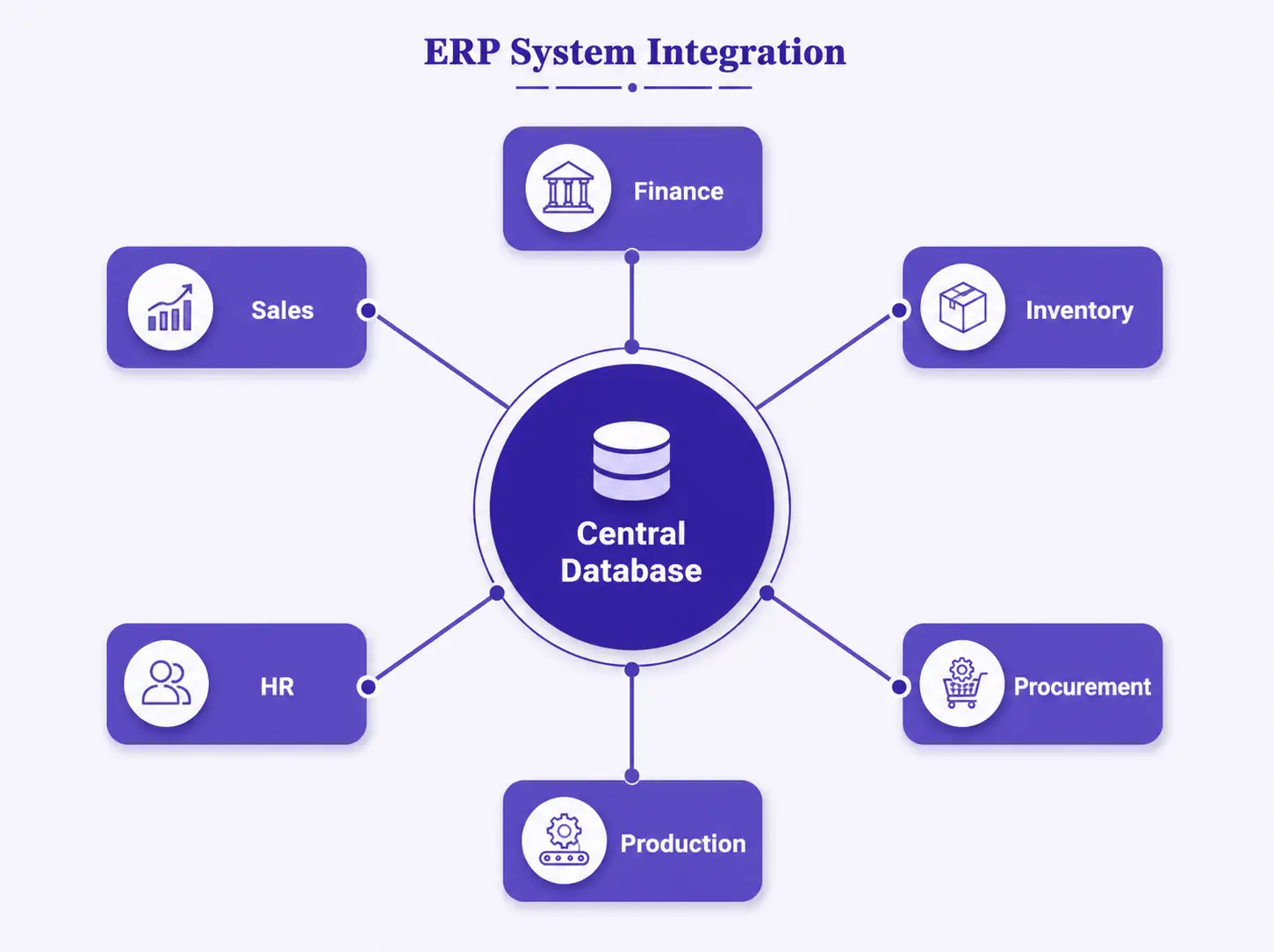
ERP (Enterprise Resource Planning) is a comprehensive software system that integrates all business processes into one unified platform. It connects your finance department, inventory management, human resources, manufacturing, supply chain, and operations into a single system where everyone works with the same data.
Think of an ERP system as the nervous system of your organization. When someone in finance enters a purchase order, inventory is automatically updated. When inventory drops below a threshold, the system alerts procurement. When goods arrive, accounting is notified to process the invoice. Everything happens in real-time across departments.
Real-World ERP Example:
A manufacturing company uses ERP to manage everything: raw material inventory, production schedules, labor costs, quality control, shipping, and accounts payable. When a customer order comes in, ERP checks if materials are available, schedules production, calculates costs, and updates financial forecasts—all automatically. The finance team knows exactly how much the order costs, operations know when to manufacture, and logistics knows when to arrange shipment.
CRM vs ERP: Key Differences at a Glance
The main difference? CRM focuses outward on customers, while ERP focuses inward on operations. Here’s a detailed comparison:
| Aspect | CRM Software | ERP System |
|---|---|---|
| Primary Focus | Customer interactions & sales | Full business operations |
| Main Users | Sales, customer service, marketing | Finance, HR, operations, procurement |
| Core Function | Track leads, manage deals, serve customers | Automate backend operations, manage resources |
| Data Scope | Customer contact, history, preferences | Finance, inventory, HR, supply chain |
| Implementation Time | 3-6 months (relatively quick) | 12-18 months (complex integration) |
| Cost Range | $50-300 per user/month | $100,000-1M+ (enterprise level) |
| Best For | Small to mid-size businesses | Large enterprises, complex operations |
| ROI Timeline | 2-3 months (fast results) | 12-24 months (longer payback) |
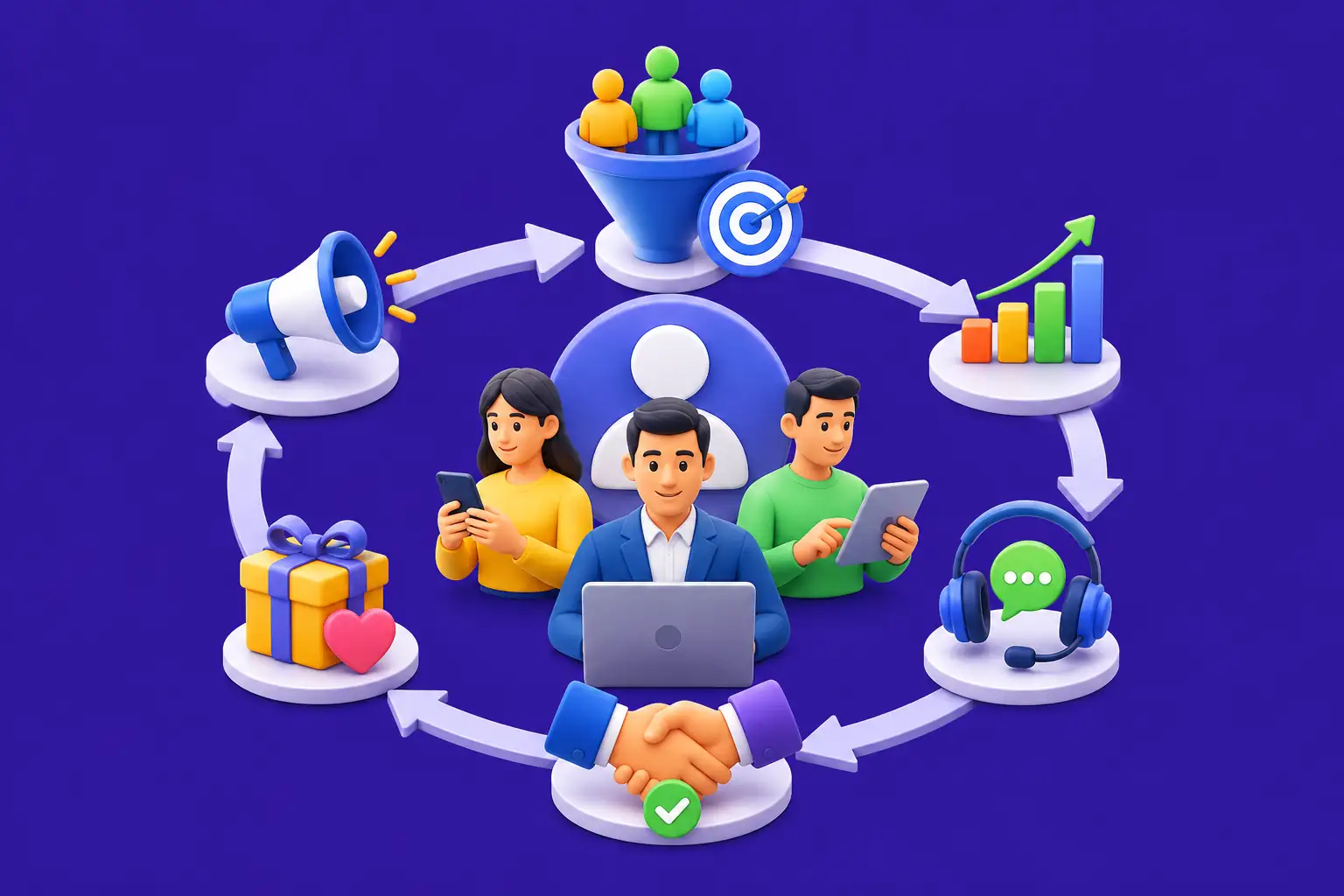
How CRM Software Works: Step-by-Step Process
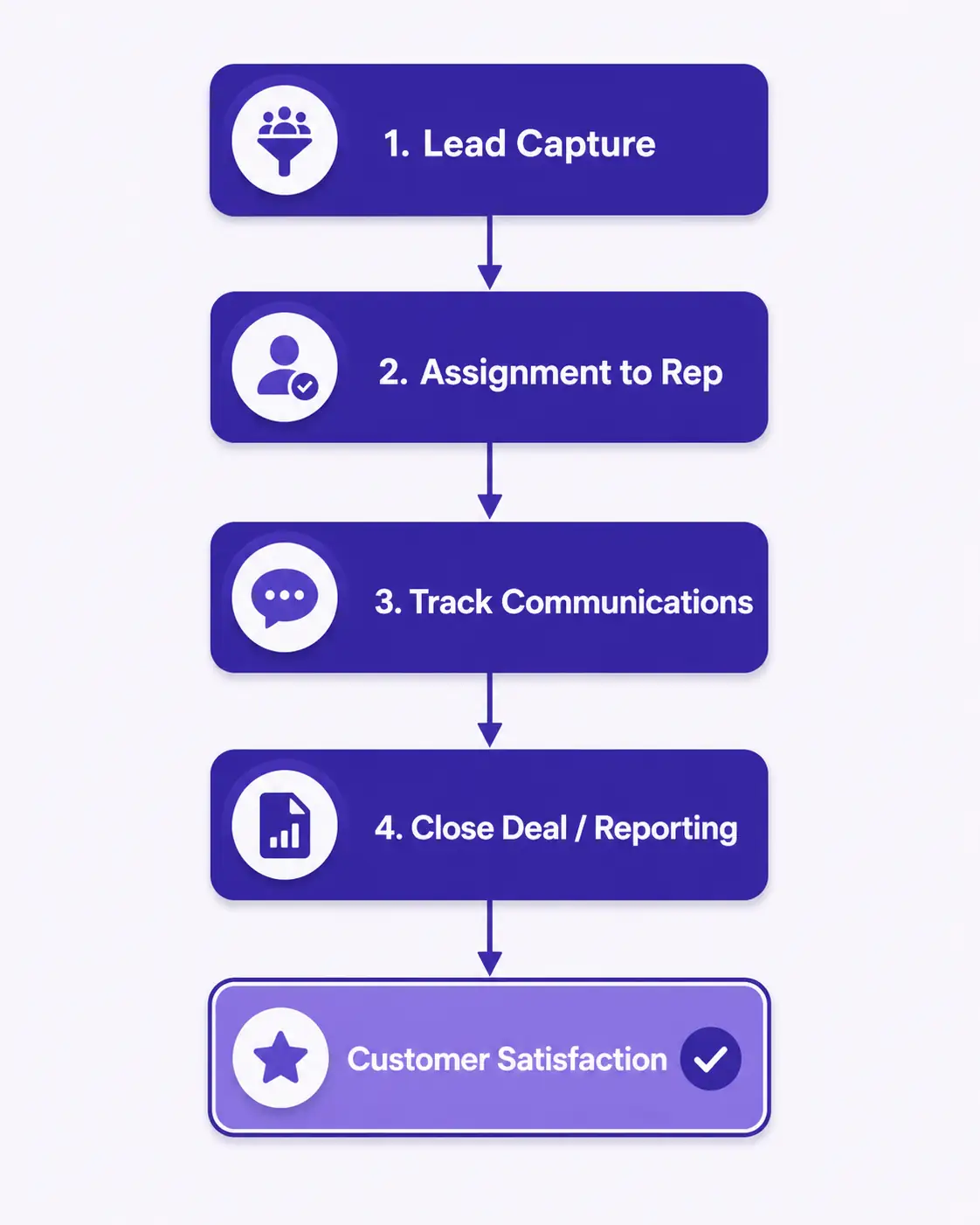
Let’s walk through how a CRM system actually works in a real sales scenario:
CRM Workflow: From Lead to Customer
Step 1: Lead Capture
A prospect fills out a contact form on your website. The CRM automatically captures their name, email, company, and inquiry type. No manual data entry needed.
Step 2: Lead Assignment
The system automatically assigns the lead to the appropriate sales representative based on territory, industry, or skill set. The sales rep gets a notification immediately.
Step 3: Qualification & Communication
The sales rep opens the lead record, sees all previous interactions, and notes the prospect is interested in enterprise software. They schedule a demo call and log it in CRM.
Step 4: Deal Tracking
Once qualified, the lead moves to the sales pipeline as an active deal. The sales rep tracks every touchpoint: emails sent, calls made, demos completed, questions answered.
Step 5: Closing & Following Up
When the deal closes, CRM records the revenue. After the sale, the system triggers follow-up tasks to ensure customer satisfaction and identifies upsell opportunities.
Step 6: Reporting & Analytics
Sales managers see real-time dashboards showing pipeline value, conversion rates, and forecast accuracy—all from CRM data.
The beauty of CRM? Every team member sees the same customer information. Your support team knows what the customer bought. Marketing knows which campaigns worked. Sales knows exactly what’s been promised. This alignment creates better customer experiences and faster growth.
CRM Software Workflow
How ERP Systems Work: Integrated Operations
ERP systems work differently from CRM because they need to coordinate multiple departments simultaneously. Here’s how:
ERP Workflow: From Order to Delivery
Step 1: Customer Order Entry
Sales team enters a customer order into the ERP system. The system checks available inventory in real-time.
Step 2: Inventory Check & Allocation
ERP reserves stock for this order and updates inventory counts across all warehouses. If stock is low, the system alerts procurement.
Step 3: Production Scheduling (if needed)
Manufacturing team receives production orders based on demand. The system calculates labor hours, material needs, and timeline.
Step 4: Financial Processing
Accounting automatically records the order as revenue. Accounts payable prepares to pay suppliers for materials used in production.
Step 5: Shipping & Logistics
Warehouse picks items, packing team prepares shipment, and logistics schedules delivery. All movements update inventory in real-time.
Step 6: Reporting & Analysis
Finance sees profit margins, operations sees efficiency metrics, HR sees labor costs—all from one integrated system.
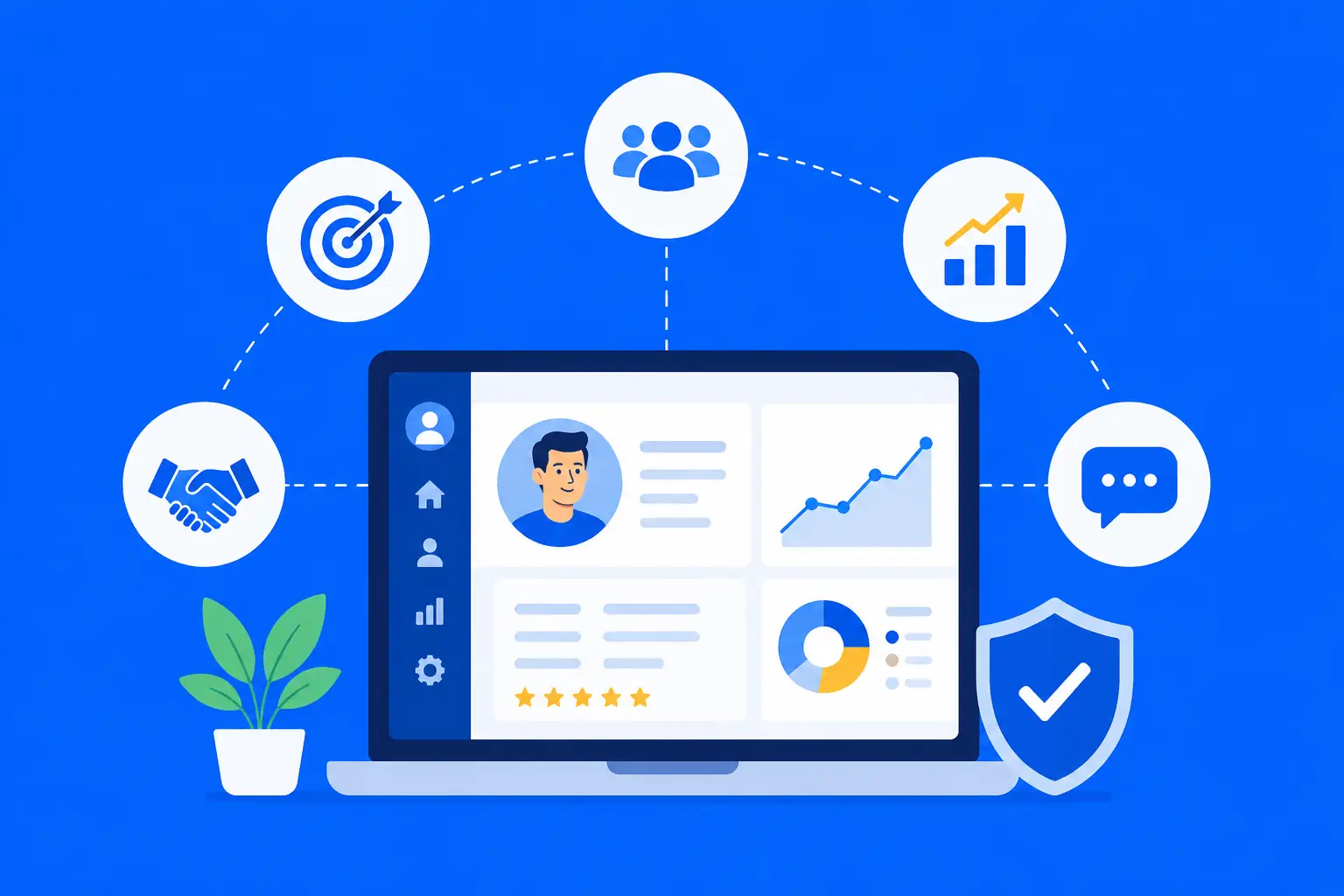
Key Features of Modern CRM Software
A robust CRM includes essential features that help sales and customer service teams work smarter:
- Contact Management: Centralized database storing customer information, communication history, preferences, and interaction logs
- Sales Pipeline Tracking: Visual representation of deals at different stages (Lead, Prospect, Negotiation, Closing)
- Activity Automation: Automatic reminders for follow-ups, task creation, and scheduling without manual intervention
- Email Integration: Sync emails directly to CRM, tracking all customer correspondence in one place
- Reporting & Dashboards: Real-time analytics on sales performance, conversion rates, and team productivity
- Mobile Access: Sales teams can manage deals and check customer information from anywhere
- Customer Portal: Self-service portal where customers can track orders and access support
- AI-Powered Insights: Predictive analytics showing which leads are most likely to convert
Key Features of Enterprise Resource Planning Systems
ERP systems are feature-rich platforms designed to handle complex business operations:
- Financial Management: Accounts payable, accounts receivable, general ledger, financial reporting, and budgeting
- Inventory Management: Real-time tracking of stock levels, warehouse locations, and reorder points across multiple facilities
- Supply Chain Optimization: Vendor management, purchase orders, supplier performance tracking, and logistics coordination
- Human Resources: Payroll processing, employee records, performance tracking, benefits administration, and recruitment
- Manufacturing Control: Production scheduling, bill of materials, work orders, and quality assurance
- Project Management: Resource allocation, timeline tracking, budget management, and project profitability analysis
- Advanced Reporting: Comprehensive analytics, compliance reporting, and business intelligence dashboards
- Data Security: Role-based access control, audit trails, encryption, and regulatory compliance
Benefits of CRM Systems for Business Growth
CRM software delivers direct benefits to your bottom line and customer satisfaction:
Increased Revenue
Sales teams close deals faster with clear visibility into the pipeline. Follow-up reminders mean no lead falls through the cracks.
Time Savings
Automation eliminates manual data entry and routine tasks, freeing your team to focus on building relationships and closing deals.
Better Customer Experience
When every team member knows your customer’s history and preferences, they feel valued. This builds loyalty and repeat business.
Data-Driven Decisions
Real-time dashboards and reports show exactly what’s working in sales, helping you optimize strategies with confidence.
Team Collaboration
Sales, marketing, and customer service teams share customer information seamlessly, improving cross-functional communication.
Scalability
As your company grows, CRM grows with you—managing hundreds of customer relationships without adding proportional manual work.
Benefits of ERP Systems for Enterprise Operations
ERP systems transform how large organizations operate:
Operational Efficiency
Eliminate manual processes across departments. Automated workflows reduce errors and speed up operations from days to minutes.
Real-Time Visibility
Finance, operations, and production all work from the same data. When inventory changes, everyone knows instantly.
Cost Reduction
Better inventory management prevents overstocking. Optimized supply chains reduce waste. Process automation cuts operational costs significantly.
Standardization
When multiple divisions use the same ERP, it’s easier to enforce standards and best practices across the organization.
Compliance
ERP systems maintain audit trails and ensure regulatory compliance across finance, HR, and supply chain operations.
Global Operations
Manage multiple locations, currencies, and regulations from a single platform, perfect for multinational enterprises.
CRM and ERP Integration: The Perfect Combination
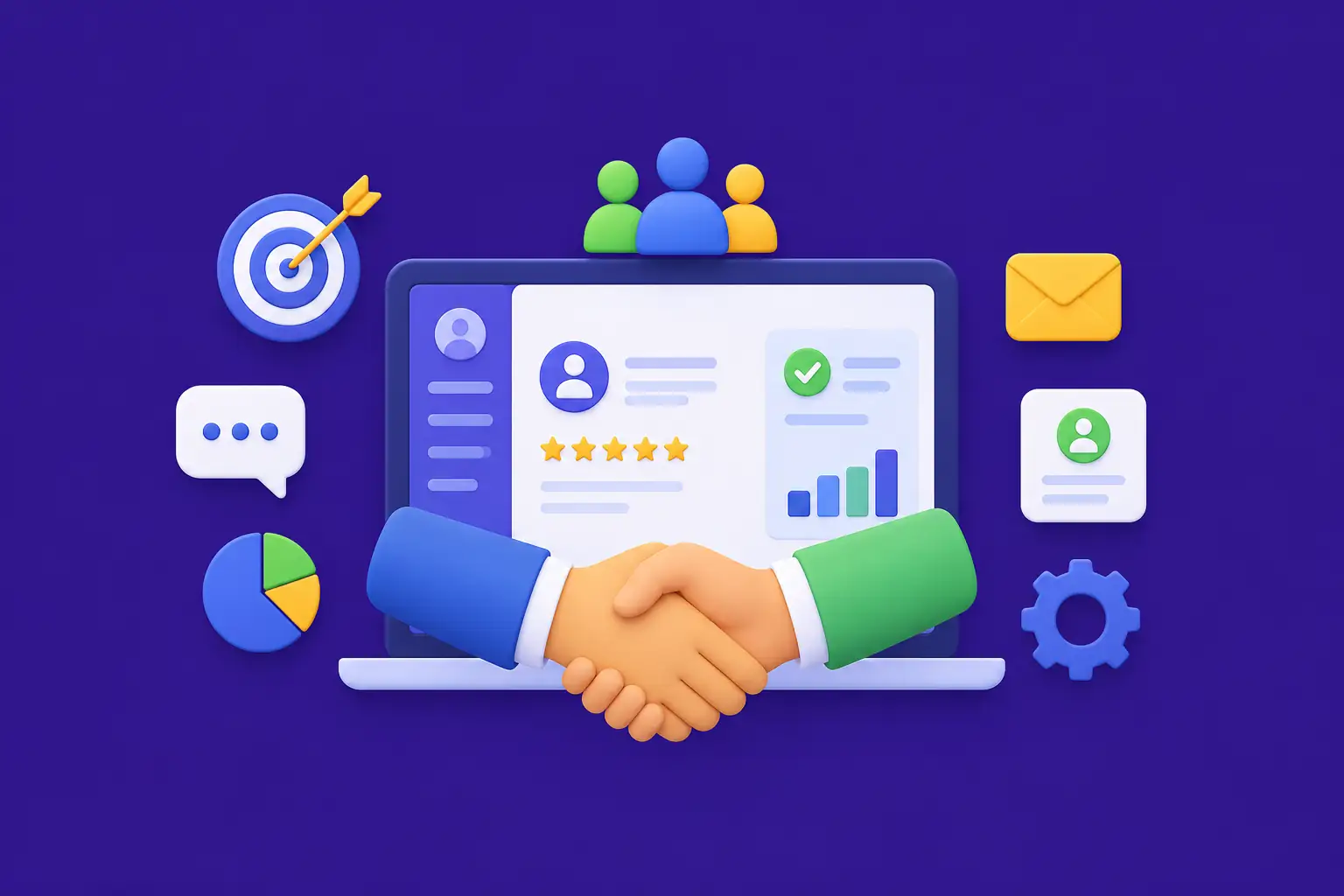
Here’s the secret most successful companies know: CRM and ERP aren’t competitors—they’re partners. When integrated properly, they create a unified system where customer information flows seamlessly into operations.
Imagine a scenario: A customer places an order through your website (captured by CRM). The order automatically triggers the ERP system, which checks inventory, schedules production, alerts procurement, and updates financial forecasts—all without human intervention. The sales team sees the order is being fulfilled. Finance knows the revenue and profitability. Operations knows exactly what to produce and when.
Integration Example:
A software-as-a-service (SaaS) company uses CRM to manage customer accounts and upgrades. When a customer upgrades their subscription in CRM, the ERP system automatically updates their billing schedule, adjusts revenue recognition, and notifies the provisioning team to upgrade their service level. Both systems work in harmony, eliminating delays and manual errors.
Key Integration Benefits:
- No duplicate data entry across systems
- Customer order history automatically reflects in all departments
- Faster order-to-cash cycles
- Real-time inventory visibility for accurate sales promises
- Improved customer satisfaction through faster fulfillment
- Better financial forecasting with accurate operational data
CRM vs ERP for Small Businesses: Which One First?
If you’re a small business owner, the answer is usually clear: Start with CRM.
Small businesses live and die by sales. Your ability to acquire customers and keep them happy directly impacts survival. A CRM helps you:
- Track every lead and prospect without losing any to the cracks
- Close deals faster with automated follow-ups
- Build customer loyalty through personalized service
- Get quick return on investment (often within 2-3 months)
When should small businesses consider ERP? As you scale. If you’re managing multiple product lines, warehouses, or complex supply chains, that’s when ERP becomes valuable. But if you’re running from a single location with straightforward operations, a robust CRM combined with basic accounting software might be enough.
Small Business Tip:
Many growing startups use CRM for sales and customer service, combined with tools like QuickBooks for accounting or Shopify for eCommerce operations. This modular approach is cost-effective and gives you flexibility to add more sophisticated ERP later as you grow.
CRM vs ERP for Enterprises: A Different Story
Large enterprises need both CRM and ERP. Here’s why:
Enterprise companies have complex structures: multiple business units, global operations, complex supply chains, and hundreds of salespeople. A sophisticated CRM handles customer relationships at scale, while ERP manages the massive operational complexity.
Enterprise CRM Needs
- Multi-region sales teams
- Complex deal structures
- Territory management
- Advanced analytics
- Integration with existing systems
Enterprise ERP Needs
- Global supply chain management
- Multiple currency & regulation support
- Advanced financial reporting
- Custom integrations
- 24/7 dedicated support
Examples of enterprise CRM solutions include Salesforce and HubSpot Enterprise. Leading ERP solutions include Oracle NetSuite, SAP, and Microsoft Dynamics.
Real-World Business Examples: CRM and ERP in Action
Let’s look at how different types of businesses use CRM and ERP:
Retail & eCommerce Company
Uses CRM to track customer purchase history and preferences, sending personalized product recommendations. Their ERP manages inventory across 50 stores, automates reordering when stock runs low, and synchronizes pricing. When a customer buys online, CRM captures the transaction, ERP updates inventory instantly, and both systems know exactly what stock is available for the next customer.
Healthcare Provider
Their CRM tracks patient interactions, appointment scheduling, and treatment history. ERP manages everything from medical supply inventory to patient billing and insurance claims. When a patient visits, the doctor accesses complete history (CRM), supplies used are logged (ERP), and billing is automatically generated.
Manufacturing Company
Sales uses CRM to manage customer accounts and quote requests. When an order is confirmed, ERP schedules production, allocates raw materials, calculates labor hours, manages quality control, and prepares shipping documents. The finance team immediately sees the order’s impact on cash flow and profitability.
SaaS (Software-as-a-Service) Company
CRM tracks trial users, feature requests, and customer success metrics. When a user upgrades to a paid plan in CRM, the ERP system automatically activates billing, sends an invoice, updates revenue forecasts, and notifies the support team. Both systems communicate to deliver a seamless customer journey.
Common Mistakes When Choosing CRM or ERP
Many businesses stumble when selecting software. Here are mistakes to avoid:
| Mistake | Why It Fails | Better Approach |
|---|---|---|
| Choosing based on price alone | Cheap software that doesn’t fit your needs wastes more money than expensive software that works | Evaluate ROI potential, not just upfront cost |
| Implementing without team input | Users resist systems they didn’t help choose; adoption fails | Involve end-users in selection process |
| Skipping proper training | Great software is useless if your team doesn’t know how to use it | Budget for comprehensive training and ongoing support |
| Trying to do everything at once | Massive implementations fail; phased approaches succeed | Start with core features, add modules gradually |
| Ignoring integration needs | CRM and ERP that don’t talk to each other create data silos | Verify integration capabilities before purchasing |
| Choosing wrong system for company size | Enterprise ERP for small business is overkill; consumer CRM for large business doesn’t scale | Match solution complexity to actual business needs |
Future Trends in CRM and ERP: 2026 and Beyond
The software landscape is evolving rapidly. Here’s what’s happening in 2026:
AI-Powered CRM Systems
Modern CRM systems now use artificial intelligence to predict customer behavior. AI analyzes historical data to forecast which leads are most likely to convert, which customers might leave, and which upsell opportunities exist. Some CRM systems even draft emails and suggest next steps automatically—reducing manual work and improving accuracy.
Cloud ERP Solutions
The shift from on-premise to cloud-based ERP continues. Cloud ERP offers flexibility, automatic updates, easier scaling, and lower IT maintenance costs. Companies can now run sophisticated enterprise operations without massive infrastructure investments.
Automation and Predictive Analytics
Both CRM and ERP are becoming smarter. Automation handles routine tasks (data entry, invoice processing, order fulfillment). Predictive analytics forecast demand, identify risks, and optimize inventory—all without human intervention. This frees your team to focus on strategy and relationships.
Seamless CRM and ERP Integration
The lines between CRM and ERP continue to blur. Modern platforms offer better out-of-the-box integrations, unified dashboards, and shared data models. This means faster implementation and better results with less customization.
Real-Time Reporting and Insights
Executives no longer wait for weekly reports. Modern CRM and ERP systems provide real-time dashboards that update instantly. Business intelligence tools visualize data in ways that make insights obvious and actionable.
How to Implement CRM or ERP Successfully
Choosing the right software is just step one. Here’s how to make implementation a success:
Implementation Checklist
- Define clear goals: What specific problems will this software solve? Measure success with metrics.
- Start with a pilot: Test with a smaller group before full rollout.
- Clean your data: Bad data in = bad data out. Spend time preparing your data.
- Invest in training: Users need to understand how to use the system effectively.
- Plan for change management: Expect resistance; have a strategy to help people adapt.
- Have dedicated support: Assign someone to answer questions and troubleshoot issues.
- Measure ROI: Track metrics before and after implementation to prove value.
Ready to Transform Your Business with CRM and ERP?
Whether you’re a startup looking to scale sales with CRM, or an enterprise needing to optimize operations with ERP, the right software can dramatically transform your business. At Nadcab Labs, we specialize in helping organizations implement world-class CRM and ERP solutions tailored to your unique needs.
Our experienced team guides you through every step—from selecting the right platform, to data migration, to team training, to ongoing optimization. We understand that one size doesn’t fit all, and we customize solutions for startups, mid-market companies, and enterprises alike.
Understanding CRM vs ERP for Your Business
The difference between CRM and ERP is fundamental: CRM manages your customer relationships and sales, while ERP manages your entire business operations. They serve different purposes but work beautifully together when properly integrated.
For small businesses starting out, CRM is usually the priority—it directly drives revenue and customer satisfaction. As you grow, adding ERP helps you manage complexity, reduce costs, and scale operations efficiently.
For enterprises, both are essential. CRM helps you manage thousands of customer relationships across global teams. ERP keeps complex operations running smoothly, from finance to supply chain to human resources.
The best companies understand that software isn’t just a tool—it’s a competitive advantage. When you implement CRM and ERP correctly, you gain visibility into your business, eliminate manual work, improve decision-making, and deliver better customer experiences.
Whether you’re evaluating your first CRM system or planning a complex ERP implementation, take time to understand your actual business needs, get your team involved, and choose solutions that will grow with you. The investment in the right technology pays dividends for years to come.
Frequently Asked Questions
Q1.Can I use CRM without ERP?
Yes, absolutely. Many small and mid-size businesses run successfully with just CRM. CRM alone handles customer relationships, sales pipelines, and service management. You don’t need ERP unless your operations become complex—multiple locations, complex inventory, manufacturing, or sophisticated supply chains. Most startups begin with CRM and add ERP as they scale.
Q2.Is ERP only for large companies?
Traditionally, yes—ERP was expensive and complex. But cloud-based ERP solutions have changed this. Mid-size companies (50-500 employees) now regularly use ERP to manage growth. However, simple businesses can often skip ERP and combine CRM with basic accounting software. The question is: does your business complexity demand integrated operations management? If yes, consider ERP.
Q3.How long does CRM implementation take?
CRM implementation is relatively fast compared to ERP. Basic implementations take 2-4 weeks. Full rollouts with customization and training typically take 3-6 months. Cloud-based CRM solutions are faster because they require less infrastructure setup. The timeline depends on your existing data quality, complexity of customizations needed, and how quickly your team can train.
Q4.What's the typical cost of implementing CRM software?
CRM costs vary widely. Cloud-based CRM pricing ranges from $50-300 per user per month, depending on features. Implementation costs (setup, customization, training) typically add another $5,000-50,000 for small businesses. However, CRM usually delivers ROI within 2-3 months through increased sales and efficiency. More expensive enterprise CRM can cost $1,000+ per user annually but handles massive operations.
Q5.How much does ERP implementation cost?
ERP is significantly more expensive than CRM. Cloud-based ERP costs $100-300+ per user annually. Full implementation, including setup, customization, data migration, and training, typically ranges from $100,000 to several million dollars for large enterprises. On-premise ERP can be even more expensive. However, the benefits—operational efficiency, cost reduction, better visibility—justify the investment for complex organizations.
Q6.Do we need both CRM and ERP integrated?
Not necessarily for basic businesses, but integration becomes critical as you grow. If you want order information from CRM to automatically flow into ERP, inventory to update instantly, and accounting to see real-time sales data, then integration is essential. Many companies use both systems separately initially, then integrate later as processes mature. Integration eliminates duplicate data entry and creates better visibility.
Q7.Which software should we implement first: CRM or ERP?
Start with CRM. CRM directly impacts revenue and customer satisfaction, and delivers faster ROI. Implement ERP only when your operations become complex enough that you need integrated management of inventory, finance, HR, and supply chain. For a startup, CRM-first makes sense. For an established company with complex operations, you might do both simultaneously. Consulting experts like Nadcab Labs can help you determine the right sequence.
Q8.How do we measure ROI from CRM and ERP?
Measure CRM ROI through sales metrics: increased close rates, higher average deal size, faster sales cycles, reduced customer churn. Measure ERP ROI through operational metrics: reduced inventory carrying costs, fewer order errors, faster order fulfillment, improved financial accuracy. Time saved per employee multiplied by salary equals savings. Most CRM delivers ROI in 2-3 months; ERP typically takes 12-24 months. Track metrics before and after implementation to prove value.
Q9.What happens if CRM and ERP don't integrate well?
Poor integration creates data silos where systems don’t “talk” to each other. Sales enters customer orders in CRM, but operations enters them again in ERP. Finance doesn’t see real-time sales. Inventory information conflicts. This waste time, creates errors, and defeats the purpose of modern business software. Always verify integration capabilities before purchasing systems. Consider using middleware solutions or choosing vendors known for good integration support.
Q10.Can we migrate from our old CRM or ERP to a new one?
Yes, but it’s complex. Data migration is one of the biggest challenges in switching systems. You need to clean and map old data to the new system’s structure, test extensively, and often lose some historical information. Migration typically takes 2-8 weeks depending on data volume and complexity. Many companies bring in professional migration services to reduce risks. Plan migrations carefully—poor execution can disrupt business, so consider timing strategically during slower periods.
Explore Services
Related Services
Reviewed by

Naman Singh
Co-Founder & CEO, Nadcab Labs
Naman Singh is the Co-Founder and CEO of Nadcab Labs, where he drives the company’s vision, global growth, and strategic expansion in blockchain, fintech, and digital transformation. A serial entrepreneur, Naman brings deep hands-on experience in building, scaling, and commercializing technology-driven businesses. At Nadcab Labs, Naman works closely with enterprises, governments, and startups to design and implement secure, scalable, and business-ready Web3 and blockchain solutions. He specializes in transforming complex ideas into high-impact digital products aligned with real business objectives. Naman has led the development of end-to-end blockchain ecosystems, including token creation, smart contracts, DeFi and NFT platforms, payment infrastructures, and decentralized applications. His expertise extends to tokenomics design, regulatory alignment, compliance strategy, and go-to-market planning—helping projects become investor-ready and built for long-term sustainability. With a strong focus on real-world adoption, Naman believes in building blockchain solutions that deliver measurable value, solve practical problems, and unlock new growth opportunities for organizations worldwide.