Ai Overview
The CRM software ecosystem has evolved dramatically over the past decade. 27% average improvement in customer retention through personalized interactions. By 2026, 85% of new CRM software systems will include AI as standard. The data is clear: CRM software users generate 34% higher sales productivity, 42% better customer retention, and 25% lower operational costs.
Key Takeaways
CRM software platforms centralize customer data, improving retention rates by up to 27%
The global CRM software market reached $64.9 billion in 2023 and is projected to grow at 13.4% CAGR through 2030
Cloud-based SaaS CRM software now dominates, accounting for over 72% of enterprise deployments
Custom CRM software development costs range from $50,000 to $500,000+ depending on complexity
AI-powered CRM software is transforming customer engagement with predictive analytics and automated workflows
CRM software implementation typically takes 3-6 months for mid-market enterprises with ROI within 12-18 months
Retail, finance, healthcare, and SaaS companies gain the highest value from CRM software integration
Omnichannel CRM software enables seamless customer interactions across email, social media, chat, and phone
Data security and GDPR compliance have become critical features in modern CRM software solutions
CRM software integrated with ERP systems creates a unified business ecosystem improving operational efficiency
In today’s competitive business landscape, managing customer relationships effectively has become the cornerstone of sustainable growth. A CRM software solution is no longer optional but essential for businesses aiming to streamline operations, enhance customer satisfaction, and drive revenue. Whether you’re a startup looking to scale or an enterprise optimizing operations, understanding CRM software architecture, implementation costs, and emerging trends will empower you to make informed decisions.
Understanding the CRM Software Ecosystem
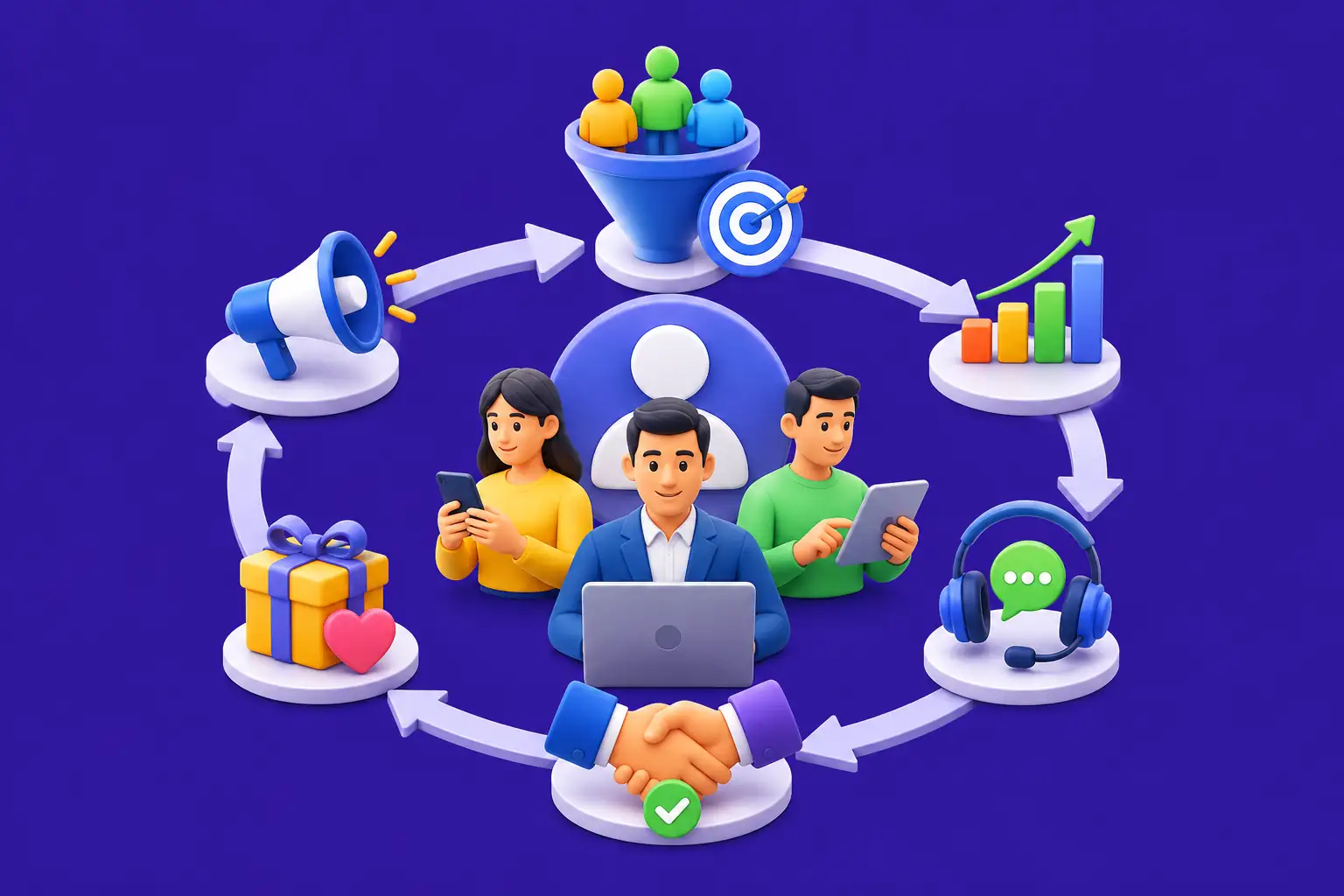
The CRM software ecosystem has evolved dramatically over the past decade. What began as simple contact management systems has transformed into sophisticated platforms that unify sales, marketing, customer service, and analytics. Today’s CRM software solutions serve as the central nervous system of modern businesses, orchestrating interactions across multiple touchpoints and departments.
A robust CRM software strategy connects your entire organization around the customer. Sales teams use CRM software to track leads and manage pipelines. Marketing departments leverage CRM software to segment audiences and personalize campaigns. Customer service teams rely on CRM software to resolve issues faster and improve satisfaction. Finance departments analyze CRM software data to forecast revenue and optimize resources.
The Impact: Businesses using CRM software report 34% improvement in sales productivity, 42% increase in customer retention, and 25% reduction in operational costs.
How CRM Software Drives Business Value
What is CRM Software? Definition and Core Concept
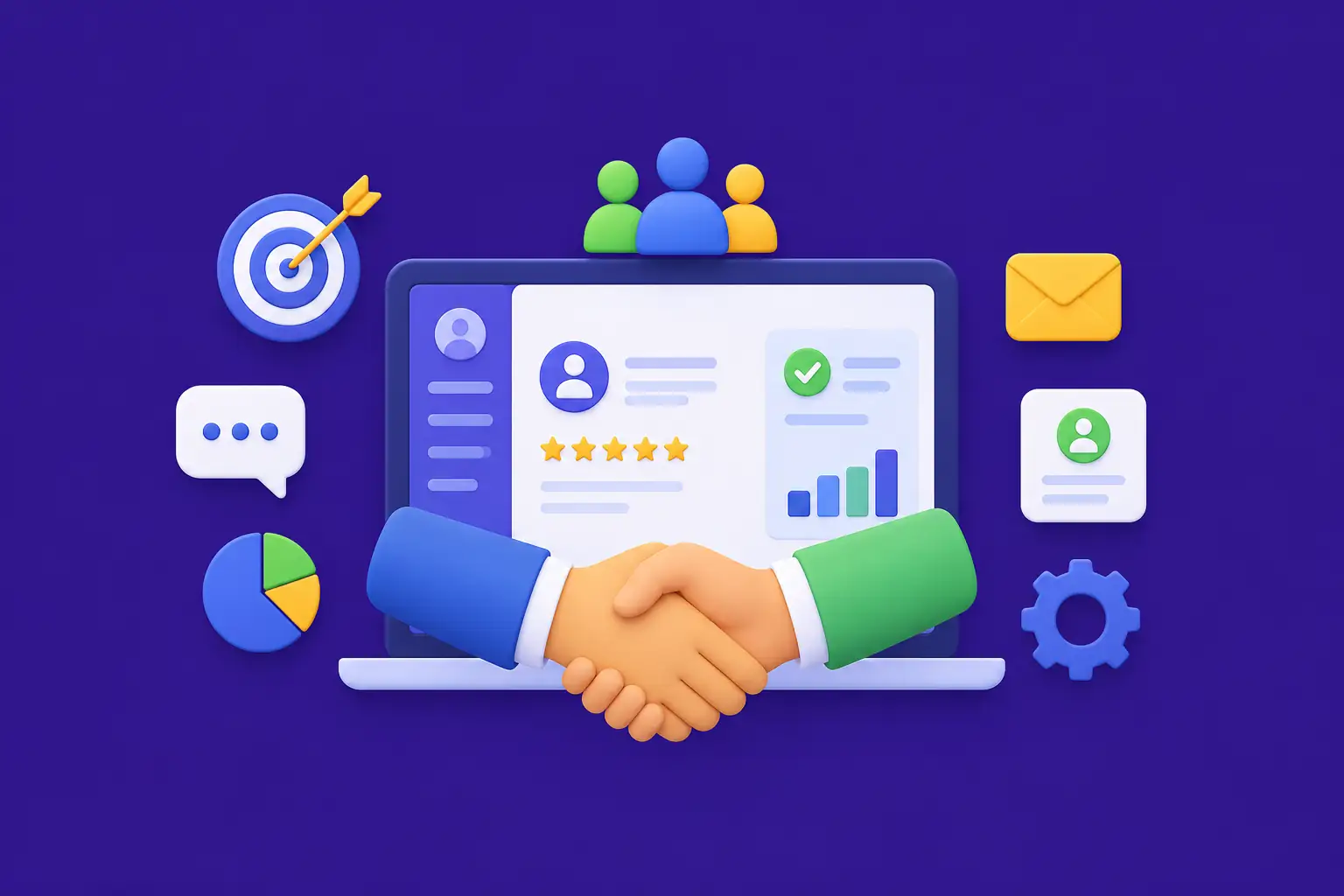
CRM software, or Customer Relationship Management software, is a technology platform designed to help organizations manage and analyze customer interactions and data throughout the customer lifecycle. At its core, CRM software captures every customer touchpoint and consolidates it into a single, accessible database.
Think of it this way: CRM software is like a digital filing system for your customers, but infinitely more powerful. Instead of scattered spreadsheets and emails, CRM software creates a unified view of each customer including their purchase history, preferences, communication preferences, and support tickets. This 360-degree customer view enables every team member to deliver personalized, context-aware interactions.
Key Characteristics of CRM Software
Centralized Data Management
All customer information stored in one accessible location across the organization
Real-Time Updates
Information syncs instantly across teams and departments automatically
Automation Capabilities
Workflows automate routine tasks, freeing teams for strategic work
Advanced Analytics
Provides insights into customer behavior and business performance
Seamless Integration
Connects with email, calendars, accounting systems, and communication tools
Enterprise Scalability
Grows with your business, supporting expanding teams and operations
Types of CRM Software Systems
CRM software comes in several distinct models, each with unique advantages, limitations, and cost implications. Your business needs, budget, and technical infrastructure will determine which CRM software model fits best.
SaaS CRM Software
Cloud-hosted solutions accessible via web browser
Cost: $50-$500/month per user
Implementation: 2-8 weeks
Best for: Startups, small businesses, rapid deployment
On-Premise CRM Software
Installed on company servers with complete control
Cost: $200K-$1M+ initial investment
Implementation: 6-12 months
Best for: Large enterprises with complex needs
Hybrid CRM Software
Combination of cloud and on-premise elements
Cost: $100K-$500K implementation
Implementation: 3-6 months
Best for: Enterprise compliance-heavy organizations
Custom CRM Software
Developed specifically for your organization
Cost: $50K-$500K+ development
Implementation: 6-12+ months
Best for: Unique workflows and competitive advantage
CRM Software Models Comparison
Key Features of Modern CRM Software
Modern CRM software platforms include dozens of features designed to enhance customer relationships and streamline operations. Understanding these core features helps you evaluate CRM software options and identify which align with your business priorities.
Contact & Account Management
Store comprehensive customer information in one searchable location
Sales Pipeline Management
Visualize opportunities through stages from initial contact to closed deal
Lead Management & Scoring
Automatically capture and prioritize high-quality prospects
Marketing Automation
Create personalized campaigns and nurture leads automatically
Customer Service & Support
Track issues, assign tickets, and measure resolution times
Analytics & Reporting
Access real-time dashboards with actionable business insights
Mobile CRM Software
Access customer data and manage relationships from anywhere
Integration Capabilities
Connect with email, accounting, ERP, and third-party tools
Workflow Automation
Eliminate repetitive tasks with smart automated workflows
CRM Lifecycle: From Planning to Optimization
Successful CRM software deployment follows a structured lifecycle. Understanding each phase helps you plan resources, set realistic timelines, and maximize ROI.
CRM Software Implementation Lifecycle
Business Benefits of CRM Software Implementation
Why do thousands of companies invest in CRM software each year? The benefits are concrete, measurable, and directly impact the bottom line.
Customer Retention Improvement
27% average improvement in customer retention through personalized interactions
Sales Productivity Growth
34% increase in sales productivity with automated workflows and insights
Customer Experience Enhancement
360-degree customer view enables personalized and context-aware service
Operational Cost Reduction
25-30% reduction in operational costs within first year of deployment
Revenue Forecasting Accuracy
20-30% improvement in forecast accuracy with real-time pipeline visibility
Data-Driven Decision Making
Real-time dashboards provide actionable insights for strategic decisions
CRM vs ERP: Key Differences and Complementary Roles
CRM software and ERP systems serve fundamentally different purposes yet complement each other. Understanding these differences helps you plan a complete technology strategy.
CRM Software Focus
Outward Looking: Manages external customer relationships and interactions across the entire customer journey
Primary Users: Sales, marketing, customer service, and support teams
Key Processes: Lead management, sales pipeline, customer service, marketing campaigns
ERP System Focus
Inward Looking: Manages internal business operations and resource planning across departments
Primary Users: Finance, human resources, operations, and inventory teams
Key Processes: Accounting, payroll, supply chain, inventory, production planning
| Factor | CRM Software | ERP System |
|---|---|---|
| Primary Focus | Customer Relationships | Business Operations |
| Data Types | Customer interactions, preferences | Finance, inventory, HR data |
| Implementation Time | 3-6 months | 9-18 months |
| Typical Cost | $50K-$300K | $300K-$2M+ |
Smart Integration Strategy: Leading companies don’t choose between CRM software and ERP. They implement both systems and integrate them tightly. This unified approach creates a complete view of both external customer interactions and internal operations.
CRM Market Size and Growth Trends 2026
The CRM software market is expanding rapidly as organizations recognize the critical role of customer relationships in business success.
Regional Market Distribution
North America
Largest market segment
Europe
Growing with GDPR focus
Asia Pacific
Fastest growing region
Other Regions
Emerging opportunities
CRM Software Adoption by Industry
CRM Trends 2026: Future of Customer Relationship Management
The CRM software landscape continues evolving rapidly. Understanding emerging trends helps you plan technology investments and maintain competitive advantage.
Predictive analytics, intelligent lead scoring, and automated recommendations are transforming CRM software from reactive to proactive platforms. By 2026, 85% of new CRM software systems will include AI as standard.
Customers expect seamless interactions across email, phone, chat, social media, and in-person. Modern CRM software unifies these channels creating consistent customer experiences.
First-party data collection and GDPR compliance become increasingly important. Modern CRM software emphasizes data privacy, consent management, and transparent data practices.
CRM software increasingly enables real-time content personalization based on customer behavior, preferences, and engagement patterns. This improves conversion rates by 30-50%.
Remote work and field operations demand mobile-first CRM software. Cloud-based, mobile-optimized CRM software has become essential for competitive organizations.
AI and Automation in Modern CRM Software
Artificial intelligence represents the most significant CRM software evolution since cloud deployment. AI-powered CRM software fundamentally transforms how organizations manage customer relationships. According to industry research from Grand View Research, the CRM market is expected to grow significantly due to rising adoption of AI-driven solutions.
AI Capabilities Transforming CRM Software
Predictive Analytics
Identifies customer churn risk, upsell opportunities, and lifetime value predictions
Intelligent Lead Scoring
AI analyzes hundreds of data points to identify high-conversion leads automatically
Recommendation Engine
AI-powered CRM software suggests next best actions for sales representatives
Conversational AI
Chatbots handle routine inquiries, qualify leads, and escalate to human agents
Sentiment Analysis
NLP understands customer emotion from emails, chats, and support tickets
Automated Data Entry
AI reduces manual data entry by 60-70% while maintaining accuracy
CRM Software Development and Custom Solutions
While off-the-shelf CRM software solutions work well for many organizations, some require custom CRM software development to meet unique requirements.
When Custom CRM Software Development Makes Sense
- Your business processes are unique and don’t fit standard CRM software workflows
-
Deep integration with proprietary systems or legacy applications can significantly impact the custom software development cost of a project.
- Regulatory or compliance requirements demand specific features not available in commercial CRM software
- You want proprietary features that create competitive advantage over CRM software alternatives
- You’re willing to invest in long-term maintenance and evolution of custom CRM software
Custom CRM Software Development Cost Breakdown
MVP CRM Software
3-4 months for basic contact and pipeline management
Mid-Complexity CRM Software
6-8 months including integrations and automation
Enterprise CRM Software
9-12+ months for extensive customization
CRM Software Architecture and System Design
Modern CRM software architecture must support performance, scalability, security, and flexibility. Understanding CRM software architecture helps evaluate technical quality.
Enterprise CRM Software Architecture Layers
How to Choose the Right CRM Software Solution
Selecting the right CRM software is one of the most important technology decisions. This decision impacts thousands of employees and directly influences business performance.
Define Requirements
Document current processes, pain points, must-have features, budget, and timeline
Assess Readiness
Evaluate data quality, process maturity, and organizational change capacity
Research Solutions
Review analyst reports, customer reviews, and request product demonstrations
Evaluate Finalists
Score options against weighted criteria and conduct proof of concept trials
Negotiate Terms
Negotiate pricing, implementation timeline, and service level agreements carefully
Plan Implementation
Establish governance, assign leadership, and secure executive sponsorship
Transform Customer Relationships with Scalable CRM Software
Whether you need custom CRM software development, enterprise platform implementation, or optimization of existing systems, Nadcab Labs delivers solutions that drive business growth.
CRM Software as Your Competitive Advantage
CRM software has evolved from a nice-to-have tool to a business essential. Organizations that master customer relationship management outpace competitors in acquisition, retention, and profitability. The data is clear: CRM software users generate 34% higher sales productivity, 42% better customer retention, and 25% lower operational costs.
As markets become more competitive and customer expectations rise, CRM software solutions that unify customer information, automate workflows, and enable personalized interactions become increasingly valuable. The most successful companies build CRM software as the central nervous system of their customer-facing operations.
Your customers expect seamless interactions. Your sales teams demand efficient tools. Your executives require data-driven visibility. A comprehensive CRM software platform delivers on all these expectations and more. The time to invest in modern CRM software is now.
Frequently Asked Questions
Q1.What is the average total cost of implementing CRM software for a small business?
The total cost of implementing CRM software for a small business typically ranges between $15,000 and $50,000 in the first year. This includes subscription fees, onboarding, basic customization, and employee training. SaaS-based CRM solutions usually charge $100 to $200 per user per month, while implementation may take 4 to 8 weeks depending on complexity. Businesses with advanced requirements or integrations may see higher costs.
Q2.How long does it take to see ROI from CRM software in real scenarios?
Most businesses start seeing measurable returns from CRM software within 6 to 18 months. Early improvements such as better lead tracking and workflow efficiency appear within the first 3 to 6 months. Over time, increased sales productivity, improved customer retention, and data-driven decision making contribute to long-term ROI. Faster adoption and proper implementation can significantly reduce the ROI timeline.
Q3.Can CRM software integrate with ERP systems and legacy business tools?
Yes, modern CRM software is designed to integrate seamlessly with ERP systems and other business tools. Most platforms offer APIs and pre-built connectors for systems like SAP, Oracle, and Microsoft Dynamics. For legacy systems, middleware or custom integration solutions can be used. These integrations allow smooth data flow between departments such as sales, finance, and operations, creating a unified business ecosystem.
Q4.Which CRM platforms are best suited for enterprise level organizations?
Enterprise organizations commonly use CRM platforms like Salesforce, Microsoft Dynamics 365, and Oracle CRM due to their scalability and advanced capabilities. Salesforce is known for its flexibility and ecosystem, Microsoft Dynamics integrates deeply with enterprise tools, and Oracle CRM is ideal for large and complex organizations. The right choice depends on your business processes, existing technology stack, and long-term goals.
Q5.What are the most effective strategies to improve CRM adoption among employees?
Successful CRM adoption depends on proper training, user-friendly design, and alignment with daily workflows. Businesses should provide role-based training, simplify processes, and demonstrate how the CRM adds value to each team. Encouraging feedback, appointing internal champions, and tracking usage metrics also help improve adoption. When employees see real benefits, they are more likely to use the system consistently.
Q6.Is cloud-based CRM software secure enough for sensitive customer data?
Yes, modern cloud-based CRM platforms are built with strong security frameworks and comply with global standards such as ISO 27001 and SOC 2. They use data encryption, access controls, and regular security audits to protect sensitive information. In many cases, cloud CRM solutions offer better security than traditional on-premise systems because vendors invest heavily in infrastructure and compliance.
Q7.How does artificial intelligence enhance CRM software capabilities?
Artificial intelligence enhances CRM software by enabling predictive analytics, intelligent automation, and personalized customer interactions. AI can analyze customer behavior, predict sales opportunities, and automate repetitive tasks such as follow-ups and lead scoring. It also improves customer support through chatbots and sentiment analysis. This helps businesses make faster and more accurate decisions while improving overall efficiency.
Q8.What is the difference between basic contact management and full CRM software?
Contact management systems primarily store and organize customer information such as names, emails, and phone numbers. CRM software goes much further by managing the entire customer lifecycle, including sales pipelines, communication history, marketing campaigns, and support activities. It provides deeper insights and automation, making it a more powerful solution for growing businesses.
Q9.How can businesses measure CRM success beyond financial returns?
Beyond revenue, CRM success can be measured through metrics such as user adoption rates, customer satisfaction, retention rates, and sales cycle efficiency. Businesses should also track data quality, employee productivity, and customer engagement levels. These indicators provide a clearer picture of how effectively the CRM system is improving operations and relationships.
Q10.Is it possible to migrate customer data between different CRM platforms safely?
Yes, migrating data between CRM platforms is possible when done with proper planning and validation. The process typically involves data cleaning, mapping fields, testing migration workflows, and verifying accuracy after transfer. Many CRM providers offer migration tools or support services. A well-executed migration ensures minimal data loss and smooth transition to the new system.
Explore Services
Related Services
Reviewed by

Naman Singh
Co-Founder & CEO, Nadcab Labs
Naman Singh is the Co-Founder and CEO of Nadcab Labs, where he drives the company’s vision, global growth, and strategic expansion in blockchain, fintech, and digital transformation. A serial entrepreneur, Naman brings deep hands-on experience in building, scaling, and commercializing technology-driven businesses. At Nadcab Labs, Naman works closely with enterprises, governments, and startups to design and implement secure, scalable, and business-ready Web3 and blockchain solutions. He specializes in transforming complex ideas into high-impact digital products aligned with real business objectives. Naman has led the development of end-to-end blockchain ecosystems, including token creation, smart contracts, DeFi and NFT platforms, payment infrastructures, and decentralized applications. His expertise extends to tokenomics design, regulatory alignment, compliance strategy, and go-to-market planning—helping projects become investor-ready and built for long-term sustainability. With a strong focus on real-world adoption, Naman believes in building blockchain solutions that deliver measurable value, solve practical problems, and unlock new growth opportunities for organizations worldwide.