Ai Overview
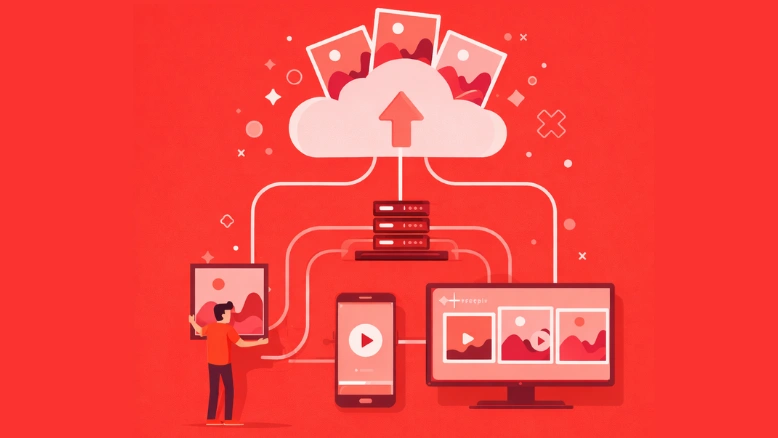
Media asset management software is a specialized platform designed to help businesses store, organize, retrieve, and distribute digital media files such as images, videos, audio clips, documents, animations, and other rich content. According to PS Global Consulting, workflow automation can reduce repetitive tasks by 60 to 95% and save up to 77% of time on routine activities. 1% CAGR in DAM adoption according to Mordor Intelligence, making it the fastest-growing vertical.
Key Takeaways
- The global digital asset management market was valued at USD 5.3 billion in 2024 and is projected to reach USD 10.3 billion by 2029, growing at a CAGR of 14.0%, driven by the surge in digital content creation and the need for centralized management platforms.
[1] - Cloud-based DAM deployments accounted for 64% of the digital asset management market in 2024 and are forecast to expand at a 15.8% CAGR to 2030, as organizations migrate away from on-premises systems for greater accessibility and lower upfront costs.
[2] - Media and entertainment lead all industries in DAM adoption, holding 37.6% of the market share in 2024, followed by retail, healthcare, and financial services sectors that rely heavily on organized digital content for marketing and operations.
[3] - Custom DAM software development costs typically range from $79,000 to $200,000, depending on features, AI integrations, cloud architecture, and the level of customization required to match specific business workflows.
- North America dominated the digital asset management market in 2024 with a 38.2% revenue share, driven by strong enterprise adoption of AI-powered cloud suites and advanced compliance certification programs across large organizations.
[4] - According to Bynder, the ROI of using a DAM system ranges between 8:1 and 14:1, meaning businesses that implement these systems save significant time by storing and describing assets logically, reducing the hours spent searching for files.
[5] - Workflow automation reduces repetitive tasks by 60 to 95% and can save up to 77% of time on routine activities, which directly impacts how fast media teams can create, review, approve, and distribute content to audiences.
[6] - 60% of organizations report achieving ROI within 12 months of deploying automation solutions, alongside 25 to 30% boosts in productivity and error reduction rates of 40 to 75% compared to manual processing methods.
[7] - The services segment of the DAM market is expected to grow at the fastest CAGR of 17.9% through 2030, as enterprises increasingly seek specialized expertise for migrations, taxonomy design, system customization, and ongoing technical support.
[8] - Media companies typically see ROI from workflow automation within three to six months of implementation, with teams reporting savings of 1.6 to 3 hours per person per week from automated coordination tasks alone.
[9]
Every modern business creates digital content at a pace that would have been unimaginable just a decade ago. From product videos and social media graphics to internal training materials and brand photography, the volume of media assets flowing through an organization on any given day can be staggering. And yet, too many businesses still manage this growing flood of content using scattered folders, email chains, and fragmented storage solutions that were never designed for the job.
This is where media asset management software becomes essential for modern entertainment solutions. A well-built system acts as the central nervous system for all digital content, giving teams the ability to store, tag, search, share, and track every asset from one organized location. But here is the thing: off-the-shelf solutions do not always fit. Businesses with unique workflows, specific compliance needs, or complex team structures often find that a custom media asset management system delivers far more value than a one-size-fits-all product ever could.
In this blog, we will walk through what custom media asset management software really is, why it matters, what features your business should prioritize, how it compares to ready-made solutions, and what the development process actually looks like. Whether you are managing a growing content library or trying to bring order to creative chaos, this content is built to help you make the right decision.
What Is Media Asset Management Software?
Media asset management software is a specialized platform designed to help businesses store, organize, retrieve, and distribute digital media files such as images, videos, audio clips, documents, animations, and other rich content. Unlike basic file storage systems, MAM platforms are built to handle the complexity of media production workflows and content lifecycle management from start to finish.
According to AWS, the biggest benefit of a MAM system is the ability to perform automation tasks and workflow orchestration across digital files that are typically difficult to manipulate, store, and manage. Using workflow orchestration, businesses can build processes where every new audio file containing a certain person’s voice is automatically added to a backup storage solution, or video content depicting certain categories is sorted for specific access permissions.
At its core, a media asset management system provides a centralized hub where every team member, from designers and editors to marketers and executives, can access the exact file they need without digging through endless folders. The development of such a system involves building out features like metadata tagging, advanced search capabilities, version control, role-based access permissions, and integrations with popular creative tools like Adobe Creative Cloud and content management systems.
It is important to understand that MAM is a more focused category within the broader digital asset management (DAM) space. While DAM covers everything from PDFs to spreadsheets, MAM specifically handles rich media files that are large, complex, and require specialized processing. This distinction matters because the development of a media-focused platform requires a different architectural approach than a generic file management solution.
Recommended Reading:
Digital Transformation in Entertainment Industry: Platforms, Tech & Monetization
Why the Digital Asset Management Market Is Growing Rapidly
The global digital asset management market has entered a period of significant growth, and the numbers tell a compelling story. According to MarketsandMarkets, the global DAM market was valued at USD 5.3 billion in 2024 and is projected to reach USD 10.3 billion by 2029, growing at a CAGR of 14.0%. Meanwhile, Mordor Intelligence reports that the market is projected to reach USD 12.80 billion by 2030, reflecting a 14.18% CAGR.
Several forces are driving this expansion. The shift toward remote work and distributed teams has accelerated the adoption of centralized platforms for accessing and collaborating on digital assets from anywhere. The explosion of digital content creation across social media, e-commerce, and marketing campaigns has made it impossible for businesses to rely on old methods of file organization. And the integration of artificial intelligence into DAM solutions, enabling features like automated metadata tagging and content recognition, is making these platforms far more powerful than they were even a few years ago.
North America currently leads the market, holding a 38.2% revenue share in 2024 according to Mordor Intelligence. This dominance is driven by strong enterprise adoption of AI-powered cloud suites and a mature advertising technology ecosystem that demands higher per-user content spend. The Asia Pacific region, however, is forecast to post a 17.4% CAGR through 2030, fueled by rising smartphone penetration and the growth of social commerce across the region.
The media and entertainment sector continues to be the largest adopter, holding 37.6% of the market share in 2024, according to IMARC Group. But retail, healthcare, financial services, and education are all rapidly increasing their development and deployment of digital asset management solutions to keep pace with content demands.
Custom vs. Off-the-Shelf: Why Businesses Choose Custom Media Asset Management Systems
When a business first starts looking for a media asset management solution, the temptation is usually to pick one of the big names in the market, platforms like Adobe Experience Manager, Bynder, Canto, or Brandfolder. These are powerful tools, and for many organizations, they do the job well enough. But “well enough” does not always cut it when your workflows, security needs, or team structure fall outside the standard template.
A custom media asset management system is built specifically around how your organization works. Instead of adapting your processes to fit a software product, the software is developed to match your processes. This matters most in situations where your approval workflows involve multiple stakeholders across different departments, your compliance requirements demand specific data handling and access controls, your team needs deep integrations with proprietary tools or internal systems, and your content volume or file types go beyond what standard platforms were designed to handle.
There is also the cost factor to consider. While off-the-shelf DAM solutions like Adobe Experience Manager can range between $30,000 and $200,000 per year in subscription fees, a custom system involves a one-time development investment. According to Depex Technologies, custom DAM software development costs typically range from $79,000 to $200,000, depending on the features, AI integrations, and level of customization involved. Over time, the total cost of ownership for a custom system can be significantly lower, especially for businesses that would otherwise need to pay for premium tiers and add-on features from SaaS providers.
The development of a custom system also means your organization owns the software outright. There are no per-user licensing fees that scale up as your team grows, no surprise price increases from vendors, and no risk of a platform being discontinued or acquired by a company whose priorities do not align with yours.
Essential Features of a Custom Media Asset Management System
Building a custom media asset management system means you get to choose exactly which features go into the platform. But certain capabilities are non-negotiable if you want a system that actually delivers results. Here are the features every serious MAM platform should include, organized by priority.
1. Centralized Asset Repository with Intelligent Organization
The foundation of any media asset management software is a single, centralized location where every digital file lives. This includes images, videos, audio files, design files, documents, and any other media your team produces or uses. The development of this repository needs to account for large file sizes, multiple format types, and the ability to handle thousands (or millions) of assets without performance degradation. Users should be able to organize content using folders, collections, tags, and custom categories that mirror how their teams actually think about content.
2. AI-Powered Metadata Tagging and Search
Manual tagging of every asset is a time sink that most teams cannot afford. A custom system should incorporate AI-driven auto-tagging that analyzes the content of uploaded files and assigns metadata automatically. This can include object recognition in images, speech-to-text for audio and video, facial recognition, and even sentiment analysis. The development of an advanced search system layered on top of this metadata allows team members to find exactly what they need in seconds rather than minutes or hours.
3. Version Control and Asset History
Creative work involves constant revision. A custom MAM platform must track every version of every asset, allowing users to view change histories, compare versions side by side, and revert to earlier iterations when needed. This is particularly important for teams managing brand assets, where even minor changes need to be documented and approved.
4. Role-Based Access Controls and Permissions
Not everyone in your organization should have access to every asset. A well-built custom system lets administrators define granular permissions based on roles, departments, projects, or even individual files. This protects sensitive content, prevents unauthorized distribution, and ensures that external collaborators only see what they are supposed to see.
5. Workflow Automation for Content Approvals
One of the highest value features in any custom media asset management system is the ability to automate approval workflows. Instead of sending files back and forth over email or chat, the system routes content through predefined approval chains. Managers receive notifications, provide feedback directly on the asset, and approve or reject with a single click. The development of these automated workflows eliminates bottlenecks and drastically reduces the time between content creation and publication.
6. Integration with Creative and Marketing Tools
A custom MAM platform should connect with the tools your team already uses. This means integrations with Adobe Creative Cloud, Figma, Canva, Microsoft 365, Google Workspace, WordPress, social media scheduling platforms, and any other application that touches your content. The development of these integrations ensures that team members can access and use assets directly within their familiar applications without switching between platforms.
7. Analytics and Performance Tracking
Understanding how your assets are being used is just as important as organizing them. A custom system should include analytics dashboards that track downloads, views, shares, and usage patterns across the organization. This data helps content teams identify which assets perform best, which ones are underutilized, and where there are gaps in the content library that need to be filled.
Custom Media Asset Management Software: Feature Comparison
| Feature Category | Custom MAM System | Off the Shelf MAM Platform |
|---|---|---|
| Workflow Customization | Fully tailored to business processes, unlimited approval chains, and conditional routing | Pre-built templates with limited configuration options and fixed approval structures |
| AI Integration | Custom AI models trained on your specific content library for higher accuracy | Generic AI tagging with standard accuracy across all customer accounts |
| Third Party Integrations | Unlimited custom integrations with proprietary tools, ERPs, CRMs, and internal databases | Limited to vendor-supported integrations, often requiring paid add-ons for advanced connections |
| User Licensing | No per-user fees, unlimited team members with one time development investment | Per-user or per-seat pricing that increases as your team scales |
| Data Ownership | Full ownership of all data, source code, and infrastructure with no vendor lock-in | Data stored on vendor servers with limited export options and potential migration challenges |
| Compliance and Security | Built to meet your specific regulatory requirements with custom security protocols | Standardized security features that may not meet industry-specific compliance needs |
| Long Term Cost | Higher upfront cost ($79,000 to $200,000) but lower total cost of ownership over 3 to 5 years | Lower entry cost ($100 to $2,500+/month), but cumulative expenses rise steadily with scale |
The Role of Media Workflow Automation in Modern Asset Management
One of the most transformative capabilities of a custom media asset management system is its ability to automate the workflows that traditionally eat up the most time and energy. Media workflow automation is the process of using technology to handle repetitive, rule-based tasks within the content production pipeline, from file ingestion and metadata tagging to approval routing and final distribution.
The numbers behind workflow automation tell a powerful story. According to PS Global Consulting, workflow automation can reduce repetitive tasks by 60 to 95% and save up to 77% of time on routine activities. For media teams that spend hours every week manually assigning tasks, sending follow-ups, or chasing approvals, these savings translate directly into faster content turnaround and lower operational costs.
Moreover, 60% of organizations report achieving ROI within 12 months of deploying automation solutions, alongside 25 to 30% boosts in productivity and error reduction rates of 40 to 75% compared to manual processing, according to data compiled by Kissflow. For media companies specifically, workflow automation ROI typically appears within three to six months, with teams reporting savings of 1.6 to 3 hours per person per week from automated coordination tasks alone, as noted by Monday.com.
Within a custom media asset management platform, workflow automation can be configured to handle a wide range of processes. New uploads can trigger automatic metadata extraction and tagging. Files can be routed through multi-stage approval chains based on content type, project, or department. Completed assets can be automatically distributed to designated channels, content management systems, or social media platforms. And notifications can be sent at every stage to keep all stakeholders informed without anyone having to manually send an update. The same distribution workflows can also be extended to digital signage software, ensuring approved media assets are automatically published across digital display networks without additional manual effort.
The development of these automation features within a custom system gives businesses a level of control that off-the-shelf solutions simply cannot match. You define the rules, the triggers, the routing logic, and the escalation protocols. Nothing is predetermined by a vendor’s idea of how your business should work.
Recommended Reading:
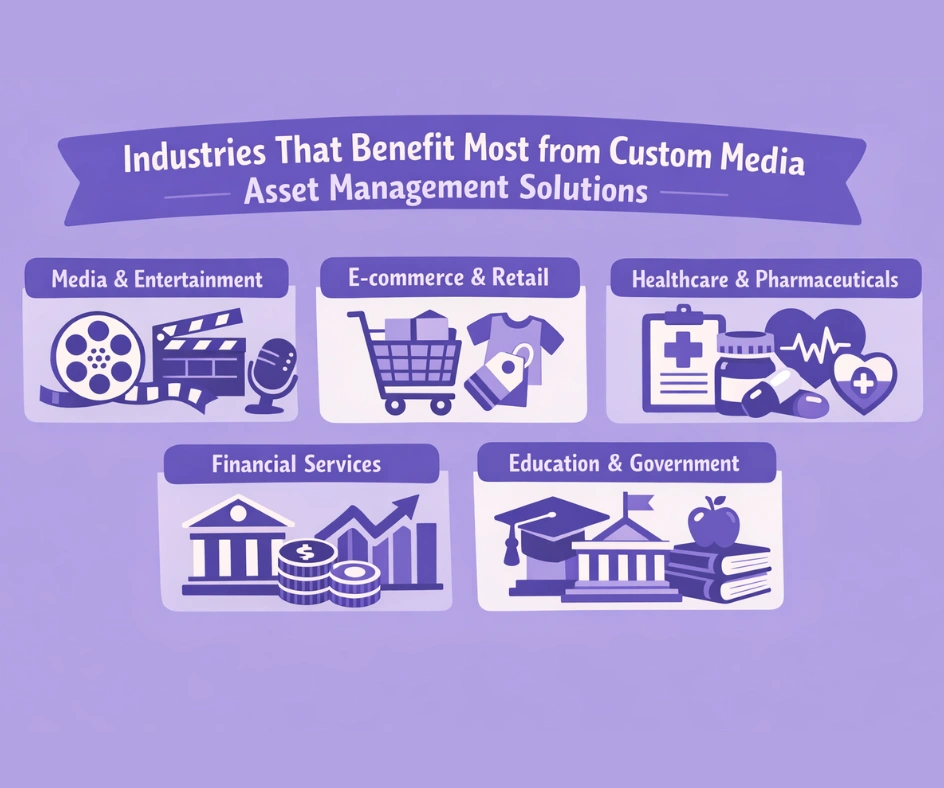
Industries That Benefit Most from Custom Media Asset Management Solutions
While every business that creates or manages digital content can benefit from a media asset management system, certain industries see outsized returns from investing in custom development. Here is how different sectors are using these platforms to solve real-world problems.
1. Media and Entertainment
This is the sector that practically invented the need for media asset management. Production companies, broadcast networks, news organizations, and streaming platforms generate enormous volumes of video, audio, and image content daily. A custom system allows these organizations to manage complex rights information, track content through post-production workflows, and distribute finished assets to multiple platforms simultaneously. The development of specialized features like proxy file creation for efficient video editing and integration with broadcast systems makes custom solutions particularly valuable here. In this workflow, integrating text to speech capabilities can further enhance efficiency by enabling quick generation of voiceovers and audio versions of content, helping teams accelerate production and expand accessibility across multiple distribution channels.
2. E-commerce and Retail
Online retailers manage thousands of product images, lifestyle photography, promotional videos, and marketing graphics. The retail and CPG sector is projected to post a 17.1% CAGR in DAM adoption according to Mordor Intelligence, making it the fastest-growing vertical. A custom MAM platform can automate the process of resizing product images for different platforms, managing seasonal campaign assets, and ensuring brand consistency across websites, mobile apps, and social media channels. Development teams can build in direct integrations with product information management (PIM) systems to link assets directly to product catalogs.
3. Healthcare and Pharmaceuticals
Healthcare organizations deal with sensitive medical imagery, patient education materials, and regulatory-compliant marketing content. A custom media asset management system can be built with HIPAA-compliant storage, granular access controls for different departments, and audit trails that track every interaction with every file. The development of compliance-focused features is something that generic platforms often struggle to deliver without expensive customization.
4. Financial Services
Banks, insurance companies, and investment firms produce vast amounts of client-facing content that must meet strict regulatory standards. Custom MAM solutions enable these organizations to build approval workflows that automatically involve compliance teams, version control that maintains audit trails for regulatory reviews, and distribution controls that prevent unapproved content from reaching the public.
5. Education and Government
Universities, government agencies, and public institutions manage digital archives, educational content, training materials, and public communications. A custom system allows these organizations to create public-facing asset portals, manage copyright information, and provide controlled access to specific collections based on user roles and institutional permissions. The development of accessibility features, including automated alt text generation and caption creation, is increasingly important for these sectors.
How AI Is Transforming Digital Asset Management for Media
Artificial intelligence is no longer a future promise in the world of media asset management. It is already embedded into the most advanced platforms, and for custom development projects, AI capabilities represent one of the biggest opportunities to differentiate your system from what is available off the shelf.
The most immediate application of AI in MAM is automated metadata tagging. Instead of relying on human operators to manually label every uploaded file with descriptive keywords, AI algorithms analyze the content of images, videos, and audio files to generate accurate tags automatically. This includes object recognition (identifying products, locations, and items within photos), facial recognition (tagging people who appear in content), speech-to-text transcription (making video and audio content searchable by spoken words), and sentiment analysis (categorizing content by mood or tone).
Beyond tagging, AI powers advanced content discovery. Users can search for assets using natural language queries like “product photos with blue backgrounds” or “customer testimonial videos from the Q3 campaign,” and the system understands the intent behind the search. This is a massive leap forward from traditional keyword-based search that requires users to know the exact tags assigned to an asset.
AI also enables content intelligence, which involves analyzing usage patterns across the organization to provide insights about which assets are performing well, which are underutilized, and what types of content your team should be creating more of. Some platforms now extend AI beyond search and tagging into editing and creative production, handling tasks like resizing, reformatting, and asset adaptation directly inside the library. For marketing teams, this data is invaluable for optimizing content strategy and maximizing the return on every piece of content produced. The same insights also sharpen content monetization strategies, revealing which formats and topics actually drive revenue so teams can double down on what pays rather than guessing.
The development of custom AI models trained on your specific content library means the system gets smarter over time, unlike generic AI in off-the-shelf platforms that serve millions of customers with the same model. A custom approach learns the nuances of your brand, your content categories, and your team’s search behavior.
Digital Asset Management Market: Key Statistics and Projections
| Market Metric | Value | Source |
|---|---|---|
| Global DAM Market Size (2024) | USD 5.3 Billion | MarketsandMarkets |
| Projected Market Size (2029) | USD 10.3 Billion | MarketsandMarkets |
| CAGR (2024 to 2029) | 14.0% | MarketsandMarkets |
| Cloud Deployment Share (2024) | 64% of total market | Mordor Intelligence |
| North America Revenue Share (2024) | 38.2% | Mordor Intelligence |
| Media & Entertainment Market Share (2024) | 37.6% | IMARC Group |
| DAM ROI Range | 8:1 to 14:1 | Bynder / Straits Research |
| Services Segment CAGR (through 2030) | 17.9% | Mordor Intelligence |
The Development Process for Custom Media Asset Management Software
Building a custom media asset management system is not something that happens overnight. It requires careful planning, strategic development, and thorough testing. Here is what the typical development journey looks like, broken down into clear stages.
1. Discovery and Requirements Gathering
This is the foundation of everything that follows. During discovery, the development team works closely with your organization to understand your content workflows, team structure, pain points, integration needs, compliance requirements, and long-term goals. This phase typically includes stakeholder interviews, workflow mapping, technical audits of existing systems, and competitive analysis of available solutions to identify gaps that your custom system should fill.
2. Architecture, Design, and Technology Selection
Based on the requirements gathered, the development team designs the system architecture. This includes decisions about cloud versus on-premises deployment, database selection, API design, front-end framework selection, and the AI and machine learning tools that will power metadata tagging and search. The architecture must be designed to handle your current content volume while leaving room for significant growth.
3. UI/UX Design
The user interface is what your team interacts with every day, so it needs to be intuitive and efficient. The development of the interface should be guided by user research and testing, not just aesthetic preferences. Upload flows, search interfaces, approval dashboards, and asset detail pages all need to be designed with the actual user’s workflow in mind. A well-designed interface dramatically reduces training time and increases adoption rates across the organization.
4. Core Development and Feature Build
This is where the actual building happens. Using agile development methodologies, the team builds the platform in iterative sprints, delivering working features incrementally rather than waiting for the entire system to be complete. Core features like asset storage, metadata management, search, and user permissions are typically built first, followed by workflow automation services, integrations, and analytics capabilities. Regular demos and feedback sessions keep the project aligned with your expectations.
5. Integration and Testing
No media asset management platform exists in isolation. During this phase, the development team integrates the system with your existing tools, whether that is Adobe Creative Cloud, your CMS, your CRM, social media platforms, or internal databases. Thorough testing covers functionality, performance under load, security vulnerabilities, and user acceptance to ensure everything works as expected before launch.
6. Deployment and Training
Once the system passes testing, it is deployed to your production environment. Implementation costs for DAM solutions typically range from 15 to 50% of your annual software cost according to Aprimo, covering setup, data migration, and initial training. For a custom system, this phase includes migrating existing assets from old storage solutions, configuring user accounts and permissions, and training your team to use the new platform effectively.
7. Ongoing Support and Evolution
A custom system is a living product. After launch, the development team provides ongoing support, monitors performance, addresses any issues, and builds new features as your needs evolve. This continuous improvement cycle ensures the system remains aligned with your business as it grows and changes over time.
Recommended Reading:
Security and Compliance in Media Asset Management
Digital assets are among the most valuable things a business owns. Brand imagery, campaign content, proprietary video, internal training materials, all of it needs protection. For industries like healthcare, finance, and government, the stakes are even higher because regulatory frameworks impose strict requirements on how digital content is stored, accessed, and distributed.
A custom media asset management system allows you to build security from the ground up rather than relying on a vendor’s one-size-fits-all approach. This includes end to end encryption for data both in transit and at rest, multi factor authentication for all user accounts, granular access controls that limit who can view, edit, download, or share specific assets, audit trails that log every action taken on every file for compliance reporting, and automated rights management that tracks usage licenses and expiration dates for third party content.
The European Accessibility Act, which became effective in June 2025, now requires richer metadata and alt text for digital content, pushing companies to upgrade their asset management systems to meet these new standards. A custom development approach allows you to build these accessibility and compliance features directly into the platform architecture rather than bolting them on as afterthoughts.
For organizations handling sensitive data, the choice between cloud and on-premises deployment is also a critical security consideration. A custom system gives you the flexibility to choose the deployment model that best aligns with your security policies, whether that is a private cloud environment, an on-premises installation, or a hybrid approach that keeps the most sensitive assets behind your firewall while using cloud infrastructure for less sensitive content.
Custom Software Real World Implementations
The following project reflects how custom software development is already being applied across different industries. Each implementation showcases the same principles discussed throughout this article, from tailored workflow automation and user-centric design to robust security measures and ongoing platform evolution.
🎮
OnGame.Dev: Custom Gaming Platform with Asset Management
Developed a custom gaming platform enabling decentralized ownership and monetization of in-game digital assets. The development included asset tracking, governance models for community decision making, Proof of Stake consensus, and advanced security measures for protecting user data and assets, all built with scalable infrastructure for high user and transaction volumes.
Build Your Custom Media Asset Management Platform Today:
We bring 8+ years of software development expertise to custom platform creation. Our specialized team handles everything from AI integration and workflow automation to cloud architecture and enterprise security, ensuring your platform is built for performance, growth, and your specific business needs. Whether you need a media-focused content hub or a full-scale digital asset management solution, we deliver solutions that work.
Final Thoughts
The way businesses create, manage, and distribute digital content has changed fundamentally. What used to be a simple matter of saving files in shared folders has become a complex, mission-critical operation that affects marketing performance, brand consistency, team productivity, and regulatory compliance. Media asset management software sits at the center of this transformation, providing the structure and intelligence that modern content operations demand.
For organizations that have outgrown generic solutions or that operate in industries with unique requirements, a custom media asset management system offers something that no off-the-shelf product can: a platform that works exactly the way your business works. From AI-powered metadata tagging and automated approval workflows to deep integrations with your existing tools and custom security protocols, every aspect of the system is built around your needs rather than a vendor’s assumptions about what you might need.
The market data makes the case clearly. With the global DAM market projected to more than double in the coming years, workflow automation saving teams hours of manual work every week, and ROI ratios for DAM systems reaching as high as 14:1, the question is not whether to invest in media asset management. The question is whether you will settle for a standard tool or invest in something built specifically for your success. The development of a custom solution requires more upfront planning and investment, but the long-term returns in efficiency, control, and competitive advantage make it a decision that continues to pay off for years to come.
Frequently Asked Questions
Q1.What is media asset management software?
Media asset management software is a specialized platform that helps businesses store, organize, search, and distribute digital media files like images, videos, audio, and documents from one centralized location with features like metadata tagging, version control, and workflow automation.
Q2.How much does custom MAM development cost?
Custom media asset management software development typically costs between $79,000 and $200,000, depending on the complexity of features, AI integrations, cloud architecture, and the level of customization needed to match your specific business workflows and compliance requirements.
Q3.What is the difference between MAM and DAM?
Media asset management (MAM) focuses specifically on managing rich media files like video, audio, and high resolution images that require specialized processing and storage. Digital asset management (DAM) is the broader category that covers all digital files, including documents, spreadsheets, and presentations alongside media content.
Q4.How long does it take to build a custom MAM platform?
The development timeline for a custom media asset management system typically ranges from 3 to 9 months, depending on the scope of features, number of integrations, complexity of workflow automation, and the size of your existing content library that needs to be migrated into the new system.
Q5.Can a custom MAM system integrate with Adobe Creative Cloud?
Yes, a custom media asset management system can be built with direct integrations to Adobe Creative Cloud, Figma, Canva, Microsoft 365, Google Workspace, WordPress, and virtually any other tool your team uses, allowing them to access and manage assets without leaving their preferred applications.
Q6.What industries benefit most from custom MAM solutions?
Media and entertainment, e-commerce and retail, healthcare, financial services, education, and government sectors see the highest returns from custom media asset management solutions due to their unique content volumes, regulatory compliance needs, and complex workflow requirements that standard platforms often cannot fully address.
Explore Services
Related Services
Reviewed by

Aman Vaths
Founder of Nadcab Labs
Aman Vaths is the Founder & CTO of Nadcab Labs, a global digital engineering company delivering enterprise-grade solutions across AI, Web3, Blockchain, Big Data, Cloud, Cybersecurity, and Modern Application Development. With deep technical leadership and product innovation experience, Aman has positioned Nadcab Labs as one of the most advanced engineering companies driving the next era of intelligent, secure, and scalable software systems. Under his leadership, Nadcab Labs has built 2,000+ global projects across sectors including fintech, banking, healthcare, real estate, logistics, gaming, manufacturing, and next-generation DePIN networks. Aman’s strength lies in architecting high-performance systems, end-to-end platform engineering, and designing enterprise solutions that operate at global scale.