Ai Overview
The global cryptocurrency user base has crossed 560 million in 2026, and the vast majority of those users interact with their digital assets through software wallets every single day. The best crypto wallet app for your situation depends on your specific needs — and we will help you determine whether Exodus meets them.
Key Takeaways
- Exodus Wallet is a free, non-custodial software wallet supporting 300+ cryptocurrencies across desktop, mobile, and browser extension platforms, making it the most accessible multi-chain wallet for beginners and multi-coin investors in 2026.
- Private keys in Exodus are stored locally on your device and never transmitted to Exodus servers, meaning you maintain full ownership of your crypto assets with no third-party custodial risk at any point during normal operation.
- The built-in token swap feature allows instant in-wallet exchange of cryptocurrencies without external exchange accounts, with swap fees of 1–4% representing Exodus’s primary revenue model instead of subscription charges.
- Exodus supports NFT storage and management on Ethereum and Solana, in-wallet staking for ADA, SOL, ALGO, ATOM, and other proof-of-stake assets, and direct Trezor hardware wallet integration for cold storage security.
- The most significant security limitation of Exodus Wallet is the absence of two-factor authentication and its closed-source codebase, which prevents independent security audits that open-source alternatives like MetaMask and Trust Wallet allow.
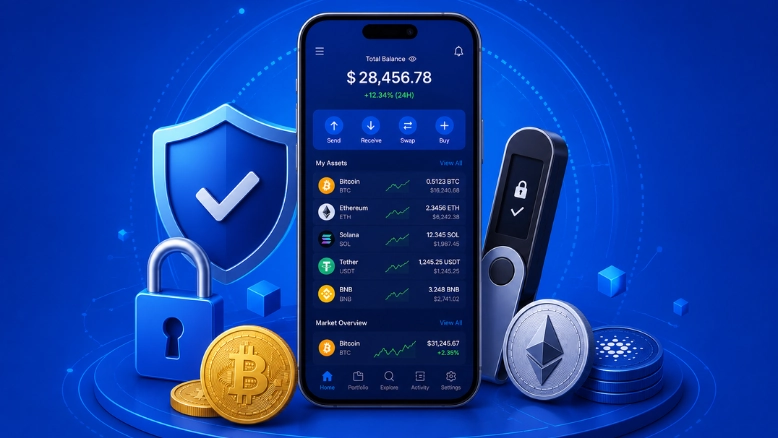
- Exodus earns its reputation as the most beginner-friendly crypto wallet through a visually polished interface, intuitive portfolio dashboard, and guided setup process that removes the technical friction that deters new users from self-custody.
- For maximum security with Exodus, pairing the wallet with a Trezor hardware device enables cold storage private key protection while retaining the full Exodus portfolio management and swap interface.
- Exodus Wallet fees are zero for the application itself; costs arise only from variable network transaction fees set by each blockchain, swap markups on in-wallet exchanges, and third-party fiat on-ramp fees when purchasing crypto directly.
- Exodus is the optimal choice for beginners, long-term investors managing multiple asset types, NFT collectors, and staking participants who want passive yield without the complexity of standalone protocol interfaces.
- The 2026 updates to Exodus include AI-powered portfolio insights, expanded Layer-2 network support for Arbitrum, Optimism, and Base, enhanced local encryption architecture, and an improved mobile DApp browser for Web3 interaction.
1. Introduction: Why Exodus Wallet Matters in 2026’s Crowded Wallet Market
The Software Wallet Revolution and Where Exodus Stands
The global cryptocurrency user base has crossed 560 million in 2026, and the vast majority of those users interact with their digital assets through software wallets every single day. The decision of which wallet to trust is not a trivial one: your software wallet determines how easily you can send and receive crypto, how securely your private keys are protected, whether you can access staking rewards and NFT management, and how much you pay in fees for every transaction and swap. Among the dozens of competing options, Exodus Wallet has built one of the strongest reputations in the category — not through marketing, but through a consistent commitment to design quality, feature breadth, and accessibility that makes self-custody crypto management feel like using a premium consumer product rather than navigating a developer tool.
Who This Review Is For and What You Will Learn
This review covers every dimension of the Exodus Wallet experience in 2026: how it works, what it costs, how secure it actually is (including its real limitations), how it compares to MetaMask, Trust Wallet, Coinbase Wallet, and Ledger, and a clear final verdict on whether it belongs in your crypto stack. Whether you are a complete beginner evaluating your first self-custody wallet, an experienced investor looking to consolidate multi-chain holdings, or a developer assessing wallet solutions for business implementation, this guide gives you the complete picture without the hype. The best crypto wallet app for your situation depends on your specific needs — and we will help you determine whether Exodus meets them.
2. What Is Exodus Wallet? Definition, History, and Platform Support
From 2015 Startup to Global Wallet Leader: The Exodus Story
Exodus Wallet is a free, non-custodial multi-currency software wallet that enables users to store, send, receive, swap, stake, and manage a broad range of cryptocurrencies and NFTs within a single, unified application. Founded in 2015 by JP Richardson and Daniel Castagnoli, Exodus launched at a time when most crypto wallet interfaces were intimidating, text-heavy applications built for developers rather than everyday users. The founders had a fundamentally different vision: a wallet that felt like a premium consumer product, with the same design quality and user experience standards that the best mobile applications had established. That philosophy has carried through every version to 2026, making Exodus one of the most visually refined and user-friendly wallets in the market despite the growing complexity of the multi-chain ecosystem it supports.
Today, Exodus is available across three major platforms with seamless multi-device syncing. The Desktop application for Windows, macOS, and Linux provides the full-featured portfolio management experience with complete dashboard, advanced charting, and swap capabilities. The Mobile app for iOS and Android delivers the same core functionality with biometric authentication, QR code scanning, and an integrated DApp browser optimized for touch interaction. The Browser Extension for Chrome enables Web3 access, DApp interaction, NFT management, and seamless connection to decentralized applications directly from the browser. With over 50 million downloads and growing, Exodus has become the go-to entry point for millions of new crypto users globally, particularly in the USA, UK, UAE, and Canada.[1]
Beginner-Friendly Explanation: Exodus vs Exchange Wallets
Exchange Wallet (Custodial): Like a bank holding your money. Convenient, but they control it. If the exchange fails, gets hacked, or freezes withdrawals — your funds are at risk. You do not hold the keys.
Exodus Wallet (Non-Custodial): Like a personal safe that only you have the key to. Your private keys stay on your device. Exodus cannot access, freeze, or move your funds under any circumstances.
Best Practice 2026: Use Exodus for active management, swapping, staking, and daily crypto interaction. Pair with a Trezor for cold storage of long-term holdings above your comfort threshold.
3. How Exodus Wallet Works: Non-Custodial Architecture and Private Key Control
Private Keys, Recovery Phrases, and Why You Are Always in Control
At its core, Exodus is a non-custodial wallet a term that fundamentally changes who controls your money. When you create an Exodus wallet, the application generates a unique 12-word recovery phrase (seed phrase) that serves as the master key to all your crypto assets. This phrase is created entirely on your device, never transmitted to Exodus servers, and only you ever see it. Your private keys the cryptographic secrets that authorize every transaction — are stored locally on your device in encrypted form. This is the critical distinction between Exodus and a centralized exchange like Binance or Coinbase: if those platforms go bankrupt, get hacked, or freeze withdrawals, you lose access to your assets. With Exodus, you are always in control.
Exodus syncs your wallet data across devices using your recovery phrase, so switching from desktop to mobile is seamless. Every transaction is broadcast directly to the relevant blockchain network — Exodus acts purely as an interface, not a custodian or intermediary at any point. Understanding how wallet addresses work under this architecture is important before receiving your first crypto; our detailed guide on crypto wallet addresses explained covers everything you need to know before your first deposit.
4. Key Features of Exodus Wallet: A Complete 2026 Breakdown
Exodus packages an impressive and growing feature suite into one cohesive experience. Understanding each capability helps you assess whether Exodus genuinely meets your needs or whether an alternative would serve you better in specific areas.
Seven Core Feature Categories of Exodus Wallet
User Interface
- Beginner-friendly dashboard
- Color-coded portfolio view
- One-tap send, receive, swap
- Dark and light themes
- Available on all platforms
Built-In Exchange
- Instant token swaps in-wallet
- No KYC or account needed
- Live rate preview before swap
- 1–4% swap fee structure
- Hundreds of trading pairs
NFT Support
- Gallery view for NFT collections
- Ethereum and Solana support
- Send and receive NFTs natively
- Collection metadata display
- Gaming and identity token support
Portfolio Tracking
- Real-time fiat valuations
- 1H, 1D, 1W, 1M, 1Y charts
- Asset allocation pie chart
- 20+ fiat currency support
- Performance analytics
Staking
- In-wallet ADA, SOL, ALGO staking
- Cosmos (ATOM) staking
- Reward tracking dashboard
- No external protocol needed
- Guided un-staking process
Hardware Integration
- Trezor hardware wallet support
- USB pairing wizard
- Physical signing confirmation
- Full Exodus UI retained
- Cold and hot balance split
Multi-Currency
- 300+ supported assets
- ERC-20, SPL, BEP-20 tokens
- Bitcoin, Ethereum, Solana
- Regular new coin additions
- Stablecoin full support
5. Exodus Wallet Security Explained: Strengths, Limitations, and Best Practices
Is Exodus Wallet Safe? A Balanced Security Analysis for 2026
Exodus Wallet is reasonably safe for everyday crypto storage and active portfolio management, particularly for amounts you actively use for trading, DeFi interactions, staking, or NFTs. It employs AES-256 encryption to protect locally stored wallet data, and because your private keys never leave your device or touch an Exodus server, online infrastructure breaches cannot directly compromise your funds in the way they can with custodial exchange wallets. For the category of software hot wallets, Exodus delivers a solid security baseline that has remained clean from any platform-level security incidents throughout its eleven years of operation. The documented losses associated with Exodus are almost universally attributable to user error: entering recovery phrases into phishing sites, downloading fake Exodus apps, or having malware on the device running the wallet. None of these attacks require compromising Exodus itself, and all are preventable through the security practices detailed in this section. Understanding how APIs and integrations interact with wallet security is important for any user interacting with DeFi; our guide on crypto wallet API features, integration, and security covers the technical details of these interactions.
Private Key Ownership
Keys are generated locally on your device from your 12-word recovery phrase and stored in encrypted form using AES-256. They are never uploaded to Exodus servers, never transmitted during normal wallet operations, and never accessible to Exodus the company under any legal or technical scenario. This is the non-custodial guarantee that separates Exodus from exchange wallets.
Local Encryption
AES-256 encryption protects wallet data stored on your device. The desktop wallet password encrypts this local file, and mobile biometric lock restricts access to the running application. The 2026 update improved the key derivation process within this local encryption architecture, strengthening protection against offline brute-force attacks on stolen device data.
Recovery Phrase Backup
Your 12-word BIP-39 seed phrase is the complete backup for your entire wallet. Store it physically on paper or metal, keep multiple copies in separate locations, and never share it digitally. Exodus cannot recover your wallet if this phrase is lost — the non-custodial design means no third party holds a backup on your behalf.
No 2FA — Key Limitation
Exodus does not support two-factor authentication on the wallet itself. Device PIN or biometric authentication is the only additional security layer available. For users who require 2FA as a security standard, Coinbase Wallet or pairing with Trezor hardware are the available alternatives within the non-custodial wallet category.
Closed-Source Codebase
Exodus’s code is proprietary and not publicly auditable, meaning independent security researchers cannot verify its implementation for vulnerabilities. This is a meaningful concern for security-conscious users who prefer community-verified open-source wallets like MetaMask or Trust Wallet. Exodus’s track record and business model provide practical credibility, but formal audit verification is unavailable.
Hardware Wallet Remedy
The single most effective security upgrade for Exodus users is integrating a Trezor hardware wallet. This moves private key storage to an offline secure element chip while retaining the full Exodus interface and portfolio management experience. Every transaction from a Trezor-paired Exodus wallet requires physical device confirmation, eliminating remote attack vectors entirely. See our guide to the best cold storage wallets for pairing options.
6. How to Download, Set Up, and Start Using Exodus Wallet
5-Step Complete Setup Walkthrough for New Exodus Users
Download From Official Sources Only
Navigate directly to exodus.com and download the installer for your operating system: Windows .exe, macOS .dmg, or Linux .AppImage. On mobile, search “Exodus Crypto Wallet” in the App Store or Google Play and verify the publisher is Exodus Movement Inc. before installing. Never click download links from emails, Discord messages, or search advertisements — fake Exodus apps are an active phishing method used to steal recovery phrases at first launch.
Create Your New Wallet and Set a Strong Password
Launch Exodus and click Create New Wallet. Set a strong, unique password for the desktop application — this encrypts the local wallet data file on your device. Use a password not used anywhere else and store it in a password manager. Mobile users can enable biometric lock during setup for quick but secure daily access to the running application.
Back Up Your 12-Word Recovery Phrase Immediately
Exodus displays your 12-word recovery phrase during setup. Write it down on paper immediately, in the exact order shown. Confirm the phrase by re-entering words in the correct sequence when prompted. This step is the most critical action in the entire setup process — the phrase is your complete wallet backup and cannot be recovered if lost. Never photograph it or type it into any digital application. For large holdings, consider a metal backup plate for fireproof, waterproof seed storage.
Add Your First Cryptocurrency
Select any supported asset from the portfolio screen, click Receive, and copy your wallet address or display the QR code. Share this address with any exchange or other wallet to receive crypto. Always verify you are using the correct network — each blockchain has a separate address format in Exodus. Our guide to crypto wallet addresses explains network matching to prevent sending funds to the wrong address.
Sync Across Devices with Your Recovery Phrase
Install Exodus on your mobile device and choose I already have a wallet during setup. Enter your 12-word recovery phrase to restore the exact same wallet on the new device. All assets, addresses, and transaction history appear automatically. Your recovery phrase is your wallet the same keys work on every Exodus installation and on any other BIP-39 compatible wallet if you ever need to migrate.
7. Exodus Wallet Fees Explained: What You Actually Pay in 2026
Network Fees, Swap Markups, and Hidden Costs Demystified
Understanding the Exodus fee structure completely prevents surprises and helps you make informed decisions about when to use Exodus’s built-in features versus external alternatives. Exodus is free to download and use at the application level — the company earns revenue through the built-in exchange rather than subscriptions, which means heavy swap users effectively subsidize the free wallet for all users.
Complete Exodus Wallet Fee Structure 2026
| Fee Type | Amount | Who Charges It | Notes |
|---|---|---|---|
| Wallet Download | Free | No one | No subscription, no account fee, no wallet creation fee |
| Network Transaction Fee | Variable (blockchain-set) | Blockchain network | Gas fees on Ethereum vary widely; BTC and SOL fees are typically lower |
| Token Swap Fee | 1%–4% | Exodus (markup on swap) | Exodus’s primary revenue; rate shown before confirming each swap |
| Fiat On-Ramp Fee | 2%–5% | MoonPay / Ramp (third party) | KYC required by on-ramp provider; Exodus does not charge this fee |
| Staking Fee | Varies by asset | Exodus (cut of rewards) | Rewards rate shown net of Exodus cut; varies by staking asset |
8. Exodus Wallet Pros and Cons: An Honest Assessment
Exodus Wallet: Balanced Pros and Cons for 2026
Pro 1: The most beginner-friendly crypto wallet interface available in 2026, with an intuitive dashboard, guided setup, color-coded portfolio view, and clean navigation that removes every friction point new users encounter with competing wallets.
Pro 2: True cross-platform availability across desktop (Windows, macOS, Linux), mobile (iOS, Android), and browser extension (Chrome) with seamless sync, meaning your portfolio is accessible however and wherever you work with crypto.
Pro 3: Support for 300+ cryptocurrencies and NFTs across ERC-20, SPL, and BEP-20 token standards, covering virtually every mainstream digital asset a retail investor holds in 2026 within a single wallet interface.
Pro 4: Built-in token exchange with hundreds of trading pairs, instant execution, no KYC requirement, and full fee transparency before confirming — eliminating the need for external exchange accounts for portfolio rebalancing.
Pro 5: In-wallet staking for ADA, SOL, ALGO, ATOM, and additional proof-of-stake assets, with reward tracking and guided un-staking, making passive income accessible to users without any blockchain-level technical knowledge.
Pro 6: Trezor hardware wallet integration that elevates Exodus from a hot wallet to a cold storage management interface, providing the best of both worlds: Trezor’s air-gapped key security with Exodus’s beautiful portfolio management experience.
Con 1: No two-factor authentication on the wallet itself. Device PIN or biometric is the only additional protection layer, which is a meaningful gap compared to wallets that support TOTP or hardware-key 2FA for higher security assurance.
Con 2: Closed-source codebase prevents independent security audits, meaning the security community cannot verify Exodus’s implementation for vulnerabilities in the way they can with fully open-source alternatives like MetaMask or Trust Wallet.
Con 3: Swap fees of 1–4% are higher than DEX aggregator alternatives for frequent or high-volume traders. Users who rebalance portfolios regularly will pay meaningfully more through Exodus swaps than through direct DEX interaction via MetaMask or Rabby.
Con 4: Exodus is a hot wallet by default, meaning private keys exist in a device connected to the internet. Without Trezor integration, large long-term holdings face the same remote attack surface as any other software wallet, regardless of Exodus’s local encryption.
9. Exodus Wallet vs Other Crypto Wallets: Head-to-Head Comparison 2026
Exodus vs MetaMask, Trust Wallet, Coinbase Wallet, and Ledger
Understanding how Exodus positions relative to the leading alternatives helps you make the right choice for your specific use case. Each wallet serves a meaningfully different primary purpose, and the best choice depends on whether you prioritize ease of use, DeFi depth, security architecture, or mobile convenience.
Exodus Wallet vs Competitors: Complete Feature Comparison Table 2026
| Feature | Exodus | MetaMask | Trust Wallet | Coinbase Wallet | Ledger |
|---|---|---|---|---|---|
| Type | Software | Software | Software | Software | Hardware |
| Non-Custodial | Yes | Yes | Yes | Yes | Yes |
| Multi-chain | Yes (300+) | Partial (EVM) | Yes | Yes | Yes (5,500+) |
| Built-In Swap | Yes | Yes | Yes | Yes | No |
| NFT Support | Yes | Yes | Yes | Yes | Via App |
| Staking | Yes | Limited | Yes | Yes | Yes |
| 2FA Support | No | No | No | Yes | Device-based |
| Open Source | No | Yes | Yes | Partial | Yes |
| Desktop App | Yes | Extension only | No | No | Via Ledger Live |
| Best For | Beginners, multi-coin | Ethereum DeFi | Mobile users | Coinbase users | Long-term holders |
10. Who Should Use Exodus Wallet? Matching the Wallet to the User
Ideal Users, Edge Cases, and Who Should Look Elsewhere
Crypto Beginners
No technical knowledge required. Exodus’s guided setup, clean dashboard, and intuitive navigation make it the perfect first self-custody wallet for anyone making the transition from exchange custody to personal key ownership for the first time.
Long-Term Investors
Multi-asset holders who want everything in one place — Bitcoin, Ethereum, Solana, Cardano, and stablecoins — with real-time portfolio tracking and performance charts. Best combined with Trezor for holdings above your personal comfort threshold.
NFT Collectors
Native NFT gallery and management across Ethereum and Solana makes Exodus a natural choice for digital art and gaming asset holders who want their collections visible alongside their crypto portfolio in a single interface.
Staking Participants
Users who want to earn passive income from ADA, SOL, ALGO, or ATOM staking without needing to understand validator selection, protocol interfaces, or command-line tools. Exodus makes staking genuinely accessible to non-technical users.
Who Should Avoid Exodus
Advanced DeFi traders needing complex protocol interactions and low-fee swaps, developers requiring open-source and auditable wallet code, users with very large long-term holdings who should prioritize a cold storage-first architecture, and users who require 2FA as a minimum security standard should consider MetaMask, Ledger, or other purpose-built alternatives. Our eToro wallet review offers another comparison perspective for different use cases.
11. Common Exodus Wallet Problems and How to Solve Them
⚠ Wallet Not Syncing or Wrong Balance
Navigate to Settings and select Refresh to force the wallet to re-sync with blockchain nodes. If balance remains incorrect, verify your actual on-chain balance using a blockchain explorer (etherscan.io for Ethereum, solscan.io for Solana) and your wallet address. Discrepancies usually resolve within one sync cycle once network connectivity is confirmed.
⚠ Funds Appear Missing After Transfer
Check the transaction hash (TXID) on the relevant blockchain explorer to verify the transaction status. Transfers can take 10–60 minutes during network congestion. Confirm you used the correct network — sending ERC-20 tokens to a BEP-20 address or vice versa frequently results in funds appearing lost that require network-specific recovery tools.
⚠ Transaction Stuck or Pending
Blockchain network congestion causes pending transactions, particularly on Ethereum during high-activity periods. The transaction will eventually confirm when network conditions ease. For Ethereum specifically, advanced users can speed up the transaction by resending with a higher gas fee using the original nonce from a compatible wallet like MetaMask.
⚠ Lost Recovery Phrase or Password
Exodus cannot recover your wallet without your 12-word phrase — this is the fundamental tradeoff of non-custodial design. Password reset requires the recovery phrase. If you still have the device and remember the password, your funds are accessible. If you have the phrase, install Exodus fresh and restore. If both are lost, assets are permanently inaccessible.
⚠ How to Contact Exodus Support
Exodus support is available through the official Help Center at support.exodus.com with email ticket submission. Response times are typically 24–72 hours. There is no live chat. The Help Center contains extensive self-service documentation covering the majority of common issues. Never provide your 12-word phrase to anyone claiming to be Exodus support — this is always a scam.
12. Latest Exodus Wallet Updates in 2026: What Is New
Exodus Wallet 2026 Updates and Feature Roadmap
| Update | Impact | Timeline | Status |
|---|---|---|---|
| AI Portfolio Insights | Natural language portfolio analysis and risk insights | Q1 2026 | Live |
| Layer-2 Network Support | Arbitrum, Optimism, Base integrated natively | Q1 2026 | Live |
| Enhanced Local Encryption | Improved key derivation and device-level security checks | Q1 2026 | Live |
| Improved DApp Browser | Direct Web3 DApp interaction from mobile without leaving wallet | Q2 2026 | Live |
| Decentralized Identity | Self-sovereign identity credential management | 2027 | Roadmap |
13. Is Exodus Wallet Legit? Reputation, Trust, and Transparency Analysis
Company History, User Reviews, and Security Record
Exodus Wallet is 100% legitimate. Exodus Movement Inc. is a registered company with an eleven-year track record, more than 50 million downloads, and no credible reports of fund losses attributable to platform failure, system breach, or corporate misconduct. Founded in 2015 by JP Richardson and Daniel Castagnoli, the company has operated continuously through multiple market cycles, regulatory changes, and the competitive pressures that have shuttered many competing wallet projects. In 2021, Exodus conducted a Regulation A+ equity offering on its own platform — a publicly documented corporate financing action that demonstrates a level of regulatory engagement and transparency unusual in the wallet sector. The company maintains active social media presence, a public product roadmap, and regular update notes that allow users to track what is being built and what has been shipped.
The primary legitimate concern raised by the security community is the closed-source codebase, which prevents independent researchers from auditing the implementation for vulnerabilities. This is a real and valid concern that users should weigh against Exodus’s operational track record. For developers interested in understanding how enterprise-grade wallets are built and what security standards look like at the infrastructure level, our overview of top crypto wallet development companies provides useful context on what professional wallet architecture involves.
Frequently Asked Questions (FAQs)
Q1.What is Exodus Wallet used for?
Exodus Wallet is a popular non-custodial crypto wallet used to store, send, receive, swap, and manage cryptocurrencies safely. It also supports staking, portfolio tracking, and NFT management for crypto users.
Q2.Is Exodus Wallet safe for beginners?
Yes, Exodus Wallet is considered beginner-friendly because of its simple interface and built-in security features. Users fully control their private keys and recovery phrases, making it safer than storing crypto on exchanges.
Q3.Does Exodus Wallet support Bitcoin and other cryptocurrencies?
Exodus Wallet supports Bitcoin, Ethereum, Solana, Litecoin, Cardano, and thousands of other cryptocurrencies and tokens across multiple blockchain networks, making it a versatile crypto wallet.
Q4.Is Exodus Wallet free to use?
Exodus Wallet is free to download and use. However, users may need to pay blockchain network fees and small exchange fees when swapping cryptocurrencies inside the wallet.
Q5.Can Exodus Wallet be hacked?
Like any software wallet, Exodus Wallet can be vulnerable if a user’s device is compromised. Using strong passwords, secure backups, and hardware wallet integration can significantly improve security.
Q6.Does Exodus Wallet require KYC verification?
No, Exodus Wallet does not require KYC verification to create or use the wallet. Users can manage their crypto assets privately without submitting personal identity documents.
Q7.What are the main features of Exodus Wallet?
Some of the best Exodus Wallet features include multi-crypto support, built-in exchange, staking options, NFT support, portfolio tracking, and compatibility with hardware wallets like Trezor.
Q8.Is Exodus Wallet better than Trust Wallet?
Exodus Wallet is known for its premium interface and desktop experience, while Trust Wallet is more mobile-focused. The better choice depends on whether users prioritize simplicity, advanced features, or DeFi access.
Q9.Can I earn rewards with Exodus Wallet?
Yes, Exodus Wallet allows users to stake supported cryptocurrencies and earn passive rewards directly from the wallet without using third-party platforms.
Q10.Is Exodus Wallet good for long-term crypto storage?
Exodus Wallet can be a good option for long-term crypto storage when combined with proper security practices like recovery phrase backups and hardware wallet integration for extra protection.
Explore Services
Related Services
Reviewed by

Aman Vaths
Founder of Nadcab Labs
Aman Vaths is the Founder & CTO of Nadcab Labs, a global digital engineering company delivering enterprise-grade solutions across AI, Web3, Blockchain, Big Data, Cloud, Cybersecurity, and Modern Application Development. With deep technical leadership and product innovation experience, Aman has positioned Nadcab Labs as one of the most advanced engineering companies driving the next era of intelligent, secure, and scalable software systems. Under his leadership, Nadcab Labs has built 2,000+ global projects across sectors including fintech, banking, healthcare, real estate, logistics, gaming, manufacturing, and next-generation DePIN networks. Aman’s strength lies in architecting high-performance systems, end-to-end platform engineering, and designing enterprise solutions that operate at global scale.