Ai Overview
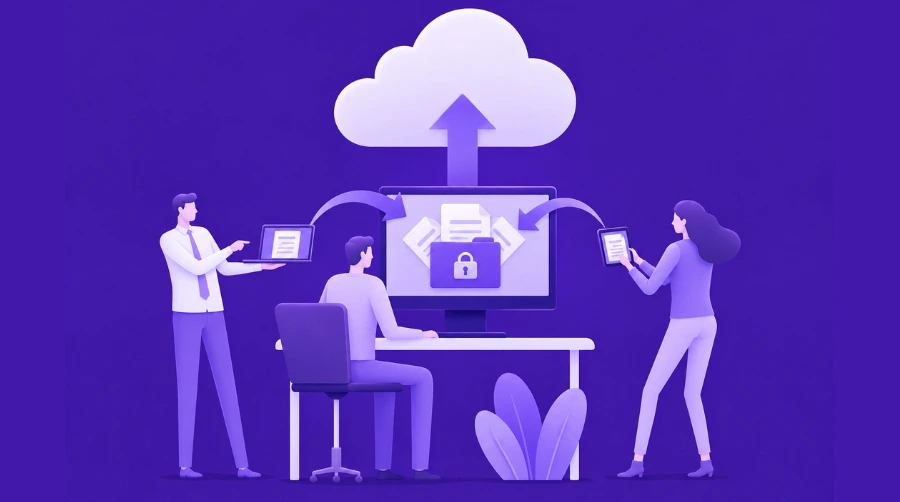
Cloud computing has become the backbone of modern businesses. From startups to enterprises, organizations rely on the cloud for storage, application development, and scalable infrastructure. As cloud adoption continues to grow, so do the security risks associated with it. A single breach can expose sensitive data, disrupt operations, and cost businesses millions in damages.
Cloud computing has become the backbone of modern businesses. From startups to enterprises, organizations rely on the cloud for storage, application development, and scalable infrastructure. As cloud adoption continues to grow, so do the security risks associated with it.
Cyberattacks in 2026 are more advanced than ever. From ransomware and phishing to misconfigured cloud storage and API vulnerabilities, attackers are constantly searching for weak points. A single breach can expose sensitive data, disrupt operations, and cost businesses millions in damages.
This is why implementing strong cloud security practices is no longer optional. It is essential for protecting business continuity, maintaining customer trust, and meeting compliance requirements.
In this guide, you will discover 15 actionable cloud security tips that can help you secure your infrastructure, reduce vulnerabilities, and stay ahead of evolving threats. Whether you are managing internal systems or offering cloud development services, these strategies will strengthen your overall security posture.
Key Takeaways
- Cloud Security Definition: Cloud security encompasses policies, technologies, and controls protecting cloud-based data, applications, and infrastructure from threats including unauthorized access, data breaches, malware, and service disruptions through comprehensive defense-in-depth strategies.
- Shared Responsibility Model: Cloud security operates under shared responsibility where cloud providers secure underlying infrastructure while customers protect their data, applications, identity management, and configurations requiring clear understanding of respective security obligations.
- Multi-Factor Authentication Criticality: Enabling MFA across all cloud accounts provides essential protection against credential theft and unauthorized access, blocking over 99% of automated attacks according to security research making it foundational cloud security best practice.
- Encryption Everywhere Approach: Protecting cloud data security requires encryption both in transit using TLS/SSL and at rest using AES-256 or similar standards ensuring data remains unreadable even if intercepted or storage systems compromised.
- Misconfiguration Primary Risk: Cloud misconfigurations represent leading cause of data breaches with exposed storage buckets, overly permissive access controls, and disabled security features creating vulnerabilities attackers actively exploit requiring continuous monitoring and remediation.
- Zero Trust Security Model: Modern cloud computing security adopts zero trust principles assuming no user or system is trusted by default, requiring continuous verification, least privilege access, and micro-segmentation protecting against both external and insider threats.
- Automated Security Monitoring: Implementing cloud security solutions like SIEM, CSPM, and CNAPP provides real-time threat detection, compliance monitoring, and automated response capabilities essential for protecting dynamic cloud environments operating at scale.
- DevSecOps Integration Essential: Embedding security throughout development lifecycle through DevSecOps practices including automated security testing, infrastructure as code scanning, and container security ensures vulnerabilities addressed before production deployment reducing risk and remediation costs significantly.
What is Cloud Security?
Cloud security refers to the collection of policies, technologies, and controls that work together to protect cloud-based systems, data, and infrastructure from cyber threats. It encompasses everything from securing data stored in the cloud to protecting applications, managing user access, and ensuring network safety.
Think of cloud security as a comprehensive shield protecting your digital assets in cloud environments. Unlike traditional security that protects physical servers in your building, cloud security must address unique challenges like shared infrastructure, remote access from anywhere, and resources that scale up or down automatically.
Cloud security has several key components working together. Data protection ensures information stays confidential and intact through encryption and access controls. Identity and access management controls who can access what resources and under what conditions. Network security protects data moving between users, applications, and cloud services. Application security identifies and fixes vulnerabilities in cloud-hosted software. Compliance management ensures cloud operations meet regulatory requirements for your industry.
These components must work together seamlessly because cloud environments are dynamic. New resources spin up, users access systems from different locations, and data moves between services constantly. Effective cloud security adapts to these changes while maintaining protection. Professional cloud security monitoring services help organizations maintain continuous visibility and protection across complex cloud environments.
Why Cloud Security Matters
Understanding why cloud security deserves serious attention helps motivate the investment and effort required to implement proper protections.
Data breaches cost businesses enormous amounts of money and reputation damage. According to recent industry reports, the average cost of a data breach exceeds four million dollars when accounting for investigation, remediation, legal fees, regulatory fines, and lost business. Beyond direct costs, breaches destroy customer trust that takes years to rebuild. Customers expect companies to protect their personal and financial information, and a single breach can permanently damage brand reputation.
Cloud adoption increases your attack surface, meaning there are more potential entry points for attackers. Traditional networks had clear perimeters you could defend. Cloud environments blur these boundaries with users, applications, and data distributed across regions and services. Attackers constantly probe for weaknesses like misconfigured storage, weak passwords, or unpatched vulnerabilities. Without proper cloud security best practices, these weaknesses become doorways for unauthorized access.
Compliance risks create legal and financial consequences. Industries like healthcare, finance, and government face strict regulations about data protection including HIPAA, PCI DSS, GDPR, and SOC 2. Cloud security solutions must address these requirements or companies face substantial fines, legal action, and loss of business licenses. Compliance is not just checking boxes but implementing real protections that regulators expect.
Business continuity depends on cloud security. Modern companies rely on cloud services for critical operations. A security incident that takes down cloud infrastructure disrupts business, causes revenue loss, and damages customer relationships. Ransomware attacks can lock companies out of their own data and systems for days or weeks. Proper security ensures operations continue even when threats emerge.
Key Cloud Security Challenges
Organizations moving to the cloud encounter several persistent security challenges that require attention and planning.
Misconfigurations
Cloud misconfigurations represent the leading cause of cloud data breaches. Simple mistakes like leaving a storage bucket publicly accessible, using default credentials, or failing to enable encryption expose sensitive data to anyone on the internet. These errors happen because cloud platforms offer hundreds of configuration options, and it only takes one wrong setting to create a critical vulnerability. Attackers actively scan for common misconfigurations using automated tools, exploiting them within hours or minutes of exposure.
Lack of Visibility
Many organizations struggle to see what is happening across their cloud environments. Unlike traditional data centers where IT teams could physically access servers, cloud resources are distributed and constantly changing. Without proper monitoring, security teams cannot detect unusual activity, unauthorized access attempts, or data exfiltration until damage occurs. This visibility gap makes it difficult to investigate incidents or understand security posture comprehensively.
Multi-Cloud Complexity
Most enterprises use multiple cloud providers, creating management challenges. Each provider has different security tools, configuration interfaces, and best practices. Security teams must learn and manage multiple platforms simultaneously while maintaining consistent security policies across all environments. This complexity increases the chance of mistakes and makes comprehensive security monitoring more difficult.
Insider Threats
Not all threats come from external attackers. Employees, contractors, and partners with legitimate access can intentionally or accidentally cause security incidents. Malicious insiders might steal data for personal gain. Well-meaning employees might misconfigure resources or fall for phishing attacks that compromise credentials. Cloud environments make insider threats more dangerous because users can access resources remotely from anywhere, making it harder to detect unusual behavior.
Weak Identity and Access Management
Many cloud breaches result from compromised credentials and inadequate access controls. Weak passwords, shared accounts, and excessive permissions create opportunities for attackers. Once attackers obtain valid credentials, they can access cloud resources while appearing as legitimate users, making detection difficult. Poor identity and access management (IAM) practices amplify every other security weakness.
Top Cloud Security Tips You Must Follow
These practical cloud security tips provide actionable guidance you can implement to strengthen your cloud security posture.
1. Enable Multi-Factor Authentication (MFA)
Multi-factor authentication requires users providing two or more verification factors to access cloud resources, typically something they know like a password plus something they have like a phone or security key. MFA dramatically improves security because even if attackers steal passwords, they cannot access accounts without the second factor.
Why it matters: Research shows MFA blocks over 99 percent of automated credential attacks. Passwords alone are vulnerable to phishing, brute force attacks, and credential stuffing where attackers use stolen password databases from other breaches.
Enable MFA for all cloud accounts, especially privileged administrator accounts, to strengthen overall security across your infrastructure. Start by securing critical systems and gradually expand MFA enforcement to all users. For stronger protection, use authenticator apps or hardware security keys instead of SMS-based verification whenever possible. Leading platforms offering AWS cloud solutions, along with Azure and Google Cloud, provide built-in MFA features that integrate seamlessly with popular authentication apps and security tools.
2. Implement Least Privilege Access
Principle of least privilege (PoLP) means granting users and applications only the minimum permissions they need to perform their jobs, nothing more. Instead of giving everyone admin access or broad permissions, carefully assign specific rights based on actual requirements.
Why it matters: Limiting permissions reduces blast radius if accounts are compromised. An attacker gaining access to a limited account cannot cause as much damage as one with excessive privileges. This principle also minimizes accidental mistakes from well-meaning users who might delete or misconfigure resources they should not access.
How to implement: Review all user and service account permissions regularly. Remove unnecessary access rights and avoid granting permanent admin privileges. Use temporary elevated access for administrative tasks that require higher permissions, then remove those rights when tasks complete. Cloud IAM tools provide features for role-based access control making this easier to manage.
3. Encrypt Data Everywhere
Encryption converts readable data into coded format that only authorized parties with decryption keys can access. Comprehensive cloud data security requires encryption both in transit as data moves across networks and at rest when stored in databases or file systems.
Why it matters: Encryption protects data even if other security controls fail. If attackers intercept network traffic or gain access to storage systems, encrypted data remains unreadable without proper keys. This provides critical protection for sensitive information including customer data, financial records, and intellectual property.
How to implement: Use TLS/SSL for all data in transit between users, applications, and cloud services. Enable encryption at rest for all storage services using AES-256 or similar strong standards. Most cloud providers offer automatic encryption with managed keys for ease of use, or bring your own keys for additional control. Ensure backups are also encrypted. Understanding decentralized cloud computing approaches provides additional context for data protection strategies.
4. Maintain Regular Backups
Regular backups create copies of data and system configurations that can restore operations after incidents like ransomware attacks, accidental deletions, or system failures. Effective backup strategies follow the 3-2-1 rule: three copies of data on two different media types with one copy stored offsite.
Why it matters: Backups provide recovery options when things go wrong. Ransomware cannot hold your data hostage if you can restore from clean backups. Accidental deletions or corrupted data can be recovered quickly, minimizing downtime and business impact.
How to implement: Automate backup processes to run regularly without manual intervention. Test restore procedures periodically to ensure backups actually work when needed. Store backups in separate accounts or regions from production data to protect against widespread incidents. Encrypt backups and restrict access to prevent attackers from deleting them during attacks.
5. Use Cloud Security Posture Management (CSPM)
CSPM tools continuously scan cloud environments for misconfigurations, compliance violations, and security risks. They automatically identify issues like publicly exposed storage, disabled logging, or missing encryption then alert security teams or automatically remediate problems.
Why it matters: Manual configuration reviews cannot keep pace with dynamic cloud environments where new resources deploy constantly. CSPM provides automated, continuous monitoring that catches misconfigurations before attackers exploit them. These tools also help maintain compliance by checking configurations against standards like CIS benchmarks.
How to implement: Deploy CSPM solutions that integrate with your cloud platforms. Configure alerts for critical issues and automatic remediation for common problems. Review findings regularly and prioritize fixes based on risk. Many cloud providers offer built-in CSPM capabilities, or use third-party tools for multi-cloud environments.
6. Implement Real-Time Monitoring and Logging
Security monitoring collects logs from all cloud resources, analyzes them for suspicious activity, and alerts teams to potential threats. Comprehensive logging captures who accessed what resources, when, and what actions they took, creating an audit trail essential for investigation and compliance.
Why it matters: You cannot protect what you cannot see. Real-time monitoring detects attacks as they happen, enabling rapid response before significant damage occurs. Logs provide evidence for investigations and help understand attack methods to prevent future incidents.
How to implement: Enable logging for all cloud services including compute, storage, network, and identity systems. Centralize logs in a security information and event management (SIEM) system for analysis. Configure alerts for suspicious patterns like multiple failed login attempts, unusual data transfers, or access from unexpected locations. Retain logs according to compliance requirements, typically 90 days to several years depending on industry.
7. Segment Your Network
Network segmentation divides cloud infrastructure into separate zones with controlled communication between them. Instead of allowing all resources to communicate freely, segmentation creates boundaries that limit lateral movement if attackers breach one area.
Why it matters: Segmentation contains security incidents by preventing attackers from easily moving from compromised systems to access other resources. It also reduces attack surface by limiting unnecessary network exposure and helps meet compliance requirements for data isolation.
How to implement: Use virtual private clouds (VPCs), subnets, and security groups to create network boundaries. Place resources in appropriate segments based on function and sensitivity. Configure firewall rules allowing only necessary traffic between segments. Isolate sensitive data and critical systems in more restricted zones with stricter access controls.
8. Adopt Zero Trust Security Model
Zero trust assumes no user or system is trusted by default, even inside your network perimeter. Every access request must be verified based on identity, device health, context, and other factors before granting access, and access is limited to specific resources needed for the task.
Why it matters: Traditional perimeter-based security fails in cloud environments where users, applications, and data exist outside traditional boundaries. Zero trust provides security regardless of location by continuously verifying trust and limiting access, protecting against both external threats and insider risks.
How to implement: Implement strong identity verification for all access requests. Use conditional access policies that consider factors like user role, device compliance, and risk level. Apply micro-segmentation limiting access to specific applications and data based on need. Continuously monitor and validate security posture rather than assuming trust after initial authentication. Professional cloud engineering services can help implement zero trust architectures effectively.
9. Secure Your APIs
Application programming interfaces (APIs) enable communication between cloud services and applications. They also represent a common attack vector if not properly secured. API vulnerabilities allow attackers to access data, manipulate systems, or disrupt services.
Why it matters: Modern cloud applications rely heavily on APIs for functionality. Unsecured APIs expose sensitive data and business logic to attackers. API attacks are growing as attackers shift focus from traditional web vulnerabilities to API exploitation.
How to implement: Authenticate and authorize all API requests using strong methods like OAuth 2.0 or API keys. Validate and sanitize all input to prevent injection attacks. Implement rate limiting to prevent abuse and denial of service. Use API gateways to centralize security controls and monitoring. Encrypt API traffic and avoid exposing sensitive data in URLs or error messages.
10. Maintain Patch Management
Patch management ensures systems, applications, and dependencies stay updated with latest security fixes. Vulnerabilities in outdated software provide easy entry points for attackers who exploit known weaknesses.
Why it matters: Attackers actively scan for systems running vulnerable software versions. Many major breaches exploit vulnerabilities that had patches available for months or years. Timely patching closes these security gaps before exploitation.
How to implement: Enable automatic updates where possible for operating systems and applications. Maintain inventory of all software and dependencies to track what needs patching. Test patches in non-production environments before deploying to production. Prioritize critical security patches for immediate deployment while scheduling less urgent updates during maintenance windows.
11. Strengthen Identity and Access Management
Robust IAM controls ensure only authorized users and services can access cloud resources with appropriate permissions. This includes managing user identities, authentication methods, authorization policies, and access reviews.
Why it matters: Weak IAM is a primary cause of cloud security incidents. Compromised credentials, excessive permissions, and inadequate access controls enable both external attacks and insider threats. Strong IAM provides foundation for all other security controls.
How to implement: Eliminate shared accounts by assigning unique identities to each user. Enforce strong password policies and MFA. Implement role-based access control (RBAC) mapping permissions to job functions. Regularly review and remove unnecessary access rights. Use service accounts with minimal permissions for applications and automated processes. Enable detailed logging of all access and authentication events.
12. Develop Incident Response Plan
Incident response plans define procedures for detecting, responding to, and recovering from security incidents. Plans outline roles, communication protocols, investigation steps, and recovery procedures ensuring organized response when incidents occur.
Why it matters: Fast, coordinated response minimizes damage from security incidents. Without a plan, teams waste valuable time figuring out what to do while attacks progress. Clear procedures help maintain compliance with regulations requiring timely incident reporting and response.
How to implement: Document incident response procedures covering detection, containment, eradication, recovery, and lessons learned. Assign specific roles and responsibilities. Establish communication channels and escalation paths. Include contact information for key personnel, vendors, and authorities. Practice response through tabletop exercises and simulations. Update plans based on lessons learned from exercises and real incidents.
13. Integrate DevSecOps Practices
DevSecOps embeds security throughout the development lifecycle rather than treating it as a final step before deployment. This includes automated security testing, infrastructure as code scanning, container security, and secure coding practices integrated into CI/CD pipelines.
Why it matters: Addressing security issues early in development is significantly cheaper and faster than fixing vulnerabilities in production. Automated security testing provides consistent checks without slowing development. DevSecOps creates shared responsibility for security across development, operations, and security teams.
How to implement: Integrate static and dynamic security testing tools into build pipelines. Scan infrastructure as code templates for misconfigurations before deployment. Check container images for vulnerabilities and malware. Implement code review processes focusing on security. Provide security training for developers. Use policy as code to enforce security requirements automatically.
14. Use Trusted and Verified Images
Container and virtual machine images serve as templates for deploying applications. Using untrusted images from unknown sources can introduce malware, vulnerabilities, or backdoors into your environment. Only trusted, verified images should be used in production.
Why it matters: Malicious images can compromise systems from deployment, bypassing other security controls. Even well-intentioned public images may contain outdated software with known vulnerabilities. Supply chain attacks increasingly target software distribution including container registries.
How to implement: Use images from official sources and trusted registries. Scan all images for vulnerabilities before deployment. Maintain private registries with approved, hardened images for production use. Implement image signing and verification to ensure integrity. Regularly update base images and rebuild application images to incorporate security patches.
15. Manage Third-Party Risk
Organizations typically use numerous third-party services, integrations, and vendor solutions in cloud environments. Each vendor represents potential security risk through data sharing, access permissions, or supply chain vulnerabilities.
Why it matters: Attackers increasingly target third parties as pathways to access customer environments. Vendor security incidents can expose your data or provide entry points to your systems. You remain responsible for data security even when using third-party services.
How to implement: Conduct security assessments of vendors before integration. Review vendor security practices, certifications, and incident history. Limit vendor access to minimum necessary permissions and data. Monitor vendor access and activities. Include security requirements and incident notification obligations in vendor contracts. Maintain inventory of all third-party integrations and regularly review their necessity and risk.
Common Cloud Security Mistakes
Understanding frequent mistakes helps you avoid them in your cloud security implementation.
Ignoring Shared Responsibility Model
Many organizations misunderstand the shared responsibility model where cloud providers secure infrastructure while customers protect their data, applications, and configurations. Assuming the cloud provider handles all security leaves critical gaps. You must understand exactly what the provider secures and what remains your responsibility, which varies by service type from infrastructure to platform to software as a service.
Over-Permissive Access Controls
Granting excessive permissions is a common mistake driven by convenience or lack of understanding. Giving users admin access or services broad permissions creates unnecessary risk. When accounts compromise or users make mistakes, over-permissive access amplifies damage. Take time to properly configure least privilege access even though it requires more initial effort.
Neglecting Security Monitoring
Some organizations deploy cloud resources without implementing proper monitoring and logging. Without visibility into activities, you cannot detect attacks, investigate incidents, or maintain compliance. Security monitoring is not optional but essential for cloud security. Invest in monitoring tools and processes from the start rather than waiting until after an incident.
Using Weak Passwords and No MFA
Simple passwords and lack of MFA remain surprisingly common despite well-known risks. Convenience cannot justify this vulnerability when attackers can easily compromise weak credentials. Enforce strong password policies and mandatory MFA across all accounts, especially privileged ones, regardless of user complaints about inconvenience.
Failing to Encrypt Data
Some organizations store sensitive data in cloud without encryption, either unaware of capabilities or perceiving it as too complex. Modern cloud platforms make encryption relatively simple with managed keys and automatic configuration. The protection encryption provides far outweighs any implementation effort. Enable encryption for all sensitive data without exception.
No Incident Response Plan
Organizations often defer incident response planning until after an incident occurs, when it is too late to help. Developing and testing response plans during calm times enables effective action during stressful incidents. Do not wait for a breach to start planning your response.
Cloud Security Checklist
Use this checklist to verify your cloud security implementation covers essential areas:
Identity and Access
- Multi-factor authentication enabled for all users
- Least privilege access implemented with role-based controls
- Regular access reviews conducted removing unnecessary permissions
- Strong password policies enforced
- Service accounts use minimal required permissions
Data Protection
- Encryption enabled for data in transit and at rest
- Sensitive data classified and inventoried
- Regular backups configured and tested
- Data loss prevention controls implemented
- Backup encryption and access restrictions in place
Network Security
- Network segmentation configured appropriately
- Firewall rules follow least privilege principles
- Virtual private networks used for remote access
- API security controls implemented
- DDoS protection enabled
Monitoring and Response
- Comprehensive logging enabled across all services
- Real-time monitoring and alerting configured
- Security information and event management (SIEM) implemented
- Incident response plan documented and tested
- Regular security assessments conducted
Compliance and Governance
- Compliance requirements identified and documented
- Cloud security posture management tools deployed
- Configuration management and change control processes established
- Regular compliance audits performed
- Security policies documented and communicated
Application Security
- DevSecOps practices integrated into development
- Code security testing automated in pipelines
- Container and image scanning implemented
- Patch management process established
- Vulnerability management program active
Cloud Security Tools and Solutions
Various specialized tools help implement and maintain cloud security effectively. Understanding these categories helps you select appropriate solutions for your needs.
SIEM (Security Information and Event Management)
SIEM platforms collect logs from across cloud environments, analyze them for security threats, and provide centralized monitoring and alerting. They correlate events from multiple sources to detect complex attack patterns that individual systems might miss. Popular cloud-compatible SIEM solutions include Splunk, IBM QRadar, and cloud-native options from providers.
CSPM (Cloud Security Posture Management)
CSPM tools continuously assess cloud configurations against security best practices and compliance standards. They identify misconfigurations, policy violations, and compliance gaps then provide remediation guidance or automatic fixes. These tools are essential for maintaining security across dynamic cloud environments. For teams already operating on Amazon Web Services, AWS native security tools such as AWS Security Hub, AWS Config, and Amazon GuardDuty provide tightly integrated CSPM capabilities that reduce configuration overhead while maintaining continuous posture visibility across accounts and regions.
CNAPP (Cloud-Native Application Protection Platform)
CNAPP solutions provide comprehensive security for cloud-native applications including container security, serverless protection, API security, and runtime protection. They combine multiple security functions into integrated platforms designed for modern cloud architectures. Examples include Aqua Security, Sysdig, and Snyk.
DLP (Data Loss Prevention)
DLP tools monitor and control data movement to prevent unauthorized data exfiltration. They identify sensitive data, track where it goes, and block or alert on policy violations. Cloud DLP solutions protect data stored in cloud services and data moving between cloud and on-premises environments. Professional cloud development company expertise helps implement these security tools effectively.
Future Trends in Cloud Security
Cloud security continues evolving to address emerging threats and leverage new technologies.
AI-Powered Security and Attacks
Artificial intelligence is transforming both security defense and attacks. AI-powered security tools detect threats faster by analyzing massive amounts of data for patterns humans would miss. They automate response actions and predict potential vulnerabilities before exploitation. However, attackers also use AI to create more sophisticated phishing campaigns, generate polymorphic malware, and identify vulnerabilities automatically. The arms race between AI-powered attack and defense will intensify.
Zero Trust Architecture Adoption
Zero trust is moving from buzzword to standard architecture as organizations recognize perimeter-based security no longer works for distributed cloud environments. Expect wider adoption of zero trust principles including continuous authentication, micro-segmentation, and least privilege access as foundational cloud security approaches rather than advanced optional features.
Security Automation and Orchestration
Automated security processes handle routine tasks faster and more consistently than manual approaches. Security orchestration platforms (SOAR) coordinate multiple tools and automate incident response workflows. As cloud environments grow larger and more complex, automation becomes necessary for effective security management. More organizations will implement automated threat detection, response, and remediation.
DevSecOps Mainstream Integration
Security integration throughout development lifecycle will become standard practice rather than progressive approach. Automated security testing, policy as code, and security as code will be expected capabilities in cloud development workflows. Organizations will shift from bolting security onto development processes to embedding it from the start. Understanding cloud migration expertise helps implement security during infrastructure transitions.
Quantum-Resistant Cryptography
As quantum computing advances, current encryption methods face potential vulnerabilities. Organizations are beginning to plan for post-quantum cryptography that resists quantum computer attacks. Cloud security solutions will start incorporating quantum-resistant algorithms to protect data that needs long-term confidentiality.
Extended Detection and Response (XDR)
XDR platforms provide integrated security across endpoints, networks, cloud, and applications rather than siloed tools for each area. This holistic approach improves threat detection and response by correlating data from multiple security layers. Cloud security will increasingly adopt XDR approaches for comprehensive protection.
Final Thoughts
Cloud security is not a one-time project but an ongoing commitment requiring attention, investment, and continuous improvement. The cloud offers tremendous business benefits, but only when properly secured against growing cyber threats that target cloud environments specifically.
This guide covered essential cloud security tips including enabling MFA, implementing least privilege access, encrypting data everywhere, maintaining backups, using CSPM tools, monitoring in real-time, segmenting networks, adopting zero trust, securing APIs, managing patches, strengthening IAM, developing incident response plans, integrating DevSecOps, using trusted images, and managing third-party risks. Each practice addresses specific vulnerabilities and contributes to comprehensive defense-in-depth security strategy.
Remember that cloud security operates under shared responsibility where providers secure infrastructure while you protect data, applications, and configurations. Understanding this division prevents dangerous assumption that cloud provider handles all security leaving critical gaps in your defenses.
Start with fundamentals like MFA and encryption, then progressively implement more advanced controls as your cloud maturity grows. Use automated tools like CSPM and SIEM to maintain security at scale across dynamic environments. Regular security assessments, penetration testing, and compliance audits help identify gaps before attackers exploit them.
The future of cloud security involves AI-powered threat detection, deeper zero trust adoption, increased automation, mainstream DevSecOps integration, and quantum-resistant encryption. Staying current with these trends positions your organization to defend against evolving threats while leveraging cloud computing benefits.
Cloud security protects everything you have built in the cloud. Invest appropriately in people, processes, and technologies that secure your cloud infrastructure. The cost of prevention is always less than the cost of recovering from a major security incident. Take action today implementing these cloud security best practices to protect your data, maintain customer trust, and ensure business continuity in an increasingly cloud-dependent world. Professional cloud services for exchanges provide specialized security for high-value trading platforms requiring maximum protection.
Frequently Asked Questions
Q1.What Is Cloud Security?
Cloud security encompasses policies, technologies, and controls protecting cloud-based data, applications, and infrastructure from cyber threats. It includes data encryption, identity management, network security, application protection, and compliance controls specifically designed for cloud computing environments operating under shared responsibility model between providers and customers.
Q2.Why Is Cloud Security Important?
Cloud security protects sensitive business and customer data from breaches that cost millions in damages, regulatory fines, and reputation loss. It ensures business continuity by preventing ransomware and service disruptions, maintains regulatory compliance for industries like healthcare and finance, and builds customer trust essential for business success in digital economy.
Q3.How Does Multi-Factor Authentication Improve Security?
MFA requires users providing two or more verification factors blocking over 99% of automated attacks even when passwords compromise. It adds security layer beyond passwords combining something users know (password), have (phone or security key), or are (biometric) making unauthorized access significantly harder for attackers who steal credentials through phishing or breaches.
Q4.What Are Essential Cloud Security Tools?
Essential tools include SIEM systems for centralized logging and threat detection, CSPM solutions identifying misconfigurations, identity and access management platforms controlling permissions, encryption key management services protecting data, DLP preventing unauthorized data transfers, vulnerability scanning tools finding security weaknesses, and backup solutions ensuring recovery capabilities.
Q5.How Often Should Security Configurations Be Reviewed?
Security configurations should be monitored continuously through automated CSPM tools flagging issues immediately. Formal manual reviews should occur quarterly for comprehensive assessment, after any major infrastructure changes, following security incidents, and when compliance requirements update. Critical systems and privileged access require more frequent review monthly or weekly depending on risk level.
Q6.What Is Zero Trust Security?
Zero trust security model assumes no user or system is trusted by default requiring continuous verification before granting access. It applies least privilege access limiting permissions to specific needed resources, uses micro-segmentation restricting lateral movement, continuously validates security posture, and verifies identity, device health, and context for every access request protecting against external and insider threats.
Q7.How Can Small Businesses Improve Cloud Security?
Small businesses should enable MFA on all accounts, use cloud provider’s built-in security features many included free, implement strong password policies, enable automatic encryption for storage, configure basic monitoring and alerts, maintain regular backups, restrict access following least privilege, and leverage managed security services when lacking internal expertise providing enterprise-grade protection affordably.
Explore Services
Related Services
Reviewed by

Aman Vaths
Founder of Nadcab Labs
Aman Vaths is the Founder & CTO of Nadcab Labs, a global digital engineering company delivering enterprise-grade solutions across AI, Web3, Blockchain, Big Data, Cloud, Cybersecurity, and Modern Application Development. With deep technical leadership and product innovation experience, Aman has positioned Nadcab Labs as one of the most advanced engineering companies driving the next era of intelligent, secure, and scalable software systems. Under his leadership, Nadcab Labs has built 2,000+ global projects across sectors including fintech, banking, healthcare, real estate, logistics, gaming, manufacturing, and next-generation DePIN networks. Aman’s strength lies in architecting high-performance systems, end-to-end platform engineering, and designing enterprise solutions that operate at global scale.