Ai Overview
Platform Control: iOS development means building inside Apple’s ecosystem, accepting distribution control, reviews, and enforcement. True Cost Reality: Builds run $50K–$300K, but maintenance and infrastructure add 20–40% yearly indefinitely. Ecosystem Dependency: Apps need APIs, cloud, analytics, payments, and support—iOS is often 40% of system cost. Cost Breakdown: iOS development $80K, backend $120K, infrastructure $500/month, third-party services $800/month.
Key Takeaways: What Is iOS App Development?
- Platform Control:
iOS development means building inside Apple’s ecosystem, accepting distribution control, reviews, and enforcement. - True Cost Reality:
Builds run $50K–$300K, but maintenance and infrastructure add 20–40% yearly indefinitely. - Timeline Expectations:
Professional iOS apps take 3–12 months minimum, including design, testing, and review iterations. - Ecosystem Dependency:
Apps need APIs, cloud, analytics, payments, and support—iOS is often 40% of system cost. - Mandatory Privacy:
Privacy is enforced: ATT prompts, permissions, and privacy labels are required by iOS policies. - Performance Standards:
Users expect 60fps, fast launch, instant response—poor performance destroys ratings and retention. - Ongoing Maintenance:
Launch starts the work—continuous updates for compatibility, bugs, features, and security are required. - Strategic Alignment:
Build iOS when audience is iOS, native features matter, and budget supports quality execution.
1. Defining iOS App Development in Practical Terms
What iOS Development Actually Means:
- Platform-Specific: Building exclusively for Apple’s ecosystem (iPhone, iPad, Apple Watch)
- Controlled Distribution: Must pass Apple’s App Store review to reach users
- Apple Tools Required: Xcode IDE, Swift/Objective-C languages, macOS hardware
- Design Standards: Following Human Interface Guidelines for consistency
- Ongoing Commitment: Continuous updates for iOS compatibility and features
2. The Apple Ecosystem Context
| Apple Device | Screen Size | Interaction Model | Development Implication |
|---|---|---|---|
| iPhone | 4.7″ – 6.7″ | Touch, one-handed use | Primary platform, mobile-first design |
| iPad | 8.3″ – 12.9″ | Touch, multitasking, keyboard | Requires layout optimization for larger screen |
| Apple Watch | 1.1″ – 1.9″ | Glanceable, quick actions | Companion app, minimal UI, complications |
| Mac (Apple Silicon) | 13″ – 32″ | Mouse, keyboard, trackpad | iOS apps can run but need Mac optimization |
| Apple TV | TV screen (40″+) | Remote, 10-foot UI | Separate tvOS app, different interaction patterns |
Ecosystem Integration Key-Value:
- iCloud Sync: Automatic data synchronization across devices without backend infrastructure
- Apple Pay: Streamlined payment with biometric authentication, no payment forms
- Sign In with Apple: Privacy-focused authentication with email relay options
- HealthKit: Centralized health data access with user permission controls
- HomeKit: Smart home device integration with standardized protocols
3. Native iOS Apps vs Web and Hybrid Apps
| Aspect | Native iOS | Web App | Hybrid (React Native/Flutter) |
|---|---|---|---|
| Language | Swift/Objective-C | HTML/CSS/JavaScript | JavaScript/Dart |
| Distribution | App Store only | Any browser, no install | App Store (native wrapper) |
| Performance | Excellent (native code) | Good for content, limited for complex UI | Good (near-native with optimization) |
| Device APIs | Full access (camera, GPS, sensors) | Limited (basic geolocation, some sensors) | Good access via bridges |
| Offline Support | Full offline capability | Limited (Service Workers) | Full offline capability |
| Updates | App Store review required | Instant deployment | App Store review + some OTA updates |
| Cross-Platform | iOS only (separate Android needed) | Works everywhere | Shared codebase for iOS/Android |
| Development Cost | High (iOS-specific team) | Lower (web team) | Medium (one codebase, platform specifics) |
| Best For | Premium UX, complex features, full platform integration | Content delivery, wide reach, frequent updates | Multi-platform launch, standard features, faster development |
4. What Makes iOS Apps Different From Other Mobile Apps
| Characteristic | iOS | Android |
|---|---|---|
| Design Philosophy | Strict guidelines, consistency valued over customization | Material Design suggested but flexibility encouraged |
| App Distribution | App Store only (strict review) | Google Play + sideloading + alternative stores |
| Background Processing | Heavily restricted, apps suspended aggressively | More permissive, services can run continuously |
| File Access | Sandboxed, limited file system access | More open file system access |
| Privacy Stance | Strict permissions, App Tracking Transparency, privacy labels required | Permission system less strict, more data collection common |
| Default Apps | Limited ability to replace system defaults | Can set third-party apps as defaults |
| Device Fragmentation | Limited (5-6 active device sizes, similar specs) | Extreme (thousands of device models, huge spec variation) |
| OS Updates | 80%+ adopt new OS within months | Fragmented, years for majority adoption |
| User Expectations | Premium quality, polished UI, instant performance | Varies widely by device price point and market |
Platform-Specific Constraints:
- Navigation Patterns: iOS expects back button top-left, swipe from edge to go back
- Sharing: iOS uses system share sheet, Android has different sharing patterns
- Notifications: iOS requires explicit permission, shows differently than Android
- Multitasking: iOS Picture-in-Picture and Split View have specific requirements
- Payments: iOS requires using Apple’s In-App Purchase for digital goods (30% commission)
5. Core Components of an iOS Application
Essential Architecture Layers:
- App Binary: Compiled executable (.ipa file) containing all code, assets, and resources
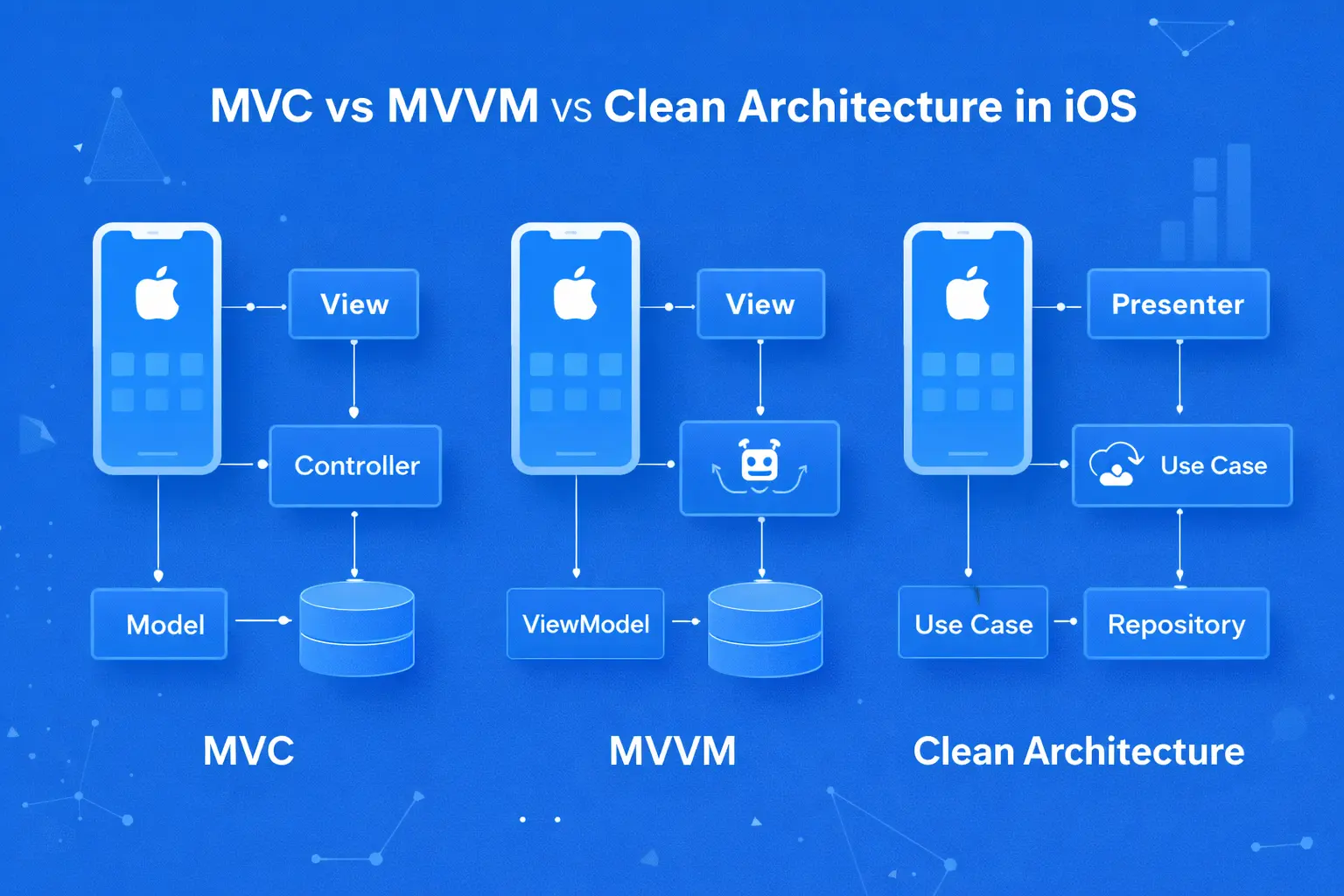
- UI Layer (Presentation): UIKit or SwiftUI views defining what users see and interact with
- Logic Layer (Business Logic): ViewModels, Controllers, Services handling app behavior and rules
- Data Layer (Persistence): Core Data, UserDefaults, file storage managing local data
- Network Layer (Backend): API clients, URLSession for server communication
| Component | Purpose | Technologies | Example |
|---|---|---|---|
| UI Layer | Displays screens, handles user input | UIKit, SwiftUI, Storyboards | Product listing screen with images and “Buy” button |
| Logic Layer | Business rules, validation, calculations | ViewModels, Managers, Services | Calculating tax, validating credit card, applying promo codes |
| Data Layer | Stores data locally, caches content | Core Data, UserDefaults, FileManager | Saving favorite products, caching images, storing user preferences |
| Network Layer | Communicates with backend servers | URLSession, Alamofire, REST APIs | Fetching product catalog, submitting orders, user authentication |
Real Example – Banking App Architecture:
UI Layer: Login screen, account dashboard, transaction history list
Logic Layer: Calculate available balance, validate transfer amounts, format currency display
Data Layer: Cache last 50 transactions for offline viewing, store user preferences (language, notification settings)
Network Layer: API calls to fetch real-time balance, submit fund transfers, authenticate with biometrics
Security Layer: Keychain for storing tokens, encryption for sensitive data, certificate pinning for API calls
6. How iOS Apps Interact With Backend Systems
Client-Server Communication Patterns:
- REST APIs: HTTP requests (GET, POST, PUT, DELETE) to fetch/modify data
- GraphQL: Query exactly what data you need, reducing API calls and data transfer
- WebSockets: Real-time bidirectional communication for chat, live updates
- Push Notifications: Server-initiated messages via Apple Push Notification service (APNs)
- Background Sync: Fetch new data when app isn’t active (limited by iOS)
| Scenario | Technology | Data Flow | Offline Behavior |
|---|---|---|---|
| Loading feed | REST API (GET) | App → Server → JSON response → Display | Show cached posts, display “offline” indicator |
| Sending message | WebSocket | App → WebSocket → Server → Recipients instantly | Queue message locally, send when connection restored |
| New order notification | Push Notification | Server → APNs → Device → App wakes up | Delivered when device reconnects |
| Submitting form | REST API (POST) | App → Server validates → Success/Error response | Save draft locally, show “will send when online” |
Offline-First Design Patterns:
- Local-First: Write to local database first, sync to server in background (Apple Notes approach)
- Optimistic UI: Show action succeeded immediately, rollback if server rejects (Instagram likes)
- Lazy Loading: Cache essential data, fetch details on-demand (email headers vs full messages)
- Conflict Resolution: Handle cases where offline changes conflict with server state (calendar events)
7. Role of the App Store in iOS App Development
| Phase | Timeline | What Apple Checks | Common Rejection Reasons |
|---|---|---|---|
| Initial Submission | 24-48 hours review time | Functionality, crashes, guideline compliance | Broken features, misleading description, missing privacy info |
| Update Review | 24-72 hours | Bug fixes work, new features function, compliance maintained | New bugs introduced, incomplete features, guideline violations |
| Expedited Review | 1-2 business days | Critical bug fixes only | Abuse of expedited process, non-critical changes |
App Store Control Points:
- Distribution: Apple is only way to reach users (no sideloading except Enterprise apps)
- Review Process: Every version requires approval before going live
- Updates: Bug fixes and features both need review—can’t hotfix instantly
- Removal: Apple can remove apps that violate terms, even years after approval
- Monetization: In-App Purchases for digital goods must use Apple’s system (30% cut first year, 15% after)
Common Rejection Scenarios:
- Guideline 2.1: App crashes on launch or during review testing
- Guideline 4.3: “Spam” – too similar to other apps or multiple nearly-identical apps
- Guideline 5.1.1: Privacy – missing data collection disclosure or permission explanations
- Guideline 3.1.1: Using external payment system for digital goods (bypassing Apple’s 30% fee)
- Guideline 2.3: App doesn’t do enough—just web wrapper or minimal functionality
8. Security and Privacy as Foundational Concepts
iOS Privacy Features (Mandatory):
- Permission Prompts: Camera, microphone, location, photos, contacts require explicit user approval
- App Privacy Labels: Must declare data collection practices in App Store listing
- App Tracking Transparency: Ask permission before tracking users across apps/websites for ads
- Limited Ads Identifier: Users can disable IDFA, breaking cross-app tracking
- Privacy Nutrition Labels: Visible on App Store showing what data collected and how it’s used
| Privacy Feature | Implementation Requirement | User Impact |
|---|---|---|
| Location Permission | Provide usage description, request “When in Use” or “Always” | Users see why you need location before granting access |
| Photo Library Access | Users can grant “All Photos” or “Selected Photos” only | Fine-grained control over which photos apps can see |
| Clipboard Access | Banner appears when app reads clipboard | Transparency when apps access potentially sensitive data |
| Local Network Access | Permission required to scan local network devices | Prevents apps from discovering devices on home network |
Security Best Practices (Required or Strongly Recommended):
- HTTPS Only: App Transport Security requires encrypted connections (HTTP blocked by default)
- Keychain Storage: Use Keychain for passwords, tokens—never UserDefaults or plain files
- Biometric Authentication: Face ID/Touch ID for sensitive operations
- Certificate Pinning: Prevent man-in-the-middle attacks on API calls
- Data Encryption: Encrypt sensitive data at rest using Data Protection APIs
9. Performance Expectations on iOS Devices
| Performance Metric | User Expectation | Technical Target | What Happens If You Miss |
|---|---|---|---|
| Launch Time | Instant to 2 seconds | < 400ms to first frame | Users perceive app as slow, abandon before it loads |
| Scroll Performance | Buttery smooth | 60 FPS (120 FPS on ProMotion displays) | Janky scrolling feels broken, poor reviews mention lag |
| Touch Response | Immediate feedback | < 100ms from touch to visual change | App feels unresponsive, users tap multiple times |
| Memory Usage | App doesn’t crash | < 200MB for typical apps, < 1GB absolute max | iOS terminates app, user loses work, crashes in reviews |
| Battery Impact | Shouldn’t drain battery noticeably | < 5% battery per hour active use | Users uninstall, Settings shows your app draining battery |
| Network Efficiency | Works on cellular without burning data | Compress images, cache aggressively | Users disable cellular access for your app |
Performance Optimization Techniques:
- Lazy Loading: Load content as needed, not all at launch
- Image Optimization: Use appropriate sizes, WebP/HEIC formats, compress intelligently
- Background Work: Move heavy operations off main thread using GCD/async-await
- Caching Strategy: Cache API responses, images, computed values to reduce redundant work
- Profiling: Use Instruments to find bottlenecks, memory leaks, CPU spikes
10. Typical Use Cases for iOS Applications
| Category | Characteristics | Examples | Key Success Factors |
|---|---|---|---|
| Consumer Apps | Public App Store, millions of users, viral growth | Instagram, TikTok, Spotify, DoorDash | Excellent UX, fast performance, compelling value prop |
| Enterprise Apps | B2B, specific business needs, MDM deployment | Salesforce Mobile, SAP apps, Slack | Integration with corporate systems, security, reliability |
| Internal Tools | Company employees only, not public, Enterprise distribution | Inventory scanners, field service tools, POS systems | Solve specific workflow, offline capability, training ease |
| Platform Extensions | Companion to web service, mobile interface for existing platform | Gmail, Dropbox, Trello, WordPress | Feature parity with web, data sync, mobile-optimized workflows |
| Utilities | Single-purpose tools, solve specific problem | Weather apps, calculators, QR scanners, password managers | Do one thing exceptionally well, fast, no bloat |
| Content/Media | Streaming, reading, consumption-focused | Netflix, Kindle, Apple Music, Podcasts | Smooth playback, offline downloads, personalization |
| E-commerce | Product browsing, purchasing, order tracking | Amazon, eBay, Shopify merchant apps | Frictionless checkout, Apple Pay integration, push notifications |
| Health & Fitness | Activity tracking, health monitoring, wellness | MyFitnessPal, Strava, Headspace, Apple Health | HealthKit integration, Apple Watch companion, privacy |
Use Case Decision Matrix:
- Build Consumer App When: Target iOS demographic, need viral features, monetize through App Store
- Build Enterprise App When: Specific business process, integrate corporate systems, serve known user base
- Build Internal Tool When: Replace manual process, equip field workers, improve operational efficiency
- Build Platform Extension When: Web service needs mobile presence, users demand iOS app, mobile adds unique value
11. Who Builds iOS Apps
| Team Type | Structure | Cost Range | Best For |
|---|---|---|---|
| In-House Team | Full-time employees: 1-2 iOS devs, designer, PM | $200K-500K/year salaries + benefits | Ongoing development, core product, strategic control |
| Development Agency | Project team: designers, devs, QA, PM | $50K-$300K project cost | One-time builds, redesigns, fixed scope projects |
| Freelancers | Individual contractors, hourly or project-based | $75-200/hour or $25K-100K project | Small features, MVPs, supplementing in-house team |
| Offshore Team | Dedicated team in lower-cost region | $25-75/hour, $30K-150K projects | Budget-conscious, clear specs, tolerance for communication challenges |
| Hybrid Model | In-house leadership + external execution | $150K-400K/year blended | Strategic control with flexible capacity |
Team Composition for Professional iOS App:
- iOS Developer (Senior): $120K-180K/year salary or $125-200/hour freelance
- UI/UX Designer: $90K-140K/year or $100-150/hour
- Backend Developer: $100K-160K/year or $100-175/hour
- Product Manager: $110K-170K/year or $125-200/hour
- QA Tester: $60K-100K/year or $50-100/hour
12. Tools and Technologies Used (Conceptual Only)
Core iOS Development Stack:
- Language: Swift (modern, Apple-preferred) or Objective-C (legacy, declining use)
- IDE: Xcode (only Apple-supported environment, macOS required)
- UI Framework: SwiftUI (declarative, modern) or UIKit (imperative, mature)
- Version Control: Git (GitHub, GitLab, Bitbucket)
- Dependency Management: CocoaPods, Swift Package Manager, Carthage
| Technology Layer | Apple’s Solution | Third-Party Alternatives | Purpose |
|---|---|---|---|
| Networking | URLSession (built-in) | Alamofire, Moya | Making HTTP requests, downloading files |
| Data Persistence | Core Data, UserDefaults | Realm, SQLite | Storing app data locally |
| Image Loading | UIImage/AsyncImage | Kingfisher, SDWebImage | Caching and displaying remote images |
| Analytics | – | Firebase, Mixpanel, Amplitude | Tracking user behavior and events |
| Crash Reporting | – | Crashlytics, Sentry, Bugsnag | Monitoring app crashes and errors |
| Testing | XCTest (unit, UI tests) | Quick/Nimble | Automated testing of code and UI |
Development Environment Requirements:
- Hardware: Mac computer (MacBook, iMac, Mac mini) – Windows/Linux can’t run Xcode
- Operating System: Latest macOS (Xcode requires recent OS version)
- Apple Developer Account: $99/year for App Store distribution and testing on devices
- Test Devices: Physical iPhones/iPads for real-world testing (simulator insufficient)
13. The iOS App Lifecycle
| Phase | Duration | Key Activities | Common Pitfalls |
|---|---|---|---|
| 1. Planning & Strategy | 2-4 weeks | Define features, wireframes, technical architecture, timeline | Scope creep, unclear requirements, unrealistic timeline |
| 2. Design | 3-6 weeks | UI/UX design, user flows, visual assets, interactive prototypes | Designing for web not iOS, ignoring platform conventions |
| 3. Development | 8-20 weeks | Write code, build features, integrate APIs, implement design | Technical debt, poor architecture, skipping testing |
| 4. Testing & QA | 2-4 weeks | Functional testing, device testing, bug fixes, performance optimization | Only testing on simulator, insufficient device coverage |
| 5. App Store Submission | 1-2 weeks | Prepare metadata, screenshots, submit for review, address rejections | Guideline violations, insufficient testing, poor app description |
| 6. Launch | Day 1 | Release app, monitor analytics, respond to user feedback | No launch plan, insufficient server capacity, no support system |
| 7. Maintenance & Updates | Ongoing | Bug fixes, iOS compatibility, feature additions, performance improvements | Assuming launch is end, no maintenance budget, team disbanded |
Realistic Timeline Examples:
- Simple Utility App: 2-3 months (single feature, basic UI, minimal backend)
- Standard Consumer App: 4-6 months (multiple features, custom design, API integration)
- Complex Platform App: 6-12 months (extensive features, real-time sync, advanced UX)
- Enterprise Solution: 9-18 months (corporate integration, compliance, multiple modules)
14. Common Misconceptions About iOS App Development
| Misconception | Reality | Why It Matters |
|---|---|---|
| “We can build it in a few weeks” | Professional apps take 2-12+ months | Unrealistic timelines cause rushed development, poor quality, project failure |
| “Development is the total cost” | Ongoing costs (hosting, maintenance, updates) often exceed initial build | Apps without maintenance budget fail within 1-2 years |
| “App Store approval is a formality” | 45% of first submissions get rejected | Rejection cycles add weeks to launch timeline |
| “Once launched, we’re done” | Launch is beginning of ongoing maintenance, not endpoint | Apps with no updates become incompatible and broken |
| “iOS and Android are the same work” | Separate codebases, different designs, platform-specific features | Budget needs to account for both platforms separately |
| “More features = better app” | Simple, focused apps often outperform feature-bloated ones | Complexity increases cost, bugs, and user confusion |
| “If we build it, users will come” | App Store has 2M+ apps, discovery requires marketing | Need marketing budget equal to or exceeding development |
| “We can pivot quickly after launch” | Native apps are harder to change than web, updates need App Store review | Fundamental changes require rebuild, not quick iterations |
Cost Reality Check:
- Initial Development: $50K-$300K depending on complexity
- Annual Maintenance: 20-40% of development cost ($10K-$120K/year)
- Server/Infrastructure: $500-$50K/year depending on scale
- Marketing/User Acquisition: Often equals or exceeds development cost
- 3-Year Total Cost: Typically 3-5x initial development investment
15. When iOS App Development Is the Right Choice
Clear Signals iOS Development Makes Sense:
- ✓ Target Audience: Your users are primarily on iPhone (verified by analytics, market data)
- ✓ Device Features: Need camera, GPS, sensors, push notifications, offline capability
- ✓ Performance Required: Complex UI, real-time interaction, smooth animations essential
- ✓ Premium Positioning: Brand values quality, design, premium user experience
- ✓ Ecosystem Integration: Leveraging HealthKit, HomeKit, Apple Pay, Apple Watch
- ✓ Monetization Model: Paid app, subscriptions, or in-app purchases work for business model
| Use Case | Why iOS Works | Example |
|---|---|---|
| Camera-Heavy Apps | Full camera API access, editing, filters, AR | Instagram, Snapchat, VSCO |
| Real-Time Apps | Low latency, smooth performance, background capability | Uber, trading apps, fitness tracking |
| Health & Fitness | HealthKit integration, Apple Watch compatibility | MyFitnessPal, Strava, Calm |
| Premium Services | iOS users spend 2-3x more than Android per user | Subscription apps, premium content |
| Enterprise iOS | MDM support, security, corporate iPhone adoption | Field service, sales tools, internal apps |
16. When iOS App Development Is Not the Best Option
Clear Signals iOS May Be Wrong Choice:
- ✗ Wrong Audience: Users primarily on Android (emerging markets, budget-conscious demographics)
- ✗ Budget Constraints: Can’t commit to $50K+ development plus ongoing maintenance
- ✗ Rapid Iteration Needed: Product requires daily updates, A/B testing, instant deployment
- ✗ Simple Content: Basically a website that would work fine on mobile web
- ✗ No Team Capacity: No developers, budget, or time to maintain ongoing iOS app
- ✗ Platform Risk: Business model conflicts with App Store policies or payment requirements
| Scenario | Why iOS Isn’t Right | Better Alternative |
|---|---|---|
| News/Blog Content | Just reading content, no native features needed | Responsive mobile website |
| Experimental Startup MVP | Need to pivot quickly, test different features weekly | Web app first, native later if validated |
| Global Emerging Markets | iOS < 10% market share in target regions | Android or web-first |
| Desktop-Primary Product | Users mainly work on computers, mobile is secondary | Focus on web, delay mobile |
| Adult Content Platform | Apple prohibits adult content in App Store | Web-based platform only option |
17. Relationship Between iOS Apps and Business Strategy
| Strategic Role | How App Supports It | Key Metrics | Example |
|---|---|---|---|
| Customer Acquisition | Frictionless onboarding, viral features, referral programs | Downloads, activation rate, CAC | Robinhood – easy signup drove millions of new investors |
| Engagement & Retention | Push notifications, personalization, habit loops | DAU/MAU, session length, retention curves | Duolingo – daily streak notifications drive habit |
| Revenue Generation | In-app purchases, subscriptions, frictionless checkout | ARPU, conversion rate, LTV | Tinder – subscription revenue from iOS exceeds web |
| Brand Presence | Premium experience reinforcing brand values | App Store rating, reviews, brand sentiment | Nike – app extends premium brand to digital |
| Operational Efficiency | Internal tools streamline workflows, reduce costs | Time saved, cost reduction, error rate | Salesforce mobile – sales reps close deals faster |
| Customer Service | Self-service, chat support, issue resolution | Support tickets reduced, satisfaction score | Bank apps – check balance without calling branch |
Aligning App Strategy with Business Goals:
- Define Role First: What business problem does the app solve? Growth? Revenue? Efficiency?
- Set Clear Metrics: How will you measure whether app succeeds at its strategic role?
- Allocate Resources: Budget matches strategic importance (don’t underfund strategic tools)
- Iterate Based on Data: Use analytics to double down on what works, cut what doesn’t
18. Evolution of iOS App Development Over Time
| Era | Years | Key Changes | Impact on Development |
|---|---|---|---|
| Early iOS | 2008-2012 | App Store launch, basic Objective-C, limited hardware | Simple apps, constrained by 128-512MB RAM, basic UI |
| Maturation | 2012-2018 | Swift introduced, larger screens, powerful hardware | Complex apps feasible, rich media, real-time features |
| Modern Era | 2018-Present | Privacy focus, SwiftUI, cross-device, widgets | Privacy-first design, ecosystem apps, declarative UI |
Major Platform Milestones:
- iOS 7 (2013): Flat design, major visual overhaul requiring all apps to redesign
- Swift (2014): Modern language replacing Objective-C, safer and more intuitive
- iPhone 6/6 Plus (2014): Multiple screen sizes, responsive design required
- iOS 14 (2020): App Tracking Transparency, Privacy Nutrition Labels, major privacy shift
- SwiftUI (2019+): Declarative UI framework changing how interfaces are built
19. How iOS App Development Fits Into a Larger Product Ecosystem
Ecosystem Components iOS Apps Depend On:
- Backend APIs: Server-side logic, databases, business rules (often 2-3x iOS development cost)
- Web Platform: Admin dashboards, desktop experience, landing pages, SEO presence
- Cloud Infrastructure: AWS/Azure/GCP for hosting, CDN for assets, database services
- Third-Party Services: Analytics, crash reporting, payments, push notifications, customer support
- DevOps: CI/CD pipelines, testing infrastructure, monitoring, deployment automation
| Integration Point | Purpose | Common Tools | Monthly Cost |
|---|---|---|---|
| Analytics | Track user behavior, conversions, funnels | Firebase, Mixpanel, Amplitude | $0-$300 |
| Crash Reporting | Monitor and debug crashes | Crashlytics, Sentry, Bugsnag | $0-$200 |
| Push Notifications | Send targeted messages to users | OneSignal, Firebase, Pusher | $0-$150 |
| Payments | Process transactions securely | Stripe, PayPal, Apple Pay | 2.9% + $0.30 per transaction |
| Customer Support | In-app chat, help desk | Intercom, Zendesk, Freshdesk | $50-$500 |
| Cloud Hosting | Backend API servers, databases | AWS, Google Cloud, Heroku | $100-$10K+ |
Real Example – Food Delivery Ecosystem:
iOS App: Customer interface for browsing restaurants, ordering, tracking delivery
Backend API: Node.js handling orders, matching drivers, processing payments
Web Platform: Restaurant dashboard for managing menus and orders
Database: PostgreSQL for restaurant/menu data, Redis for real-time tracking
Third-Party: Stripe (payments), Twilio (SMS), Google Maps (routing), SendGrid (emails)
Infrastructure: AWS EC2 servers, S3 for images, CloudFront CDN
Cost Breakdown: iOS development $80K, backend $120K, infrastructure $500/month, third-party services $800/month. The iOS app was 40% of total system cost.
20. Summary: Understanding iOS App Development Before Building
Essential Understanding Before Starting:
- 1. Platform Reality: iOS development means accepting Apple’s complete control—distribution, review, policies, timeline
- 2. True Costs: Initial development is 40-60% of 3-year total cost; maintenance, infrastructure, marketing continue indefinitely
- 3. Realistic Timelines: Professional apps take 3-12 months, not weeks; plan for iterations and App Store review delays
- 4. Ecosystem Thinking: Apps don’t exist alone—backend, web, analytics, third-party services all required
- 5. Ongoing Commitment: Launch starts maintenance phase; apps need continuous updates for iOS compatibility and features
- 6. Strategic Alignment: Build iOS when audience is iOS, features require native capabilities, and budget supports quality
- 7. Quality Standards: iOS users expect premium experiences; mediocre quality damages brand and drives poor reviews
- 8. Right Team: Success requires skilled developers, designers, and product managers—not just technical execution
FAQ : What is Ios App Development
Q1.How much does it actually cost to build and maintain a professional iOS app?
Initial development costs range from $50K-$300K depending on complexity: simple utility apps ($50K-$80K), standard consumer apps with backend ($100K-$200K), complex platforms with real-time features ($200K-$500K+). However, development is only 40-60% of three-year total cost. Annual ongoing expenses include app maintenance and updates ($20K-$50K/year representing 20-40% of development cost), backend infrastructure and hosting ($5K-$50K+ annually depending on scale), third-party services like analytics, crash reporting, and push notifications ($1K-$5K/year), customer support tooling ($600-$6K/year), and Apple Developer Program ($99/year). A $100K app typically costs $30K-$40K annually to maintain properly, meaning three-year total cost is $190K-$220K. Many businesses underestimate these ongoing costs, budgeting only for development and finding themselves unable to maintain the app after launch. Additionally, if you need both iOS and Android, effectively double the development and maintenance costs.
Q2.Why do iOS apps take months when I can see the screens in a design in days?
Seeing designs and having a working app are completely different. Design phase (3-6 weeks) creates static mockups—what screens look like. Development phase (8-20 weeks) implements those designs with working code, integrates with backend APIs, handles edge cases, implements business logic, adds error handling, optimizes performance, and makes everything actually function. Then testing/QA (2-4 weeks) finds bugs across different devices and iOS versions. App Store submission (1-2 weeks) includes review wait time and likely rejection requiring fixes. The misconception comes from confusing visible progress (designs) with actual progress (working software). A prototype demonstrating core functionality might take 3-4 weeks, but that’s maybe 20% of a production-ready app. The remaining 80% is handling all the cases the prototype ignores: what if network fails, what if user enters invalid data, what if app is suspended, what about older iOS versions, what about different screen sizes, how do we handle errors gracefully, how do we make it performant? Professional apps take months because they handle all these real-world scenarios that simple prototypes ignore.
Q3.Can't we just update the app instantly when we find bugs like we do with our website?
No. Every iOS app update, including critical bug fixes, must go through Apple’s App Store review process before users can download it. Review typically takes 24-72 hours for routine updates, though critical fixes can be expedited to 1-2 business days. There is no way to push updates directly to users like web deployment allows. This review delay fundamentally shapes iOS development differently than web development. You must batch changes into planned releases rather than deploying continuously, you can’t A/B test features as rapidly since each variant needs review, and emergency fixes still require Apple’s approval and timeline. This is one of the trade-offs of App Store distribution: you gain access to Apple’s ecosystem and trust, but you lose deployment control. Plan your release strategy around this constraint—schedule updates strategically, thoroughly test before submission to avoid rejection cycles, and maintain communication with users when fixes are pending review. The inability to hotfix instantly means production bugs stay live for days minimum, which shapes how much testing you do pre-release.
Q4.What's the difference between native iOS and cross-platform frameworks like React Native or Flutter?
Native iOS apps are built specifically for iOS using Swift/Objective-C, Apple’s frameworks (UIKit/SwiftUI), and Xcode. They provide the best performance, full access to all iOS features, and most polished user experience, but require separate development for Android. Cross-platform frameworks (React Native, Flutter) let you write one codebase that runs on both iOS and Android, reducing development cost and time. However, they involve trade-offs: performance is slightly worse (especially for complex animations and large lists), you may need platform-specific code for advanced features anyway, debugging is harder (issues in the framework layer between your code and iOS), and you’re dependent on the framework keeping up with iOS updates. The choice depends on priorities: choose native when you need maximum performance, deepest platform integration, most polished UX, or when iOS is primary platform. Choose cross-platform when you need both iOS and Android with limited budget, when standard features suffice, when time-to-market is critical, or when team already knows JavaScript/Dart. Many companies start cross-platform for speed, then move to native when they hit performance or UX limitations. Neither is universally better—it depends on your specific situation, budget, timeline, and quality requirements.
Q5.Our target users are in India/Brazil/Indonesia—should we still build iOS first?
Probably not. In India, Android has ~95% market share; iOS is under 5%. In Brazil and Indonesia, similar patterns (85-90% Android). Building iOS first would miss the vast majority of your potential users. Check actual data for your specific target demographic, but in most emerging markets, Android dominates overwhelmingly. The exception: if you’re targeting the premium segment specifically (high-income users who can afford iPhones), iOS might make sense despite low overall market share. But for mass-market products in these regions, Android-first is obvious choice. You can always add iOS later if data shows demand from the iOS minority. Some companies build Android first to prove product-market fit with majority of users, then add iOS to capture premium segment once Android version succeeds. Platform choice should follow where your actual users are, not assumptions about which platform seems more prestigious. Check local market data, survey your target demographic, and build for the platform they actually use.
Explore Services
Related Services
Reviewed by

Aman Vaths
Founder of Nadcab Labs
Aman Vaths is the Founder & CTO of Nadcab Labs, a global digital engineering company delivering enterprise-grade solutions across AI, Web3, Blockchain, Big Data, Cloud, Cybersecurity, and Modern Application Development. With deep technical leadership and product innovation experience, Aman has positioned Nadcab Labs as one of the most advanced engineering companies driving the next era of intelligent, secure, and scalable software systems. Under his leadership, Nadcab Labs has built 2,000+ global projects across sectors including fintech, banking, healthcare, real estate, logistics, gaming, manufacturing, and next-generation DePIN networks. Aman’s strength lies in architecting high-performance systems, end-to-end platform engineering, and designing enterprise solutions that operate at global scale.